Technical Skills Assessment Explained: Types, Features, and Essentials
Discover technical skills assessment, including their types, features, and essentials. Learn how to assess candidates effectively and make smarter hiring decisions.
By Favour Etinosa Ogie
June 30, 2026
10 min read
Let's say you hire a senior developer who aces every interview. Their resume looks impressive. Their references are solid. They confidently answer every technical question. But two months later, your engineering team is quietly panicking. The code they write doesn't work. Tasks that should take hours take weeks. Now you're dealing with a costly bad hire. All because you relied on interviews instead of testing real skills.
A technical skills assessment helps prevent this. It's a test that measures whether candidates can actually perform job-related tasks like coding, data analysis, design work, or troubleshooting before you hire them.
In this article, we'll take a look at:
- Why technical skills assessments matter
- Types of technical skills assessments
- Must-have features in a technical assessment platform
- And common mistakes to avoid when using technical assessments
TL;DR – Key Takeaways!
- Technical skills assessments reduce bad hires by testing actual job performance
- The five main types are coding assessments, data analytics tests, design evaluations, IT support tests, and role-specific assessments
- Essential platform features include real-world task simulation, anti-cheating measures, automated scoring, customization options, mobile-friendly candidate experience, and ATS integration
- Keep initial assessments under 60 minutes to prevent candidate dropout, with 30-40% being typical pass rates for well-designed tests
- Combine technical assessments with interviews to evaluate both skills and cultural fit for a complete candidate evaluation
Why Technical Skills Assessments Matter
Quick Answer: Technical skills assessments prevent bad hires by testing real ability before you make an offer.
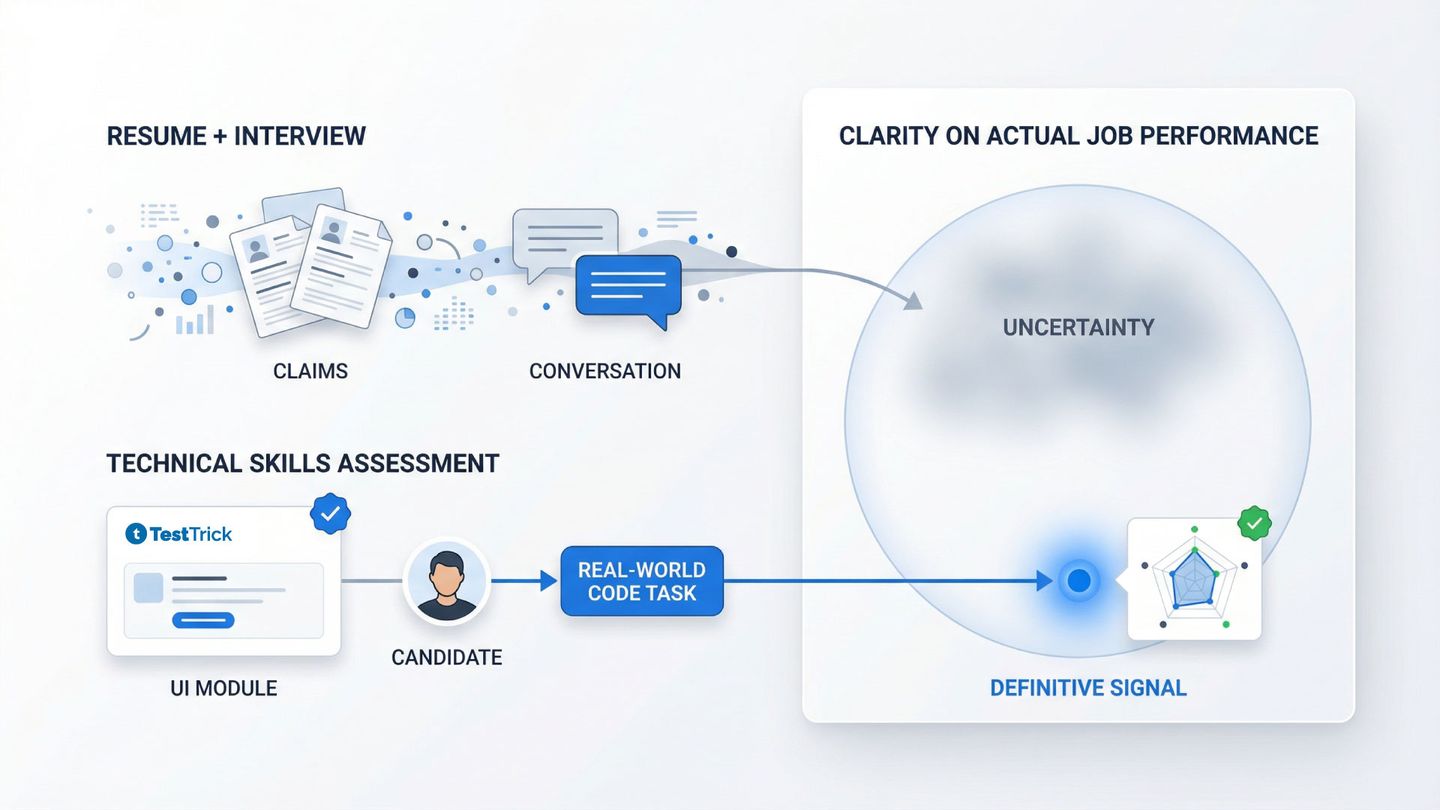
Traditional hiring methods are often unreliable. Resumes frequently exaggerate or misrepresent skills. One survey found that 70% of workers admit to lying on their resumes. So don't be surprised if a candidate says they're "proficient in Python" after completing only a few online tutorials.
Interviews don't fully solve the problem either. They tend to measure communication skills more than technical ability. Portfolios and certifications also have limitations. Portfolios may be outdated or heavily edited by others. Certifications typically prove that someone completed training, not that they can apply those skills effectively in real work.
Technical assessments take a different approach. Instead of relying on claims, candidates complete real-world tasks in a controlled environment. These assessment tests are usually timed and scored automatically or evaluated by experts. This gives hiring teams clearer assessment results and a better picture of who can actually perform the job.
They are commonly used for roles such as:
- Software development with coding tests
- Data analysis using SQL or Python challenges
- Design roles with UI/UX assignments
- IT support through troubleshooting scenarios
- Marketing positions with analytics or SEO tasks
For example, a coding assessment might ask a candidate to debug a broken function or build a small feature from scratch. While an interview might miss weak coding skills, a 45-minute coding test quickly reveals whether the candidate can actually write clean, working code.
Types of Technical Skills Assessments
Quick Answer: There are five main types: coding assessments for developers, data analytics tests for analysts, design assessments for creative roles, IT support evaluations for troubleshooting, and role-specific tests for specialized positions.
The type you choose depends on the role you're hiring for and which skills actually predict success.
Coding Assessments
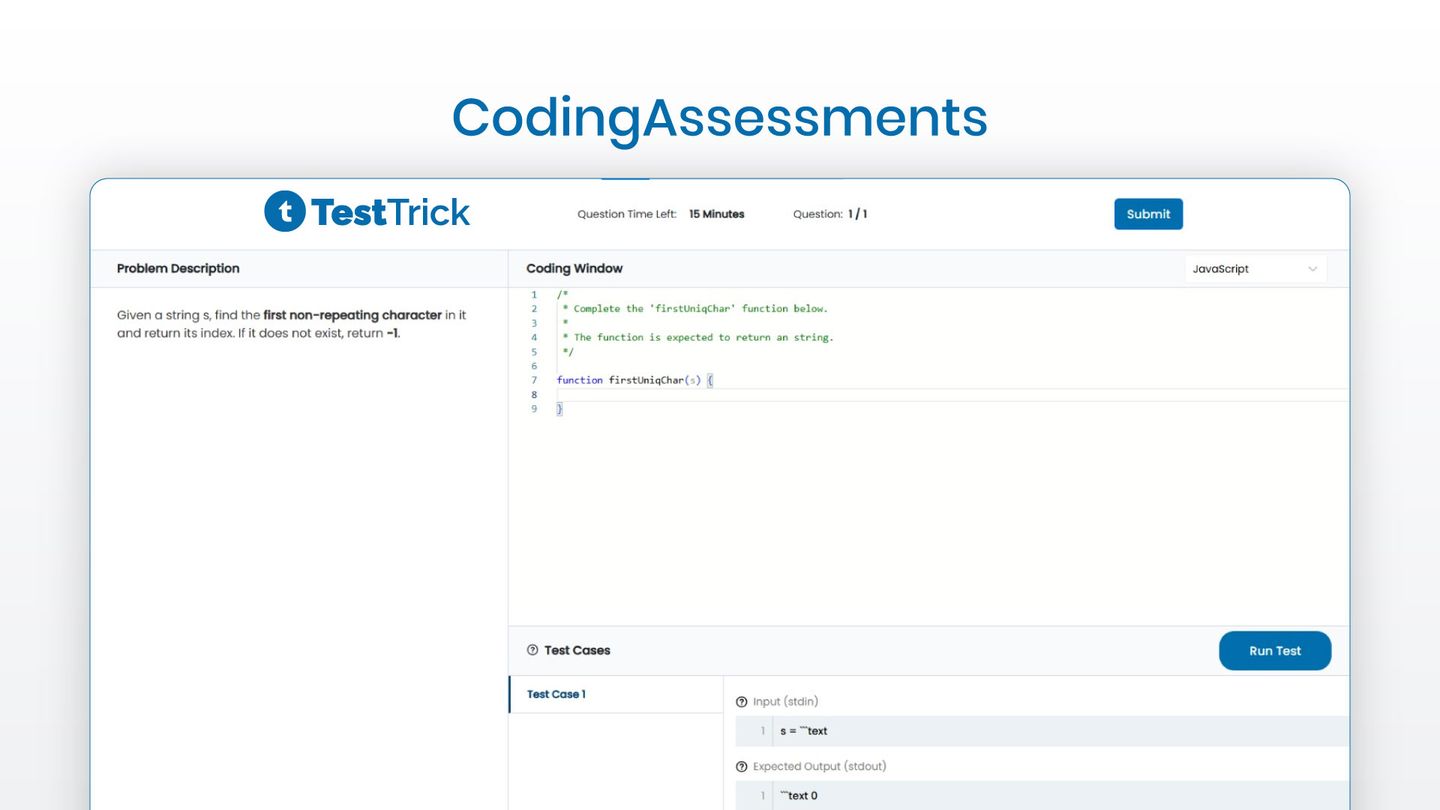
Coding assessments test programming ability in specific languages like Python, Java, or JavaScript. They can include algorithm challenges, debugging exercises, real-world problem-solving tasks, and sometimes live coding sessions. These skill assessment tests work best for software engineers, developers, and data scientists. Some platforms now use machine learning to automatically detect code patterns and predict candidate success based on coding style and problem-solving approaches.
The most effective assessments mirror your team's work. For example, a good coding assessment test might give a candidate a real bug from your codebase (anonymized) and ask them to fix it. This shows they can handle the actual problems your team faces.
Data and Analytics Assessments
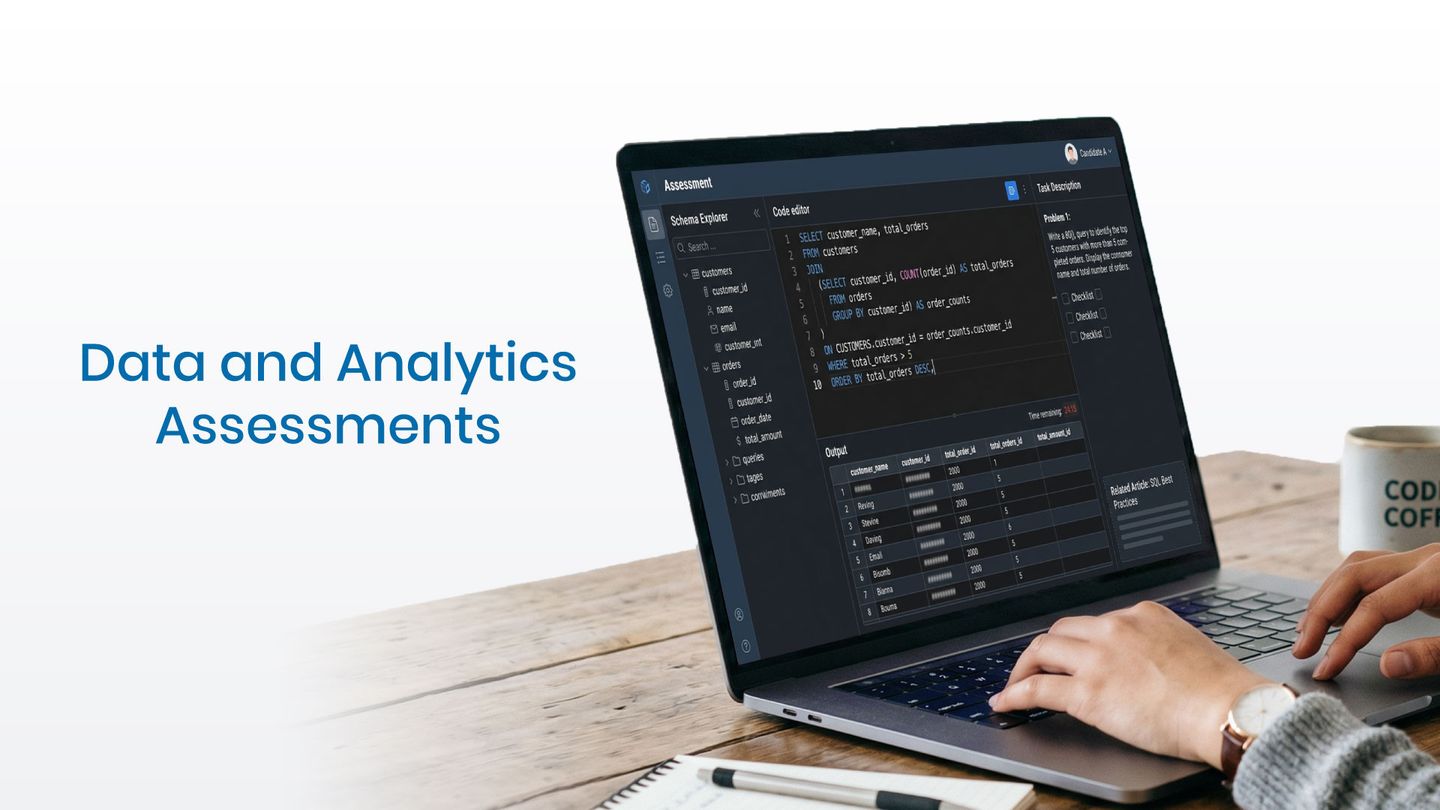
Data and analytics assessments measure SQL querying, data manipulation, statistical analysis, and visualization skills. Formats include database challenges, Excel exercises, Python or R assignments, and interpretation of real data sets. These pre-hire assessments are ideal for data analysts, business intelligence specialists, and research roles.
The best tests replicate real job conditions. Give candidates messy, incomplete data sets like the ones your team deals with daily. Set time limits that reflect real-world pressure. This reveals who can turn raw data into actionable insights under realistic constraints. Data-driven skills assessments help you make hiring decisions based on actual performance rather than interview impressions.
Design and Creative Assessments
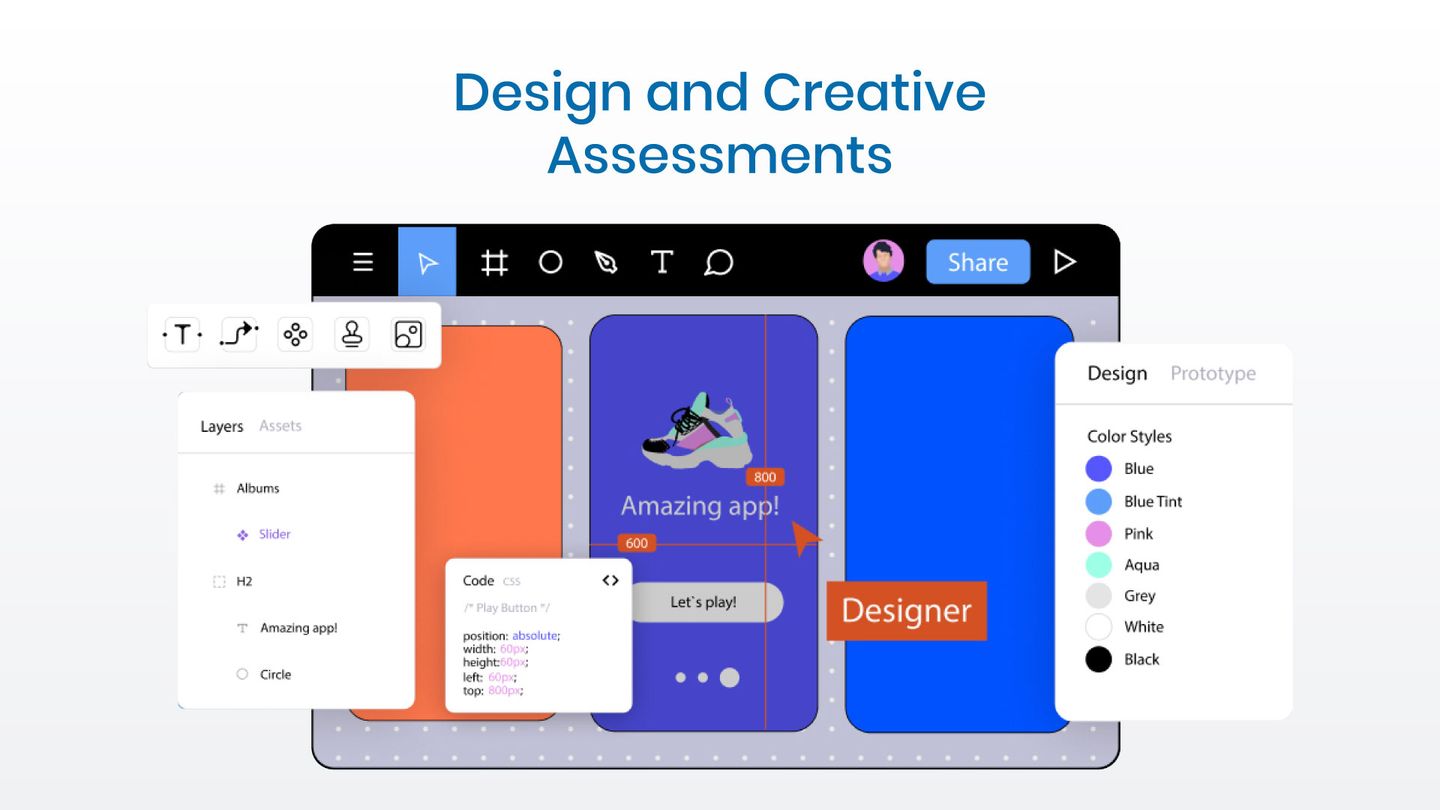
Design and creative assessments evaluate UI/UX design, graphic design, wireframing, and prototyping skills. They often include design briefs, tool-specific tasks in Figma or Adobe Creative Suite, and portfolio reviews paired with practical assignments. These are commonly used when hiring UX designers, graphic designers, or product designers.
Balance creative freedom with clear requirements. For example, a candidate might be asked to redesign a login flow for your app while adhering to your brand guidelines. Evaluate how well they meet your standards. Give reasonable time limits because great design can't be rushed.
IT and Technical Support Assessments
IT and technical support assessments measure several key areas. These include troubleshooting, system administration, network configuration, and cybersecurity knowledge. Candidates might work through scenario-based problems, simulated environments, or real-time issue resolution. These pre-employment assessments are used for roles like IT support specialists, system administrators, and DevOps engineers.
Focus on real-world troubleshooting scenarios, not trivia questions about protocols. Multi-step problem solving that requires candidates to think through complex issues. Tests that match your actual tech stack.
Role-Specific Skill Tests
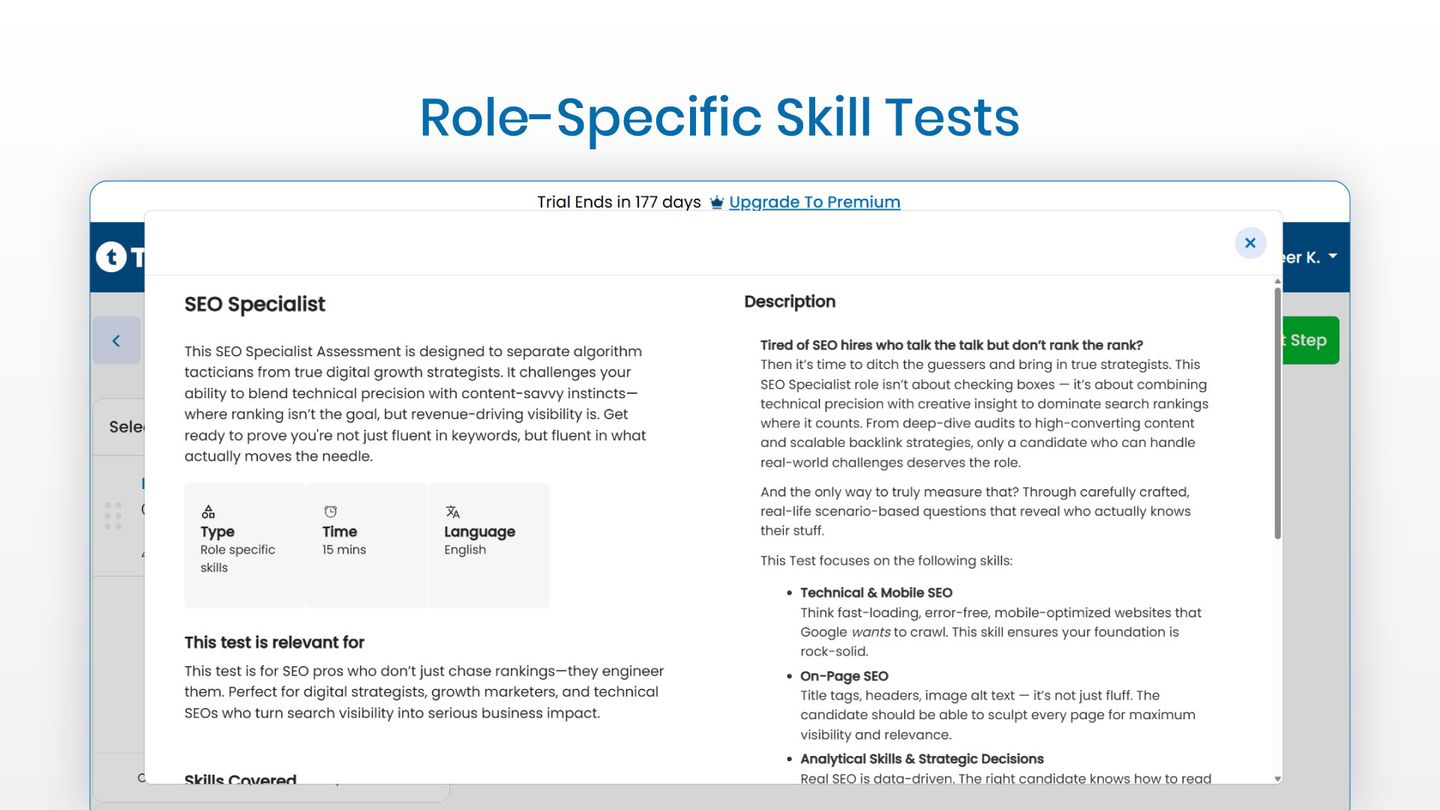
Role-specific skill tests cover specialized tasks outside standard categories. This includes SEO assignments, sales engineering demos, technical writing samples, or QA testing scenarios. Look for assessment tools that allow you to create custom tests from scratch with scoring rubrics tailored to your team's standards.
These tests work best when you need to evaluate niche technical skills that don't fit into coding, data, design, or IT support categories.
Must-Have Features in a Technical Assessment Platform
Quick Answer: The six essential features are real-world task simulation, anti-cheating measures, automated and expert scoring, customization options, mobile-friendly candidate experience, and ATS integration.
Real-world task simulation: Tests should match the actual work candidates will do. Textbook problems or theoretical questions do not predict job performance. Look for realistic tasks with time limits and the same tools your team uses.
Anti-cheating measures: Remote testing makes it easy to look up answers or get help. Good platforms include webcam proctoring, screen recording, plagiarism checks, code similarity detection, randomized questions, and time limits. No system is perfect. But these features make cheating harder and easier to catch.
Automated and expert scoring: Automated scoring handles objective tasks with clear right answers. Code that runs correctly. SQL queries that return the right data. Expert review evaluates subjective work such as code quality, design, or system architecture. Combining both gives fast and accurate assessment results that help you make confident hiring decisions. For example, a coding test might first check if the code works automatically. Then an expert scores it for readability, efficiency, and best practices. This approach delivers results in hours rather than days.
Customization options: Off-the-shelf tests often do not match your tech stack or requirements. Look for the ability to create custom questions. Modify pre-built libraries. Set scoring criteria that matter to your team. Add your branding. Tests that reflect your actual work predict job performance better than generic ones. Strong assessment strategies include tailoring tests to match your specific technical environment.
Candidate experience: A difficult platform can make top candidates drop out. Tests should be mobile-friendly and easy to navigate. So ensure your candidates have clear instructions, reasonable time limits, and support for any technical issues they may encounter.
Integration with ATS and HR tools: Good assessment tools save time by syncing results directly with your applicant tracking system. Look for native integrations with platforms like Greenhouse, Lever, or Workday. API access for custom setups. Automatic score updates.
Common Mistakes When Using Technical Assessments
Even with the right platform, companies make predictable mistakes that waste money and lose good candidates. Here's what to avoid:
Mistake #1: Making Tests Too Long
Candidates won't spend three hours on a pre-employment assessment. Keep initial assessments under 60 minutes. Save longer tests for finalists.
Mistake #2: Testing the Wrong Skills
Don't test advanced algorithms for a junior web developer role. Match difficulty to the actual job level. Test the skills that predict success in your environment, not what's popular in the industry. While technical skills assessment tests are crucial, some companies also use personality assessments or soft skills assessments to evaluate cultural fit separately from technical ability.
Mistake #3: Ignoring Candidate Experience
If your test is buggy, confusing, or frustrating, strong candidates will drop out and complain publicly. Test your own assessments before sending them to candidates. Click through every step. Make sure instructions are clear.
Mistake #4: Using Only Multiple Choice
Multiple choice tests measure recognition, not ability. For technical roles, you need hands-on tasks where candidates actually do the work. A developer who can recognize good code in a multiple-choice question might not be able to write it.
Mistake #5: No Clear Passing Criteria
If you don't know what a "qualified" score means, you can't make fair comparisons. Set thresholds before you start testing. Maybe 70% is your cutoff for moving forward. Whatever it is, decide in advance to ensure consistent hiring decisions.
Mistake #6: Forgetting to Update Tests
Technology changes fast. If your JavaScript test is still asking about jQuery in 2026, it's measuring the wrong things. Review and update tests annually at minimum. More often for fast-moving fields like web development.
Mistake #7: Not Combining with Other Evaluations
Technical skills aren't everything. Skills assessments screen for ability. But you still need interviews for culture fit, communication skills, and problem-solving approach. Use tests to narrow the pool, then interview to find the best fit.
Frequently Asked Questions
When should you give technical assessments in the hiring process?
Send assessments after resume review but before phone screens. This saves time because you don't interview people who can't do the work. Most companies place assessments between resume review and first interview in their recruitment process. This candidate screening approach helps you focus interviews on qualified candidates only.
How long should a technical skills assessment take?
Initial screenings should take 30 to 60 minutes maximum. Candidates won't complete longer tests for roles they might not get. For final-round candidates, you can extend to two or three hours for take-home projects. If you're asking for more than three hours of work, you should probably pay them.
Can candidates cheat on technical assessments?
Yes, but good platforms make it harder. Proctoring, plagiarism detection, and time limits reduce cheating. Design tests where cheating is obvious. If someone can't explain their code in a follow-up interview, you know they didn't write it. Use assessments to narrow the pool, then verify skills in person.
Should you use the same test for junior and senior roles?
No. Junior roles need tests that measure fundamentals and potential. Senior roles need tests that measure experience, architectural thinking, and complex problem-solving. It's the same skill but different depth. Most assessment tools let you adjust difficulty.
What's a good pass rate for technical assessments?
20 to 40% is typical for well-designed tests. If 80% pass, your test is too easy. If 5% pass, it's too hard or testing the wrong things. Track your pass rates and adjust difficulty based on whether passing candidates actually succeed in the role.
How much do technical assessment platforms cost?
Technical assessment platforms typically range from $29 to $500+ per month, depending on features and volume. TestTrick starts at $49/month for 50 candidates.
Why TestTrick Works for Technical Skills Assessment
Companies that test skills objectively hire better and faster than companies that rely on resumes and interviews alone. Technical skills-based hiring isn't optional anymore. It's how you compete for talent in a market where everyone claims expertise, but not everyone can deliver.
If you're ready to start testing technical skills properly, TestTrick gives you what you need:
What you get:
- Pre-built assessments for coding, data analysis, and other technical roles
- Custom test creation that matches your specific tech stack
- Automated candidate ranking that saves manual review time
- Anti-cheating features including proctoring, plagiarism detection, and time limits
- Mobile-friendly tests that don't lose top candidates to technical issues
- Full ATS integration so results flow into your hiring pipeline automatically
Pricing that makes sense:
- Starter: $49/month for 50 candidates
- Basic: $75/month for 100 candidates
- Business: $99/month for 150 candidates
- Enterprise: Custom pricing for high-volume hiring
Who it's for: TestTrick works well if you're a small to mid-sized company hiring technical roles regularly. If you're an agency managing assessments for multiple clients. Or if you're an HR team that needs comprehensive testing without enterprise complexity.
Next steps: Start with a 7-day free trial and test the platform with real candidates, and see how technical skills testing changes your hiring process.
Build a Hiring-Ready Assessment
Create role-specific, anti-cheat assessments and shortlist candidates on evidence, not guesswork.
Start for freeBy Favour Etinosa Ogie
June 30, 2026
10 min read
Build a Hiring-Ready Assessment
Create role-specific, anti-cheat assessments and shortlist candidates on evidence, not guesswork.
Start for free