Best Skills Assessment Tools for Recruiters: 9 Picks for 2026
Compare the 9 best skills assessment tools for recruiters in 2026, with features, pricing, pros and cons, and how to choose the right one for your roles.

By Tooba Noman
September 19, 2026
12 min read
You're here because:
- A resume told you someone could do the job, and then they couldn't.
- You have interviewed candidate after candidate who sounded right and unraveled the moment real work came up.
- You are looking at a stack of applicants with no fast way to tell who can actually do the work from who just writes well about it.
Getting this wrong is expensive.
SHRM's benchmarking data puts the average cost of filling a single role at nearly $4,700, and that is money you spend before you have any real proof the person can do the job.
Most of that risk comes down to one gap: hiring on what candidates claim they can do rather than what they can show. Whether you call them skills assessment tools, recruitment assessment tools, or talent assessment tools, they all close that gap the same way — by letting you see the work before you commit to the person.
This guide covers the best ones for recruiters in 2026, what each does well, and where each falls short.
TL;DR – Key Takeaways!
- The right talent assessment tool comes down to the roles you actually hire for, not the one with the longest feature list.
- If most of your hiring sits in one area, a specialist tool will serve you better, but if you are screening across all kinds of roles, you will want the range of a generalist.
- Job simulations and AI grading give you a much clearer read on how someone will perform than a multiple-choice score ever will.
- It is worth paying attention to how a tool charges, not just what it charges, because per-credit plans that look cheap upfront tend to add up as your hiring volume grows.
- For remote roles, proctoring has quietly become something you cannot really do without.
Comparison table
| Tool | Best for | Key features | Pricing | Rating (G2) |
|---|---|---|---|---|
| TestTrick | Teams that want skills tests, psychometric assessments, and AI-scored video interviews in one proctored assessment | AI-scored video interviews, combined assessment across seven types of questions, Layered proctoring, Analytics and candidate funnel | From $35/month | 4.6/5 |
| HackerRank | Developer and technical hiring at volume. | Collaborative IDE (CodePair) Integrity controls (timeline, question-hiding, anti-cheat) 7,500+ questions across 58 languages | From $99/mo; custom for enterprise | 4.5 / 5 |
| Xobin | Lean teams wanting an all-in-one system. | 200+ job assessments, 800 skills tests XoForms white-labeling Advanced proctoring | From $699 | 4.5 / 5 |
| Canditech | Hybrid roles tested via job simulations. | Job-simulation tasks Wide formats (Coding, SQL, Excel, video) AI-use detection | From $150/mo (annual only) | 5.0 / 5 |
| TestGorilla | High-volume, role-agnostic screening. | Multi-format questions Culture-add and personality tests 2M+ candidate sourcing pool | From $72/mo | 4.5 / 5 |
| Vervoe | AI grading and ranking of open responses. | AI grading and ranking Skill-weighted scoring Bulk CSV invitations | Custom only | 4.6 / 5 |
| iMocha | Enterprise hiring plus skills benchmarking. | Skills benchmarking Competency-level scoring AI proctoring (image, video, audio) | Custom only | 4.4 / 5 |
| Testlify | Budget multilingual hiring with AI interviews. | Conversational AI interviews 16+ language coverage 18+ proctoring controls | From $10/user/mo | 4.7 / 5 |
| eSkill | High-volume operational and clerical hiring. | Question-level test builder Human-validated content Anti-cheat (photo ID, lockdown) | Custom only | 4.5 / 5 |
How this list was tested and selected
To build this list, I looked at more than a dozen skills assessment platforms the way a recruiter actually uses them, not the way a sales demo shows them off.
That meant running them against real hiring scenarios: technical screens, high-volume operational hiring, hybrid roles that mix hard and soft skills, and fully remote positions where integrity is on the line.
I also dug through G2 and Capterra reviews and community threads on Reddit to hear what teams say once the onboarding call is over and they are living with the tool day to day.
Then I put each platform against four questions that decide whether an assessment is actually worth sending:
| My big question | What I looked for |
|---|---|
| 1. Do the results mean anything? | Not just a score, but a signal that predicts on-the-job performance. Validated tests and realistic job simulations beat generic trivia every time. |
| 2. Will candidates finish it? | A clean, mobile-friendly experience that does not make good applicants quit halfway. If the test is long or clunky, your drop-off rate tells the story. |
| 3. Can I trust the score? | Proctoring that holds up: camera, screen, and tab monitoring, plus plagiarism and AI-use detection. Especially non-negotiable for remote roles. |
| 4. Is it easy to run and read? | Fast setup, and reports I can interpret at a glance without digging through a manual or pinging support. |
Top skills assessment tools for recruiters
1. TestTrick
TestTrick
Best for: Teams that want skills tests, psychometric assessments, and AI-scored video interviews in one proctored assessment, without paying more to unlock features.
TestTrick is an all-in-one screening platform that brings hard-skill tests, psychometric assessments, and AI-scored video interviews into a single candidate flow.
Our library holds more than 500 built-in tests across technical, cognitive, language, situational-judgment, and personality domains, and recruiters can build custom tests on top of that. This includes a dedicated coding assessment software with support for 15+ programming languages, real-time code execution, and automatic test case validation.
What separates us from most recruitment assessment tools here is how much sits inside one assessment. With TestTrick, you can combine a coding test, a personality assessment, and a recorded video interview, then run all of it under the same proctoring.
Rather than gating capabilities behind tiers, we make every feature available on each plan and charge by candidate volume instead.
If you want to see how TestTrick can help you (benefit) then book a demo with us today.
Try TestTrick Free
Key features
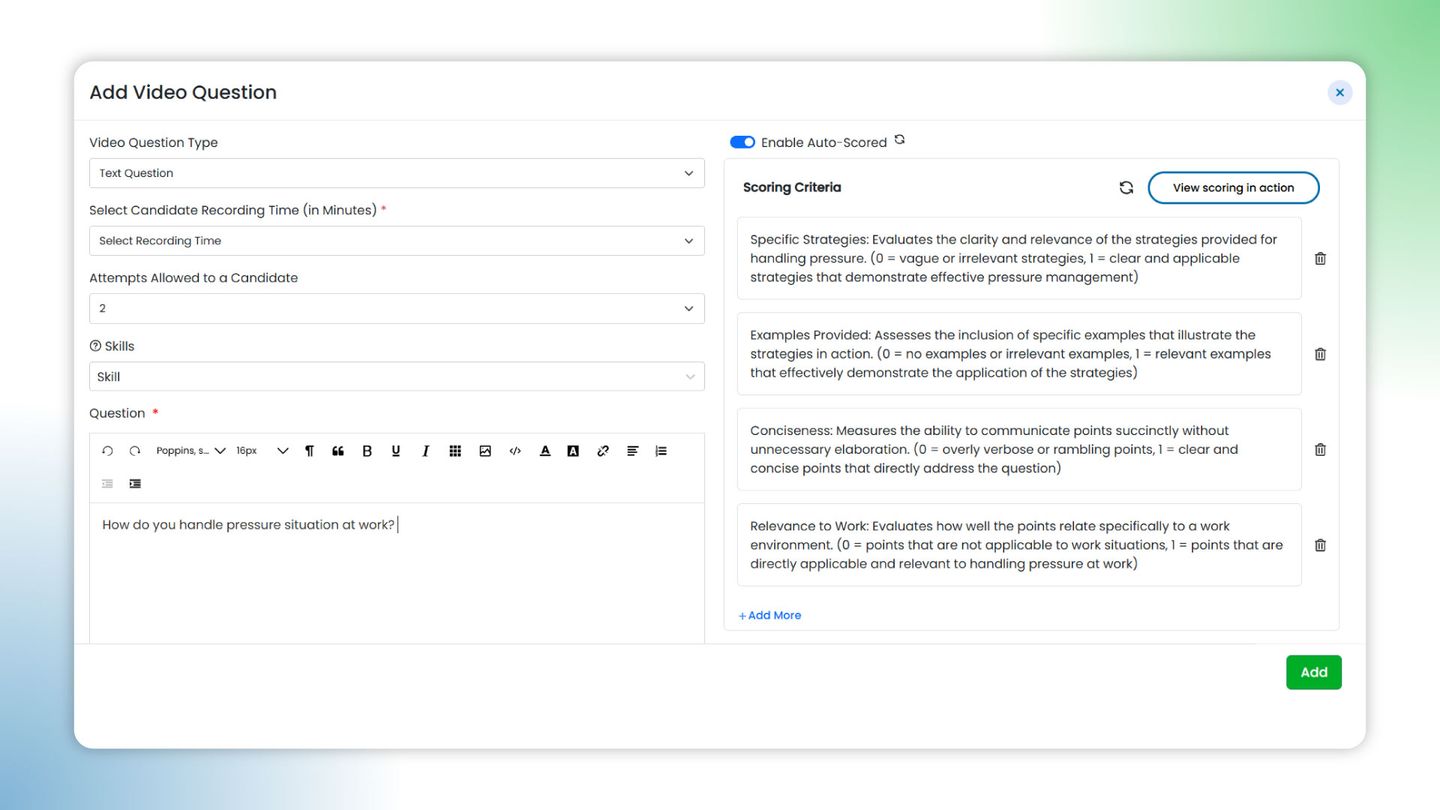
- AI-scored video interviews: One-way video questions where candidates record answers and AI grades them against criteria you define, returning a score, a written justification, a transcript, and a summary. You can preview how an excellent, average, or poor answer would score before sending.
feature
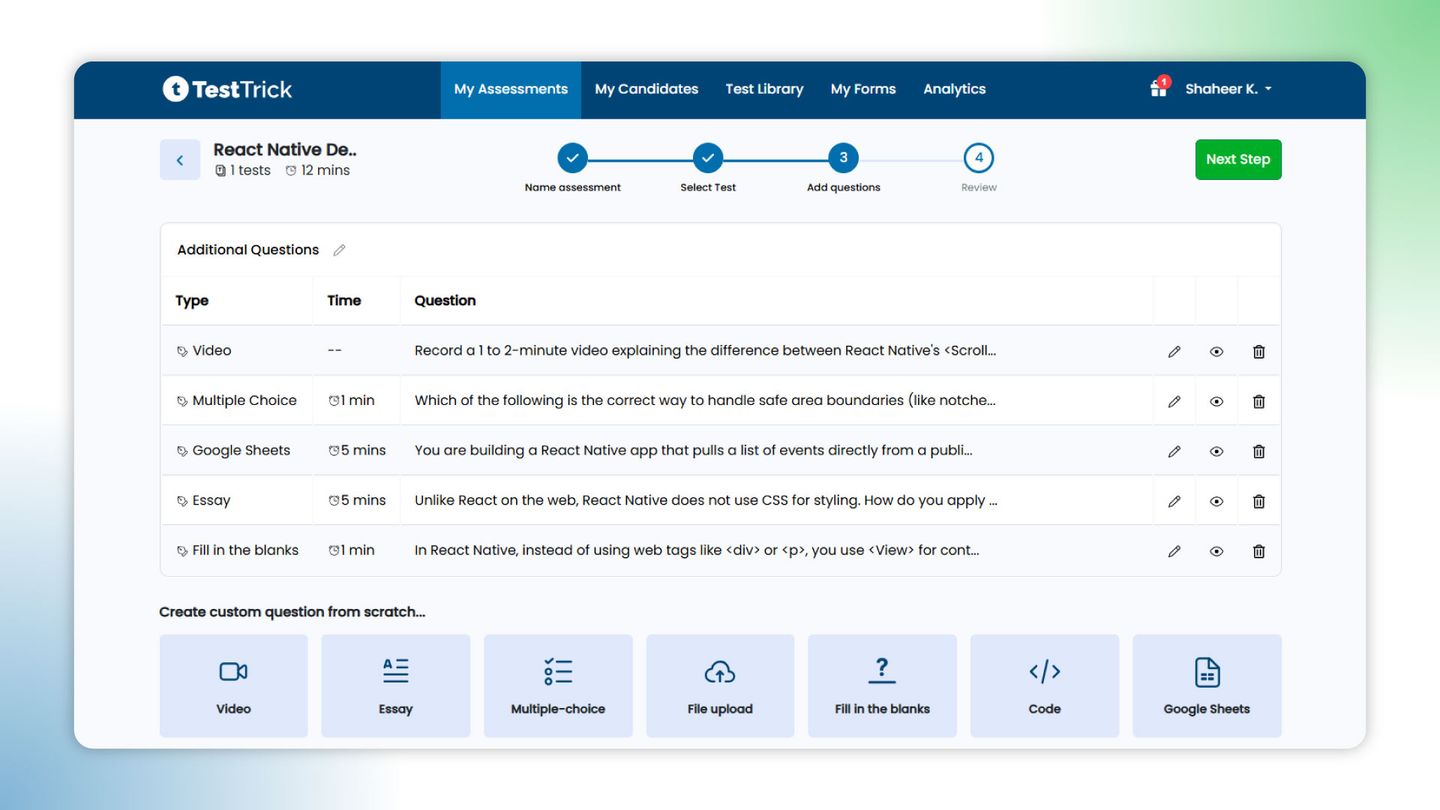
- Combined assessments across seven question types: A single assessment can bundle multiple tests, mixing coding, Google Sheets, multiple choice, fill-in-the-blanks, essay, file upload, and video, alongside psychometric frameworks like DISC, OCEAN, and MBTI.
feature
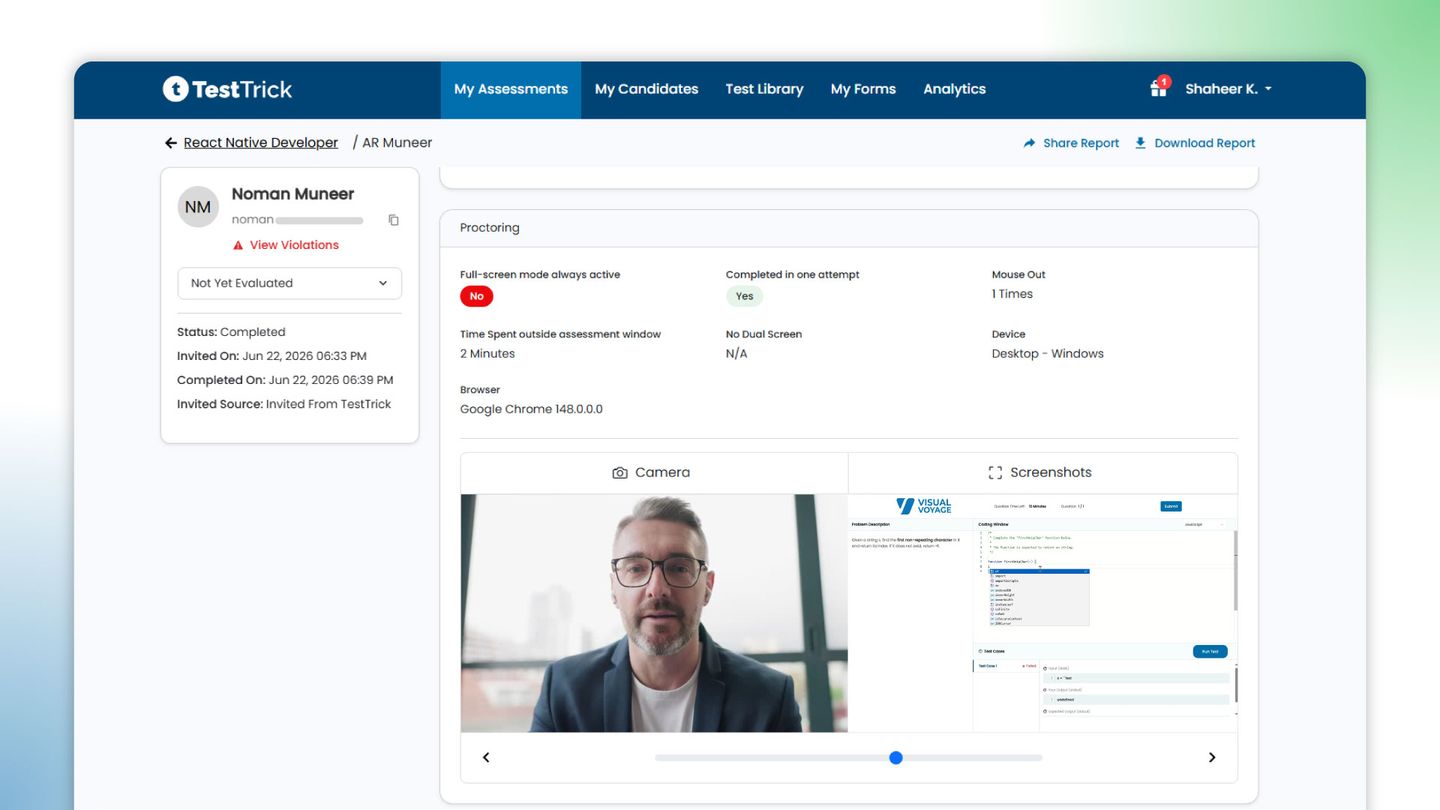
- Layered proctoring: Camera and screen snapshots at 30-second intervals, copy-paste blocking, dual-monitor detection, and tab monitoring that logs how often and how long a candidate leaves the window. Major violations are auto-flagged, and the report separates signals from confirmed violations.
feature
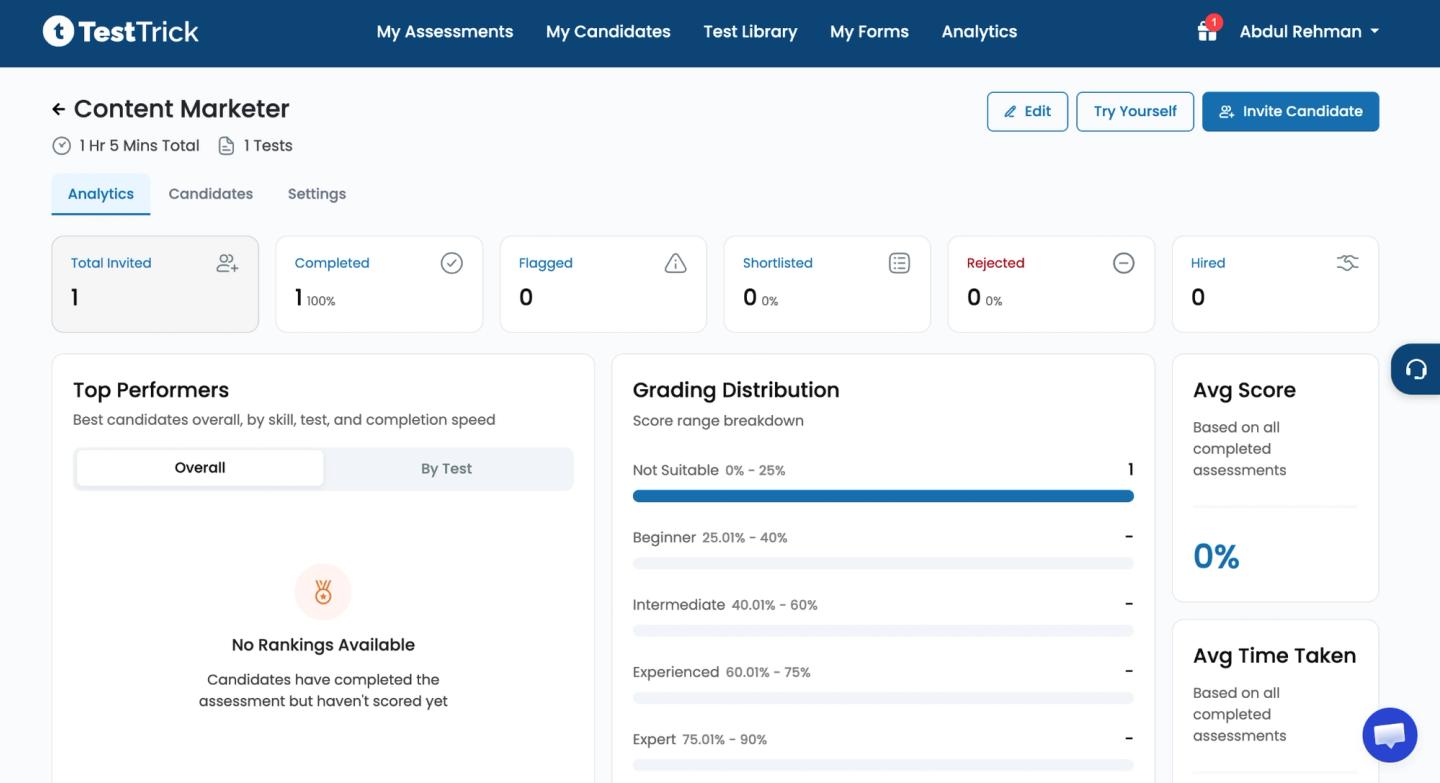
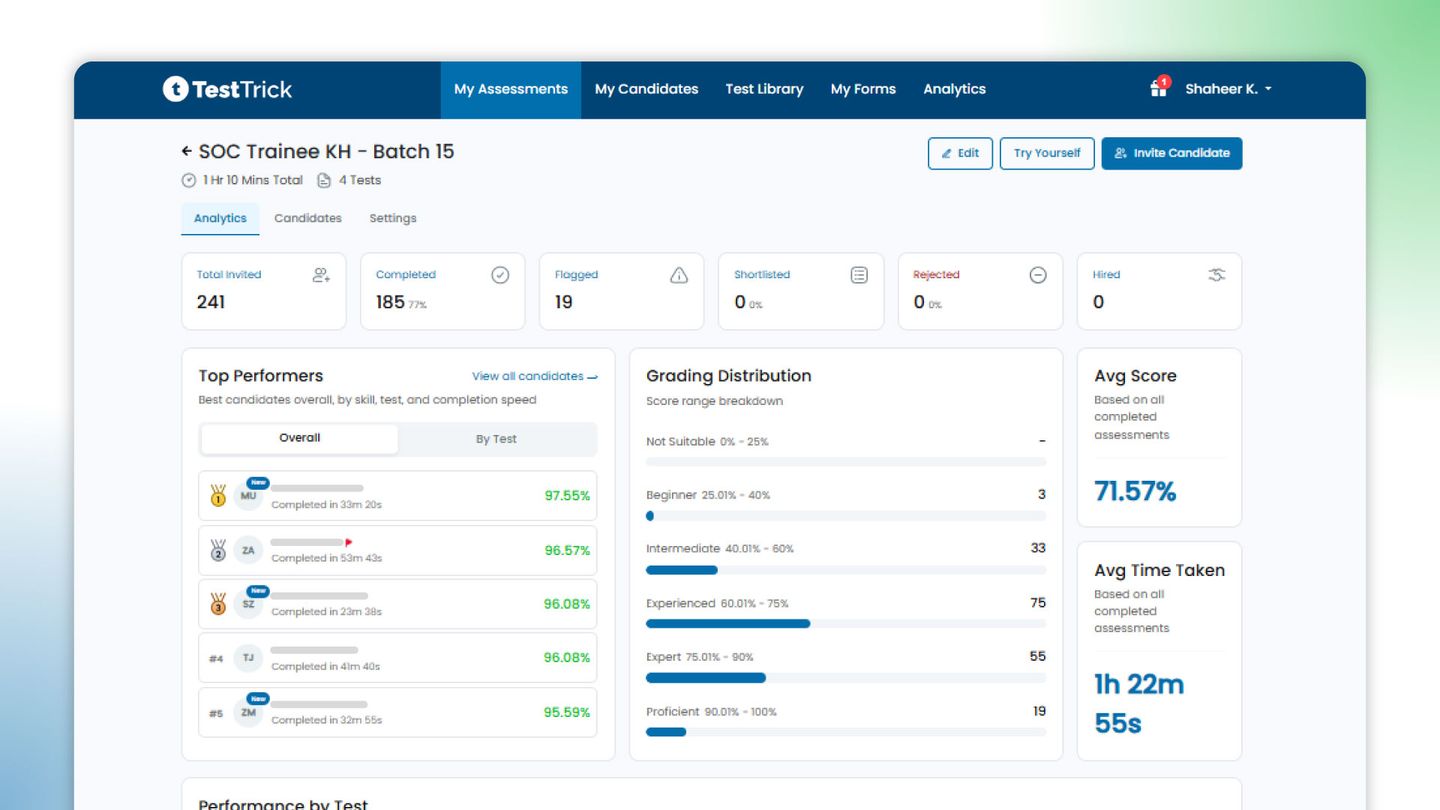
- Analytics and candidate funnel: A dashboard tracking the pipeline from invited through completed and shortlisted, with grading distribution across score bands, top performers by skill or test, average score, and average time taken.
feature
Pros
- Combines skills tests, psychometrics, and AI video interviews in one proctored sitting, so a full screen for a role happens in a single candidate experience
- Every feature, including proctoring and AI evaluation, is available on all plans, with pricing tied to candidate volume rather than feature tiers
- Reporting goes deep: per-skill and per-test breakdowns, video transcripts with AI summaries, and a proctoring log you can review candidate by candidate
Cons
- It focuses on async, structured assessments and doesn't offer live pair-programming interviews, so teams that rely on real-time collaborative coding sessions will need a dedicated tool alongside it.
Pricing
TestTrick’s pricing starts at $35 per month and is billed annually. For more information, visit our pricing page.
2. HackerRank
hackerrank
Best for: Engineering and technical teams hiring software developers at volume, who want coding assessments and live interviews in one platform.
HackerRank sits at the developer-focused end of this list, built to evaluate engineering talent rather than general roles. It has become a default for technical hiring, used by over 2,600 companies to screen and interview developers.
The platform covers the full technical funnel, from automated coding screens to interviewer-led sessions. For non-technical or mixed-skill roles, it is more firepower than most teams need.
Key features
- Collaborative IDE (CodePair): Interviewer and candidate problem-solve together in real time during a live session, saved for review.
- Integrity controls: Session timeline capture, question-hiding settings, and anti-cheating features that flag copied or AI-generated submissions.
- Language depth: Over 7,500 questions across 58 coding languages, with role-specific sets built in.
Pros
- Assesses real-world coding skills at scale with broad, customizable tests
- Timeline capturing and question-hiding controls keep assessments fair
- Easy to use even for non-engineers, with clean ATS integrations
Cons
- The interface can feel cluttered, which may hinder navigation
- Adding custom questions is time-consuming
Pricing
HackerRank’s monthly pricing starts at $99.
3. Xobin
xobin
Best for: Lean HR teams that want skills tests, video interviews, and light applicant tracking in one system instead of stitching separate tools together.
Xobin bills itself as a talent operating system rather than a standalone test builder. Founded in 2016 in Delaware, it now supports more than 5,000 teams across role-based hiring, tech screening, and large-scale university recruitment.
The core pitch is consolidation: run assessments, video interviews, and basic tracking in one place rather than paying for three tools. It leans toward high-volume and mid-market recruiters who value breadth over best-in-class depth in any single area.
Key features
- Curated question library: Over 200 job-specific assessments and 800 skills tests spanning technical, aptitude, and psychometric domains.
- XoForms white-labeling: Branded assessments and recruiting pages carrying the company's own logo.
- Advanced proctoring: Full-screen mode, screen recording, and no-face or multi-face detection, plus browser monitoring and plagiarism detection.
Pros
- A large question bank means recruiters do not have to write questions themselves
- You can combine multiple skill domains in a single assessment
- Responsive support over chat and email
Cons
- The question bank could go deeper on advanced concepts
- Reporting could be more concise, and some integrations have historically lagged
Pricing
Xobin’s skill assessment plans start at $699
4. Canditech
Canditech
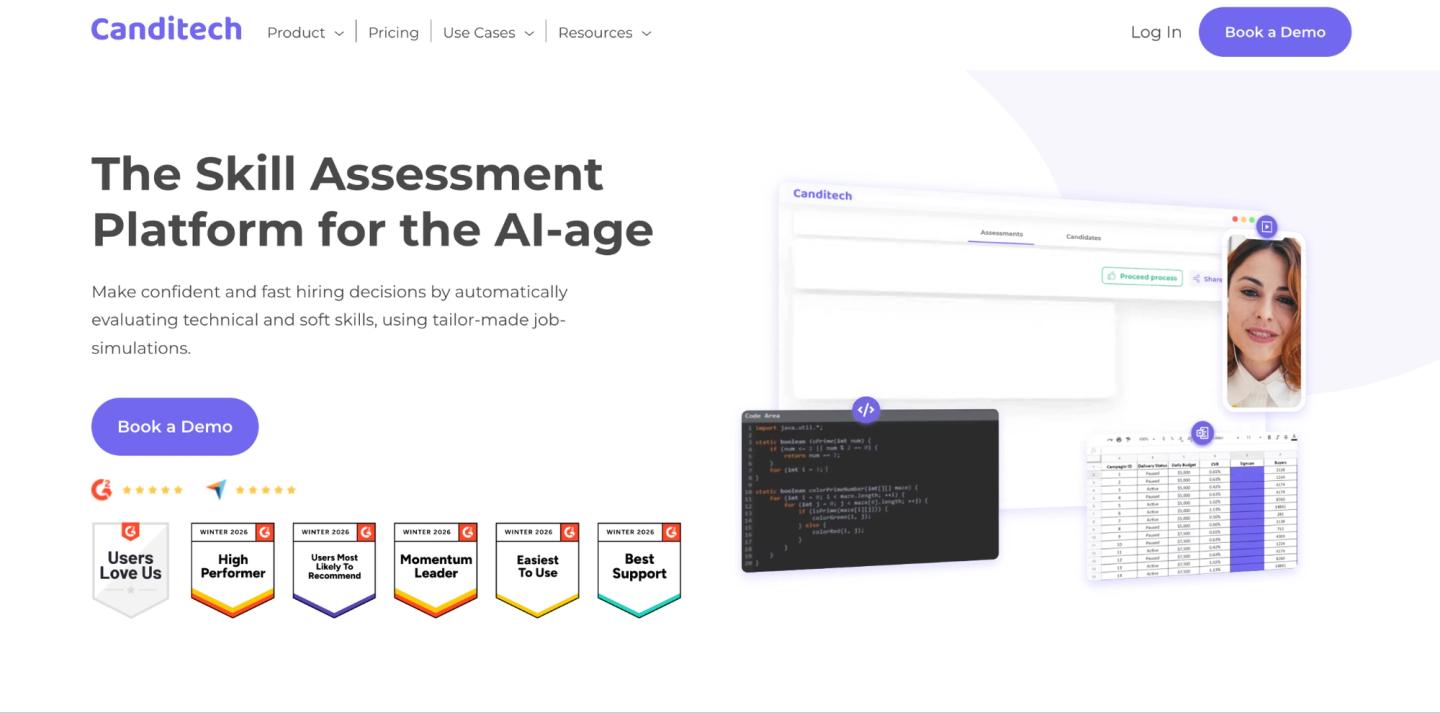
Best for: Teams hiring for hybrid roles that blend hard and soft skills, where you want candidates to complete realistic tasks rather than answer multiple choice.
Canditech is built around job simulations that work like a test drive of the role. It assesses technical and soft skills through tailor-made simulations, one of the stronger predictors of future job performance.
Candidates work with real data, build reports, and record video walkthroughs, so evaluators see how someone thinks, not just what they know. It skews mid-market and has become a favorite for marketing, sales, and operations hiring.
Key features
- Job-simulation tasks: Candidates work directly with realistic data, prepare reports, and upload projects into the test.
- Wide question formats: Coding, SQL, Excel, ChatGPT, open text, and video question types in one assessment.
- AI-use detection: Built-in ChatGPT detection and anti-cheating monitoring.
Pros
- A broad assortment of question formats in the job-simulation tests
- Clean, easy-to-navigate interface
- Practical, job-relevant assessments give a clearer read on real capabilities
Cons
- Editing options on the assessment page are limited, with no live coding tool for interviews
- Branding customization could be richer, such as adding logos and colors
Pricing
Canditech’s pricing starts at $150 per month, billed annually. They do not offer monthly pricing.
5. TestGorilla
TestGorilla
Best for: Small and mid-sized teams running high-volume, role-agnostic screening across many job types, especially non-technical roles.
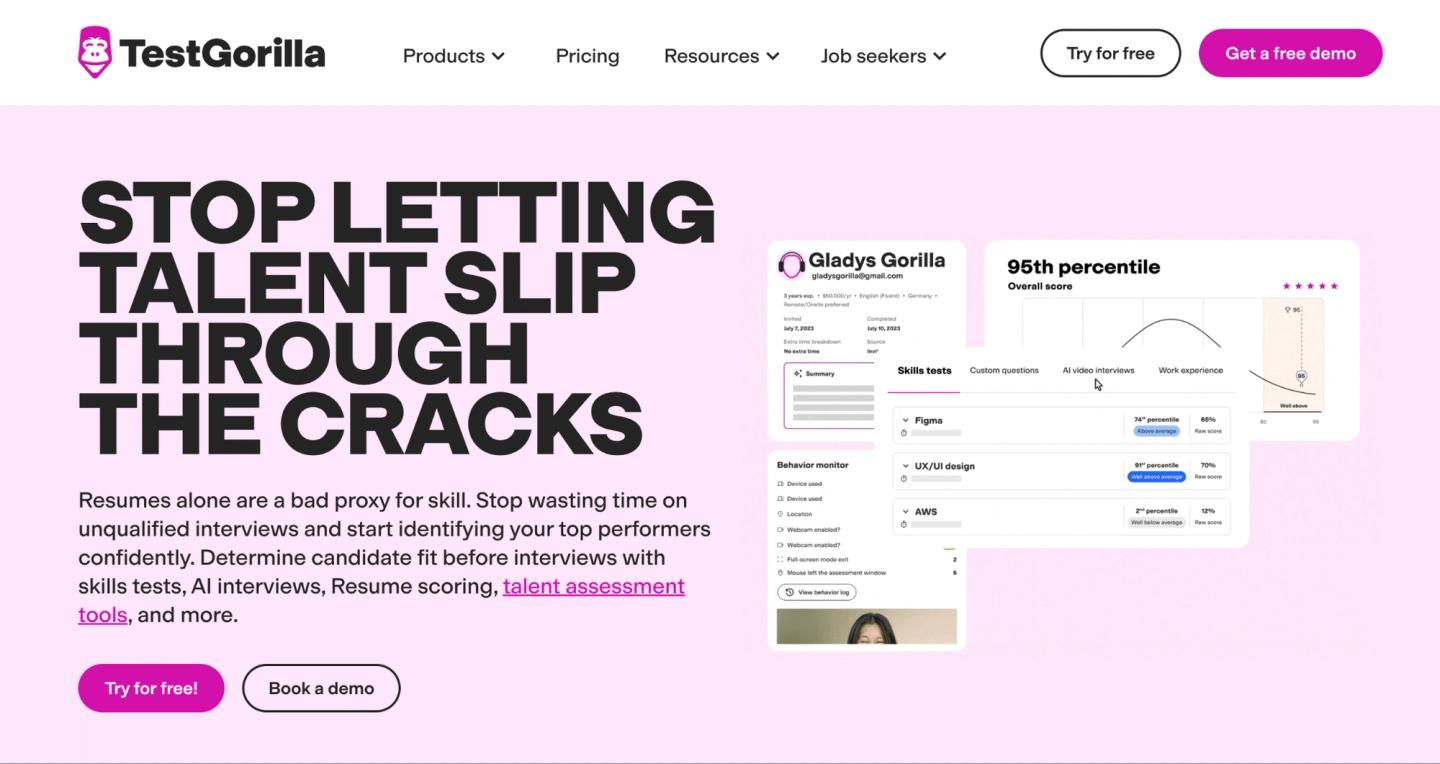
TestGorilla is the broad generalist of this category, built for breadth rather than depth in any one discipline. Its library spans 200 to 350-plus tests across cognitive ability, programming, software skills, language proficiency, personality, and culture-add.
You combine several short tests into one assessment, and the platform auto-ranks candidates to surface top performers. It is genuinely easy to get running, which is why it lands with lean hiring assessment tools.Where it stops short is deep, AI-native technical evaluation.
Key features
- Multi-format questions: Coding tasks, one-way video interviews, file uploads, essays, and multiple choice.
- Culture-add and personality tests: Value and personality assessments sit alongside skills tests.
- Talent sourcing pool: Access to a marketplace of over two million candidates.
Pros
- Intuitive and easy to use for assessing and analyzing candidates.
- Combines cognitive and non-cognitive tests into a single summary that reduces interviewer bias.
- Accurately flags candidates who leave the testing environment, with live tracking.
Cons
- TestGorilla manipulates pricing with annual and monthly plans. Users have often complained about it.
- You cannot modify a test suite after it has been created.
Pricing
TestGorilla’s pricing starts at $72 per month.
6. Vervoe
Vervoe
Best for: Teams that want AI to grade and rank open-ended responses at scale, cutting manual review on high-applicant, customer-facing roles.
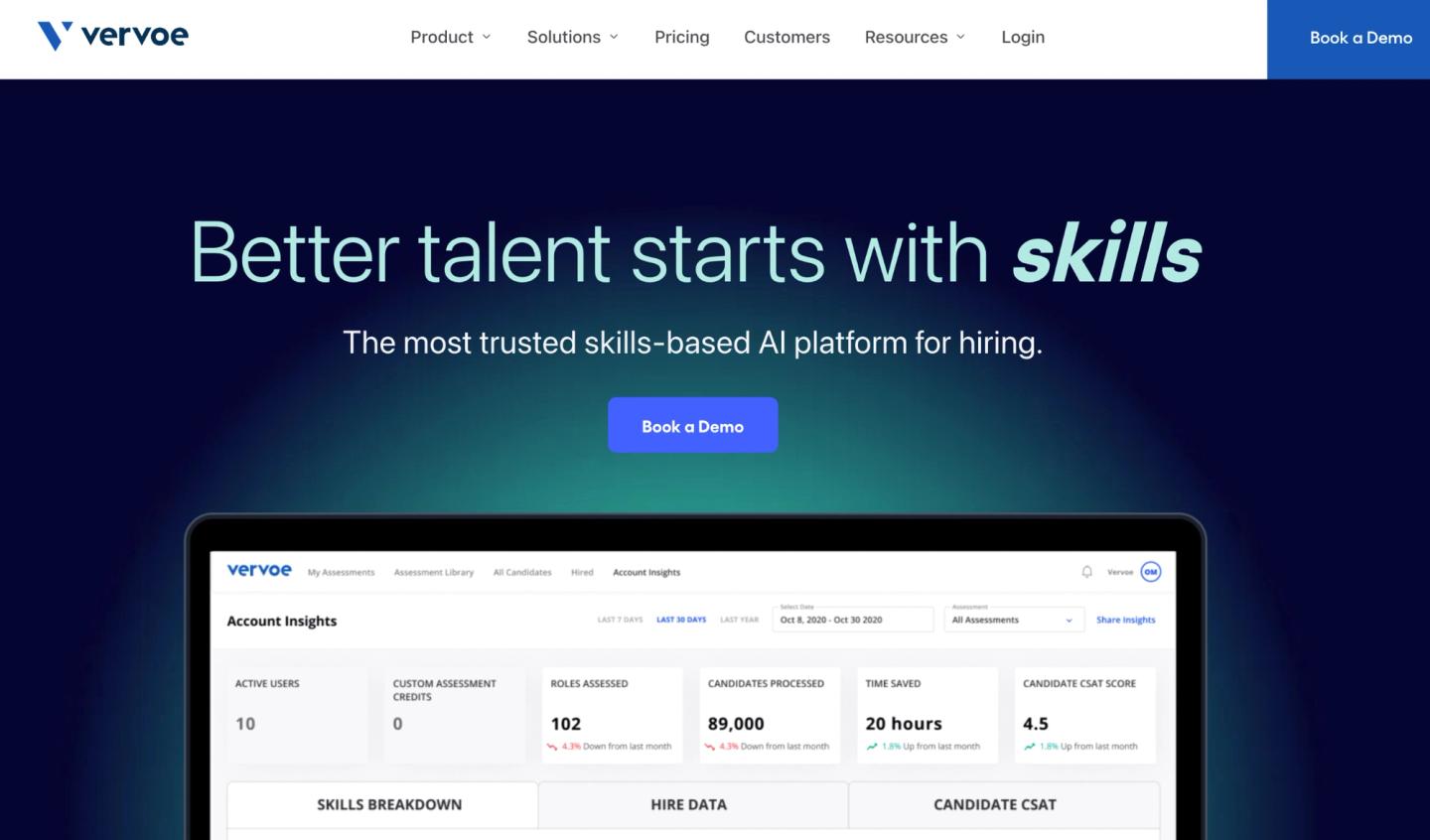
Vervoe is a skills-first platform built around job-simulating tests rather than generic multiple choice, with AI-enabled grading praised for accuracy and objectivity.
Candidates can respond in written, audio, or video formats, and the AI scores and ranks them so reviewers spend less time on early screening. It leans toward small and mid-sized teams that hire in volume and care about reducing bias. The catch is that simulations take real effort to set up well.
Key features
- AI grading and ranking: AI-enabled grading of open-ended answers that produces a predictability-of-success score for each candidate.
- Skill-weighted scoring: Group questions by skill and weight them, so tied overall scores break down by the skill you care about most.
- Bulk invitations: Send hundreds of assessments at once with a simple CSV upload.
Pros
- Highly customizable assessments tailored to specific roles
- Predictive scoring and bias reduction help shortlist candidates quickly
- Real-time proctoring with camera snapshots and geolocation tracking
Cons
- Assessments take upfront effort to build, and some plans carry monthly limits
- Lighter on ready-made technical and coding depth than dedicated coding platforms
Pricing
Vervoe offers custom pricing only.
7. iMocha
iMocha
Best for: Large enterprises that want one platform for technical hiring plus internal skills benchmarking and workforce upskilling, not just pre-hire screening.
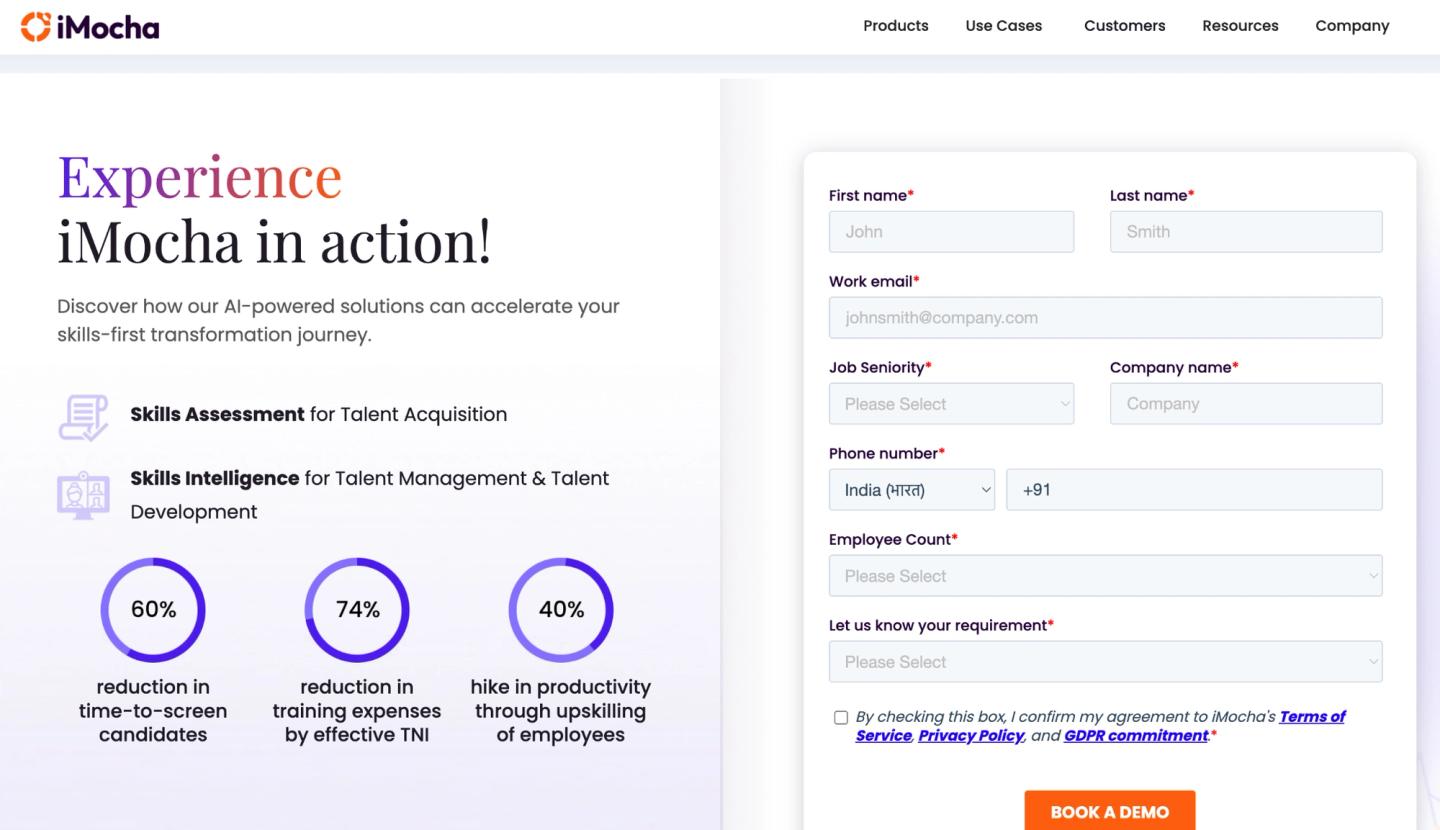
iMocha positions itself as a skills-intelligence platform rather than a pure screening tool. It supports hiring, upskilling, and workforce planning in one system, with customizable assessments across 3,000-plus skills, plus competency mapping and benchmarking at scale.
Names like Deloitte, PayPal, and Fujitsu sit in its client base, which tells you where it aims. The breadth is real, but so is the weight: smaller teams often find it more platform than they need.
Key features
- Skills benchmarking: Competency mapping and skills-gap benchmarking across the workforce, not only candidates.
- Competency-level scoring: Rates candidates as beginner, intermediate, proficient, or experienced.
- AI proctoring: Image, video, and audio proctoring with plagiarism detection.
Pros
- User-friendly for both candidates and recruiters, with a wide variety of skills tests
- Detailed reports surface competency levels and areas for improvement
- Responsive customer support
Cons
- Does not include psychometric tests
- Can feel feature-heavy for smaller teams
Pricing
iMocha offers custom pricing only.
8. Testlify
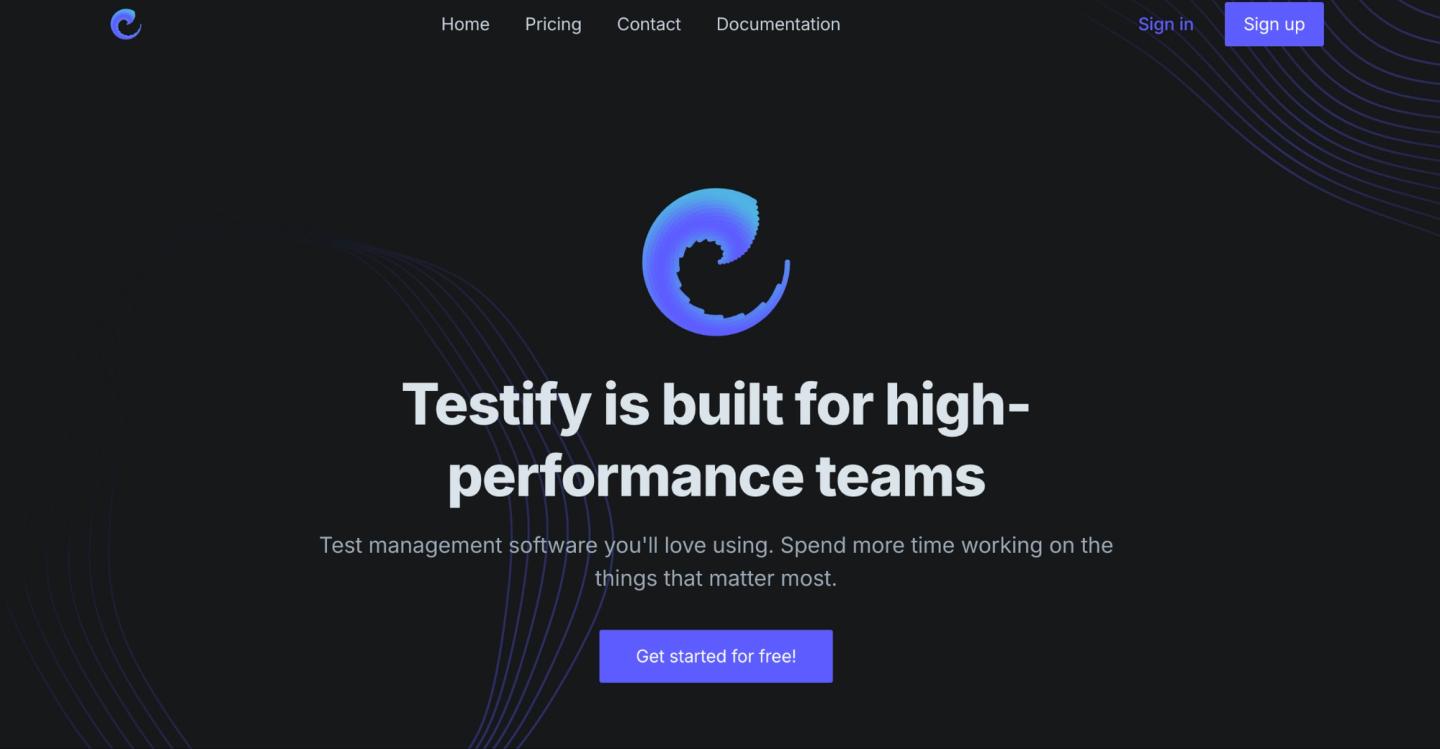
Testlify
Best for: Budget-conscious small and mid-sized teams hiring across languages and regions, who want skills tests and AI interviews in one affordable platform.
Testlify is one of the newer AI-native entrants, pairing a large test library with conversational AI interviews. It offers 3,500-plus scientifically validated tests spanning technical, non-technical, cognitive, language, personality, and role-specific skills, backed by 18-plus proctoring features and over 100 ATS integrations.
The pitch is global and automated: assess and interview candidates in many languages without stitching tools together. It sits mostly with smaller teams drawn to its price point and ease of setup.
Key features
- Conversational AI interviews: Chat, audio, and video interviews that capture structured responses at scale.
- Multilingual coverage: Tests and interviews available across 16-plus languages.
- Deep proctoring suite: More than 18 anti-cheating and proctoring controls.
Pros
- Clean, intuitive interface that simplifies the assessment process
- Detailed analytics and reports support objective, data-driven decisions
- Quick, responsive customer support
Cons
- Limited flexibility for building highly customized tests for niche roles.
- Starting assessments can involve a manual process.
Pricing
Testlify’s pricing starts at $10 per user per month.
9. eSkill
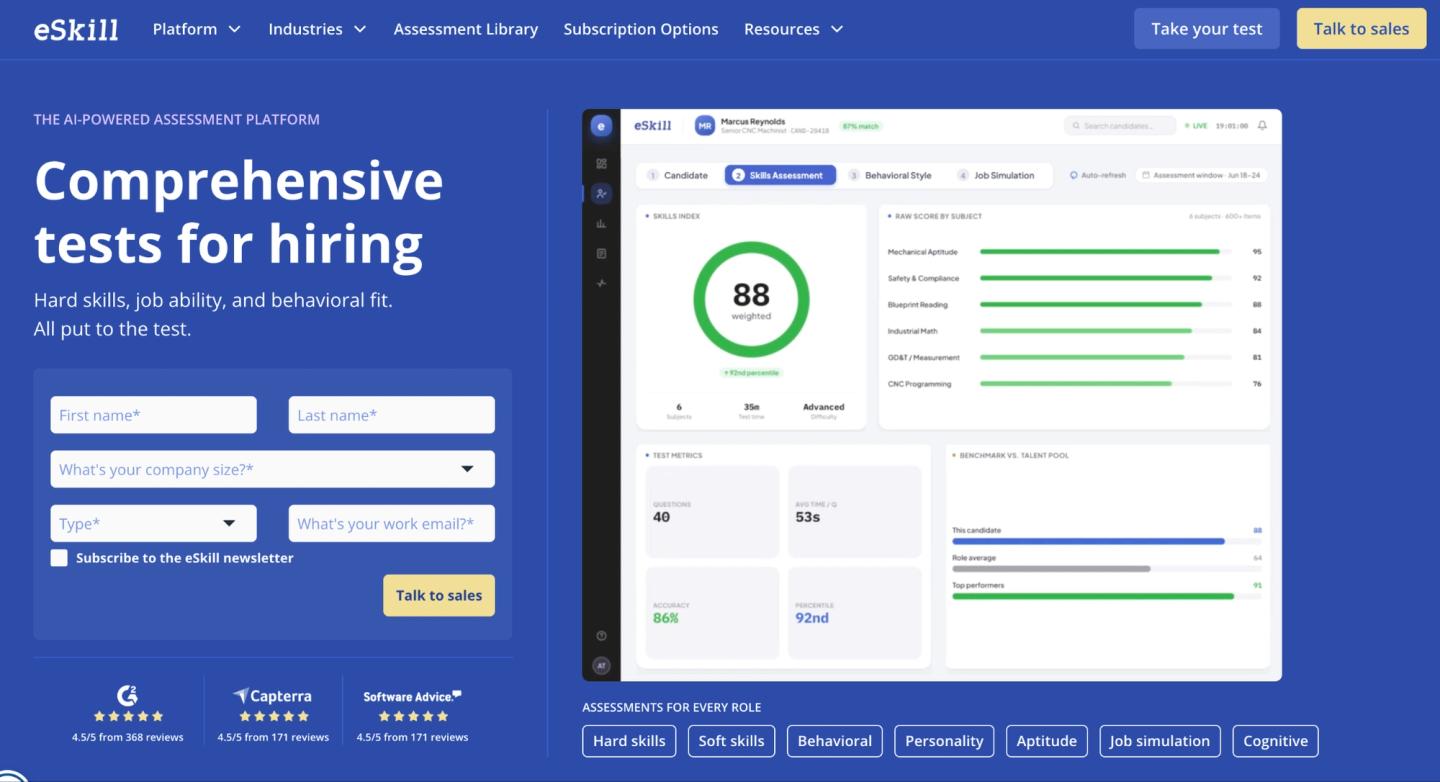
eSkill
Best for: HR teams running high-volume operational and clerical hiring, who need granular, job-specific hard-skill tests they can assemble question by question.
eSkill is one of the longest-running names here, founded in 2003, and it has stayed close to its roots in concrete hard-skill testing. Its tests focus on non-negotiable hard skills, like whether a candidate can use Excel, read blueprints, or understand medical codes, and it is used across manufacturing, government, call centers, healthcare, and other high-volume hiring industries. The customization runs deep, though the interface and reporting show their age next to newer tools.
Key features
- Question-level test builder: Assemble custom assessments by combining questions from several categories into one role-specific test.
- Human-validated content: Library validated by subject-matter experts rather than AI.
- Anti-cheat and proctoring: Photo ID checks, environment lockdown, and flagged-behavior review.
Pros
- Easy to use, with quick creation of customized, tailored tests
- A large inventory of subjects and questions to tailor tests to specific roles
- Responsive, accommodating customer support
Cons
- Reporting and scorecards can be hard to dial in
- Several capabilities, like custom branding, are paid add-ons
Pricing
eSkill offers custom pricing only.
Choosing talent assessment tools: a quick checklist
The right platform depends on what you are hiring for and how much of the screening you want to automate. A few frames worth thinking through when evaluating recruitment assessment tools, hiring assessment tools, and talent assessment tools:
If you are hiring developers, the questions that matter are whether you can run real coding tests, replay how a candidate reached their solution, and interview live in the same place.
If you are screening at high volume, prioritize bulk invites and AI scoring so thousands of applicants do not become thousands of manual reviews.
If you are in a regulated or enterprise setting, you want human-validated content and defensible, science-backed scoring that holds up to an audit.
If personality and culture fit matter, look for validated psychometric frameworks rather than generic quizzes.
If you are filling hybrid roles, job simulations that test several skills in one realistic task tell you more than isolated multiple choice.
If budget is the deciding factor, understanding skills assessment software pricing models helps you avoid per-credit plans that climb with every hire.
The best tool is the one your team will actually use for the roles you hire most, not the one with the longest feature list. Pick based on your real workflow.
Frequently Asked Questions
Choosing the right skills assessment tool for your team
The right skills assessment tool comes down to fit, not feature count. If you hire developers, lean toward coding depth and live technical interviews. If you hire across many roles at volume, prioritize breadth and automation. If integrity is the concern, weigh proctoring and validated content above everything else.
TestTrick was built to cover most of these needs in one place, pairing hard-skill tests, AI video interviews, and serious anti-cheating with flat, all-inclusive pricing that does not climb as your hiring does. If you want to see the work before you commit to the person, that is exactly what it is for.
Start your free TestTrick trial and screen your next batch of candidates on evidence, not resumes.
Build a Hiring-Ready Assessment
Create role-specific, anti-cheat assessments and shortlist candidates on evidence, not guesswork.
Start for freeBy Tooba Noman
September 19, 2026
12 min read
Build a Hiring-Ready Assessment
Create role-specific, anti-cheat assessments and shortlist candidates on evidence, not guesswork.
Start for free