Best Lever Integrations in 2026: Which Ones Actually Improve Your Hiring Workflow?
Find useful Lever integrations that extend your ATS across assessments, sourcing, interviews, background checks, onboarding, and analytics.

By Sanjana Sankhyan
October 8, 2026
18 min read
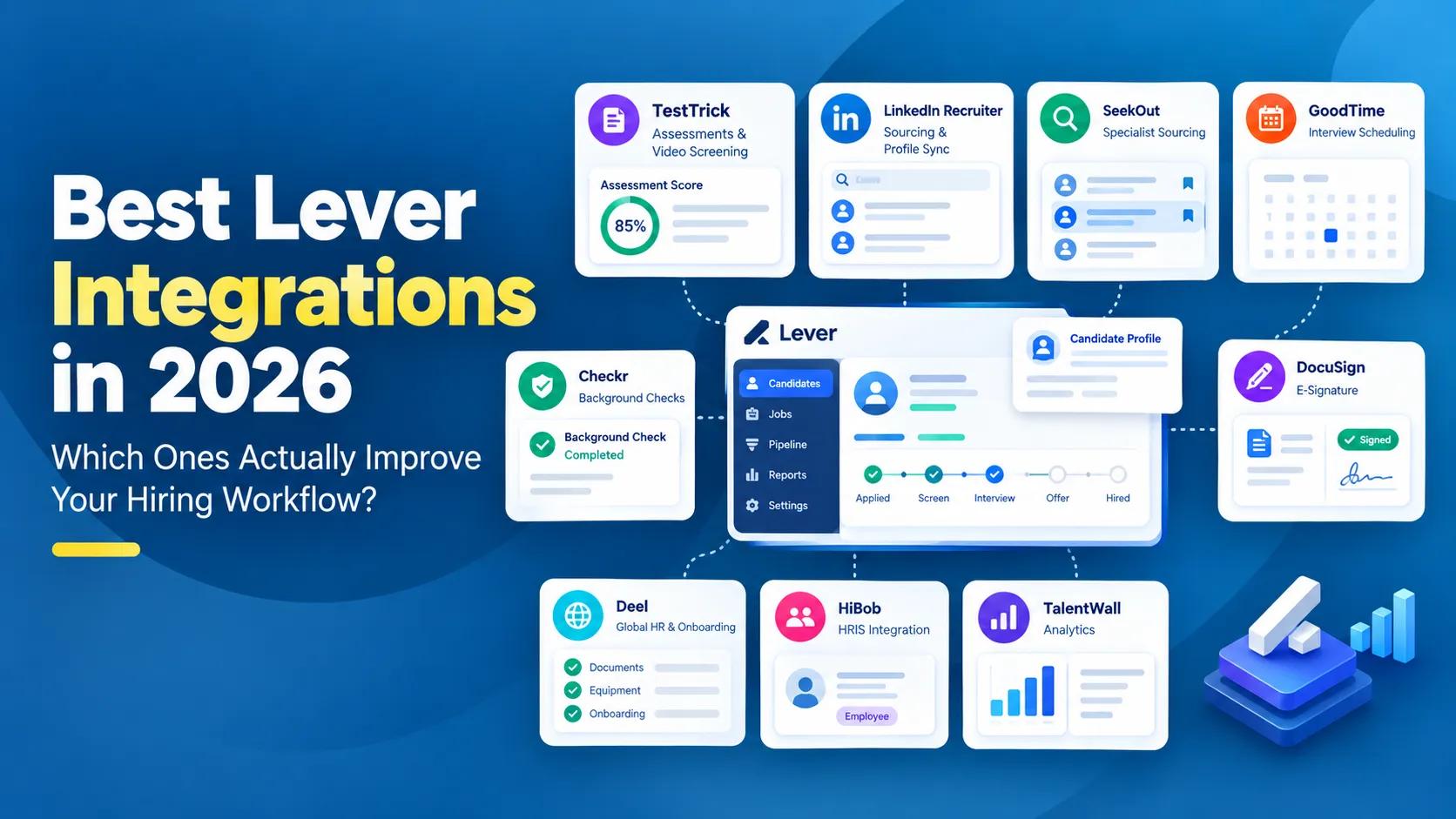
Lever already does a lot. It combines applicant tracking with candidate relationship management, lets recruiters manage pipelines, communicate with candidates, schedule interviews, automate workflows, and report on hiring from one platform.
That creates an interesting question when choosing integrations.
What should you keep inside Lever, and where does adding another tool actually make the process better?
Because another integration is not automatically an improvement.
If your recruiter has to leave Lever, learn another system, manage another subscription, and still copy information back manually, you have probably added software rather than removed work.
So this guide takes a slightly different approach.
Instead of listing every company in the Lever Partner Marketplace, we focus on integrations that solve a clear limitation or add specialist capability around the hiring process.
Screen → Source → Attract → Interview → Verify → Offer → Hire → Onboard → Analyze
For each stage, we will look at what the integration adds, how closely it connects with Lever, and when it is actually worth introducing another platform.
Lever integrations at a glance
Lever's marketplace covers a wide range of recruiting and HR categories, including assessments, sourcing, job boards, interview scheduling, background checks, reference checking, video interviews, e-signatures, HRIS, onboarding, analytics, and automation.
Here are some of the integrations worth exploring:
| Integration | What it adds to Lever | Best for |
|---|---|---|
| TestTrick | Candidate assessments and video screening | Technical and non-technical candidate assessment |
| LinkedIn Recruiter | Candidate sourcing and profile sync | Professional and passive talent |
| SeekOut | Dedicated outbound sourcing | Hard-to-find and specialist talent |
| Indeed | Job distribution and applications | Broad applicant reach |
| GoodTime | Advanced interview scheduling | Complex and high-volume interview operations |
| ModernLoop | Interview coordination and logistics | Recruiting operations teams |
| Checkr | Background screening | Stage-triggered candidate checks |
| Verified First | Background checks, drug screening and verification | Teams wanting screening inside Lever |
| DocuSign | Offer documents and signatures | Digital offer workflows |
| Deel | Global HR and onboarding | International hiring |
| HiBob | HRIS handoff | HRIS handoff |
| TalentWall | Recruiting analytics | Pipeline visibility and recruiting operations |
The important part is not how many of these you connect.
It is whether each one solves something Lever does not already solve well enough for your team.
How we evaluate Lever integrations
Before adding another product, ask what will actually change for the recruiter.
We would look at four things.
1. Can the recruiter start the action from Lever?
This is one of the clearest signs of a useful integration.
Sending an assessment, initiating a background check, or moving a candidate into another workflow should not require recreating that person somewhere else.
2. Does information come back?
Sending data out of Lever is only half the job.
The better integrations return something useful:
- Assessment scores
- Screening status
- Interview information
- Background-check results
- Signed documents
- New-hire information
If recruiters still need to keep another dashboard open all day, the integration may not be doing enough.
3. Can the hiring stage trigger the workflow?
This is where integrations become much more useful.
Instead of remembering:
This candidate reached screening, I need to send something.
the workflow can become:
Candidate reaches stage → action starts
Some Lever partners support stage-based triggers for things like assessments and background screening.
4. Does Lever already do enough?
This matters more with Lever than with some ATSs.
Lever already includes capabilities around candidate relationship management, scheduling, automation, analytics, offer workflows, and job distribution.
So before buying another tool, ask:
Are we filling a genuine gap, or replacing something Lever already handles well enough?
That question will come up throughout this guide.
1. Best Lever integration for candidate assessments
You have 60 candidates who look reasonable on paper.
Interviewing all 60 is not happening.
So you want to know who can actually do the job before your hiring managers spend hours meeting them.
That is where candidate assessments fit.
The useful workflow is:
Candidate in Lever → Send assessment → Candidate completes it → Results return to Lever → Recruiter decides who moves forward
TestTrick
TestTrick x Lever Integration
Best for: Companies hiring across technical and non-technical roles
TestTrick makes sense when assessment is a repeatable part of your hiring process rather than something used only for one specialist role.
A finance hire might need an Excel simulation.
A software engineer might complete a coding challenge.
A graduate candidate might take cognitive and personality assessments.
A customer-facing role might include a video response.
TestTrick brings those different screening methods into one platform through role-specific tests, coding assessments, psychometric assessments, cognitive evaluations, and video interviews.
What changes inside Lever?
This is the more important part.
Recruiters can invite a candidate to a TestTrick assessment directly from Lever.
Once the assessment is completed, recruiters can view a detailed report containing scores and video responses. TestTrick also allows top-performing candidates to be surfaced within the Lever workflow.
So instead of:
Lever → copy candidate → TestTrick → send test → return later → check result → go back to Lever
you get:
Lever → Send assessment → Candidate completes → Review result
That becomes much more valuable when assessment volume grows.
Sending five tests manually is manageable.
Sending 500 and keeping track of who completed what is not.
When TestTrick makes sense
TestTrick is a particularly good fit when your organization hires across several job families and wants to standardize screening rather than maintain separate vendors for coding, business skills, psychometrics, spreadsheets, and video responses.
If your company barely uses pre-employment testing, you probably do not need an assessment integration just because one exists.
2. Best Lever integrations for candidate sourcing
Lever is already built around more than active applicants. Its ATS and CRM combination is designed to help recruiters maintain relationships with prospects and previous candidates as well as people currently applying.
So a sourcing integration has to add something meaningful on top of that. Usually, that means helping recruiters find the candidate outside Lever, then bringing the relationship back into the ATS without rebuilding everything manually.
LinkedIn Recruiter
Linkedin Recruiter x Lever Integration
Best for: Professional and passive candidate sourcing
This is probably the most obvious sourcing integration for teams already using LinkedIn Recruiter.
Imagine finding a candidate on LinkedIn. Without a connection, the recruiter may have to copy their details into Lever, then remember which messages were already exchanged on LinkedIn.
Recruiter System Connect reduces that separation. Lever's LinkedIn Recruiter integration connects candidate records across the two systems. Recruiters can see a candidate's current LinkedIn profile inside Lever, while LinkedIn can indicate when someone already exists in Lever. Notes and InMail history can also be visible within the Lever record.
That matters because candidate outreach stops being split across two histories.
Choose LinkedIn Recruiter when:
- Your recruiters already spend a lot of time sourcing on LinkedIn
- Passive hiring matters
- You recruit professional, technical, management, or specialist talent
- Duplicate candidate data is becoming annoying
LinkedIn also connects with Lever on the job-distribution side through job posting and Apply Connect functionality.
SeekOut
SeekOut x Lever Integration
Best for: Dedicated sourcing teams looking beyond standard applicant pools
Not every candidate is waiting on a job board. That is especially true when you are hiring for specialized roles where the people you want may already be employed.
SeekOut sits more firmly in the dedicated sourcing category. Its current Lever marketplace listing focuses on AI-assisted talent discovery and includes Lever integrations for exporting and rediscovering candidates.
This makes more sense when outbound sourcing is a meaningful recruiting function rather than something recruiters occasionally do.
Choose SeekOut when:
- You regularly hire difficult-to-find talent
- Your recruiters have sourcing targets
- Outbound candidate discovery happens at scale
- LinkedIn alone does not provide enough coverage
Our take
If most of your sourcing already happens in LinkedIn Recruiter, start by connecting that properly.
Add another sourcing platform when candidate discovery itself has become a bottleneck.
Do not create a three-tool sourcing stack just because all three integrate with Lever.
3. Best Lever integration for job advertising
Sourcing is about going out to find candidates.
Job advertising is the opposite.
You have a vacancy and you want the right people to find you.
Indeed
Indeed x Lever Integration
Best for: Broad applicant reach
Indeed is one of Lever's preferred marketplace partners. The integration connects Lever job postings with Indeed so external jobs created or updated in Lever can be sent to Indeed.
Indeed Apply then allows candidates to complete the application through Indeed while the applicant and job data syncs with Lever.
The practical benefit is simple. Your recruiter manages the vacancy from the ATS rather than maintaining two separate versions of the job.
The candidate gets a simpler application experience. And the resulting application still enters the hiring process in Lever.
Choose Indeed when:
- Inbound applications are important to your hiring model
- You recruit across several job families
- Applicant volume matters
- Your team wants fewer manually maintained job listings
Lever itself supports job distribution capabilities, including one-click posting to more than 200 job boards, so a specialist integration should still be judged against what you already get from the platform.
That is a useful rule throughout this article:
Do not add job advertising technology unless it improves something you are already struggling with.
4. Best Lever integrations for interview scheduling
You have four candidates. Each needs to meet three interviewers. Two interviewers are in London. One is in New York. One candidate can only interview after 3 PM.
Another reschedule. This is the point where the sentence just finds a time stops being helpful.
Lever already includes scheduling functionality, so basic coordination may not require another product. The case for an integration gets stronger when scheduling turns into an operations problem.
GoodTime
GoodTime x Lever Integrations
Best for: Complex and high-volume interview scheduling
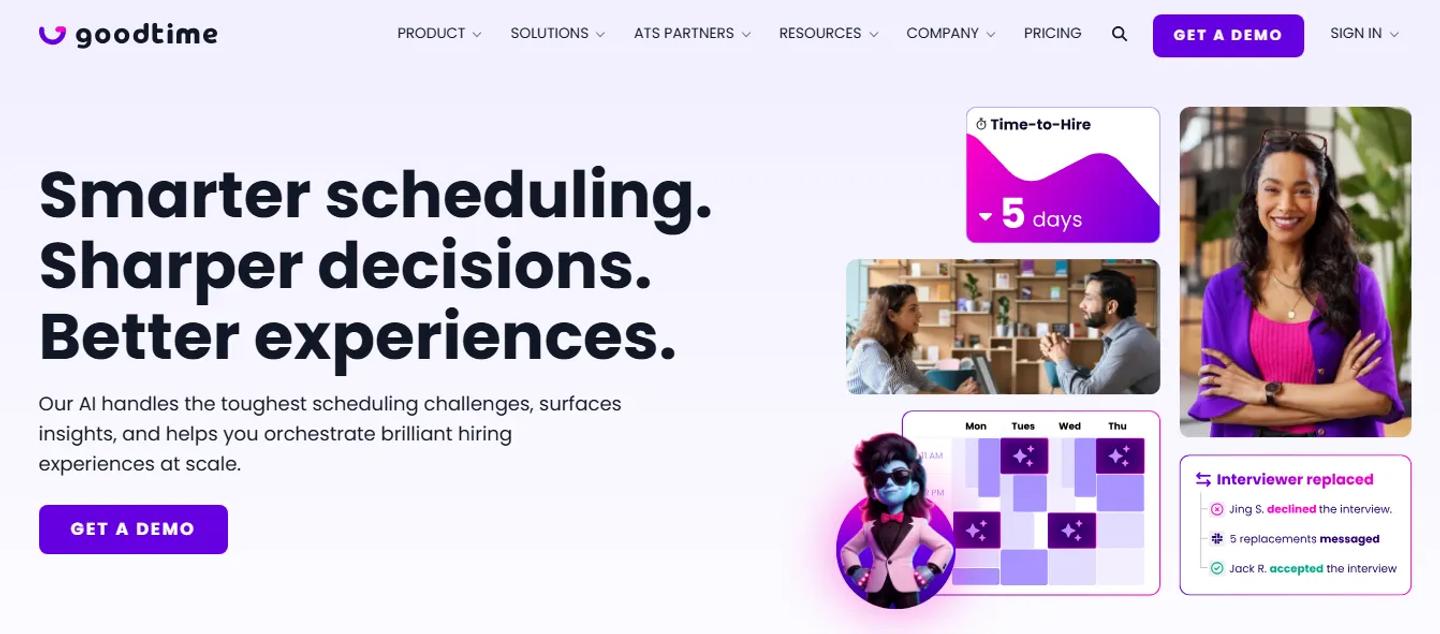
GoodTime describes itself in the Lever marketplace as a solution for complex interview scheduling, including multi-day panels and high-volume coordination across teams.
This is not really competing with sending someone a calendar link. It is solving a different problem.
Think:
- Interview panels
- Large interviewer pools
- Multiple days
- Interviewer load balancing
- Time zones
- High candidate volume
- Constant rescheduling
GoodTime can use Lever data as part of that scheduling workflow and adds automation around interviewer selection, calendar coordination, candidate communication, and scheduling rules.
Choose GoodTime when:
Scheduling is consuming meaningful recruiter or coordinator capacity.
If your recruiter schedules five calls a week, you probably do not need it.
If your recruiting coordinators are playing calendar Tetris all day, you might.
ModernLoop
ModernLoop x Lever Integration
Best for: Recruiting operations teams managing interview logistics
ModernLoop solves a similar problem. It integrates Lever with calendars, video conferencing tools, and communication systems to help recruiting teams coordinate interviews, balance interviewer workloads, and manage interviewer training.
That makes it especially relevant when scheduling is part of a broader recruiting-operations function.
GoodTime or ModernLoop?
There is no reason to buy both.
Evaluate them based on:
- Complexity of your interview process
- Candidate volume
- Interviewer pools
- Coordinator workflows
- Automation requirements
- Existing calendar and communication stack
And remember:
Do not buy enterprise interview orchestration to solve a scheduling problem Lever already handles well enough.
5. Best Lever integrations for background checks
By the time someone reaches background screening, your team already has a detailed candidate record.
- Name.
- Email.
- Role.
- Location.
- Application history.
- Interview feedback.
- Offer information.
Starting another platform from scratch at this stage makes little sense. A good background-check integration should use the candidate information you already have and keep the recruiter informed without creating a second workflow.
Checkr
Checkr x Lever Integration
Best for: Stage-triggered background screening
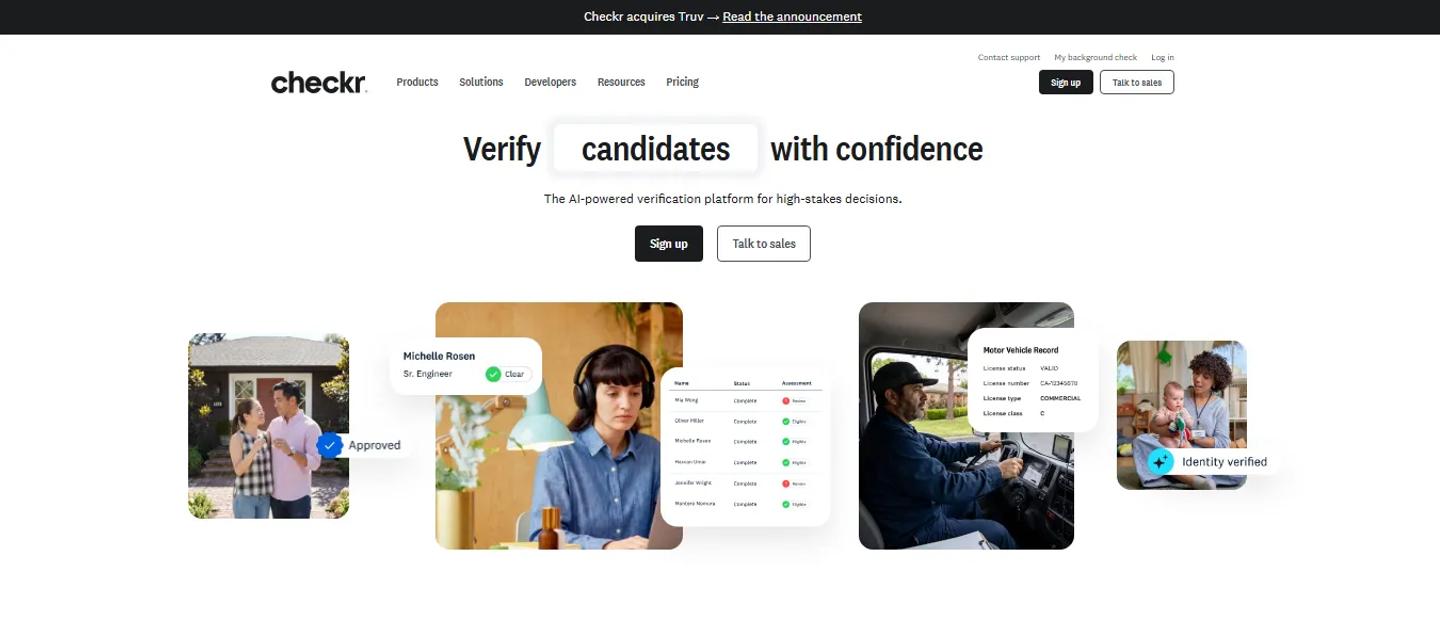
Checkr Lever integration can be configured so a background check is triggered based on the candidate stage you choose.
That changes the workflow from:
This candidate reached a background check. Someone remembered to send it.
to:
Candidate reaches stage → Checkr workflow begins
That is exactly where ATS integrations start becoming more useful than simple data transfer.
Choose Checkr when:
- You want background checks tied closely to the Lever pipeline
- You want less manual initiation
- You run background checks frequently enough for automation to matter
One thing to note is that Lever states its team needs to help set up the Checkr integration.
Verified First
Verified First x Lever Integration
Best for: Teams that want more of the screening workflow inside Lever
Verified First is currently listed as one of Lever's preferred partners. Its integration is particularly interesting because the workflow is designed around keeping recruiters inside Lever.
Users can order, track, and manage background screens from the ATS, with support for background screening, drug testing, employment verification, I-9 and E-Verify workflows.
That makes it a good example of what a deeper integration looks like. The external provider is still doing the screening. The recruiter just has less reason to manage another dashboard.
Checkr or Verified First?
Look beyond the logo.
Consider:
- Countries where you hire
- Types of checks required
- Compliance requirements
- Candidate experience
- Screening packages
- How much of the workflow can remain inside Lever
- Existing contracts with screening vendors
Background checking is one category where operational fit matters more than which company is most recognizable.
6. Best Lever integration for offers and e-signatures
The candidate gets through every interview. The hiring manager approves them. Compensation is agreed.
Now somebody downloads a document, emails it, follows up, waits for the signature, saves the signed copy, and uploads it somewhere.
That is a lot of movement for the final step.
DocuSign
DocuSign x Lever Integration
Best for: Companies already using DocuSign for digital signatures
Lever's DocuSign integration allows teams to configure offer templates, customize offer fields, send offer letters, and request e-signatures from within Lever.
This is a good example of an integration that does not need to be complicated to be useful.
You already have the candidate. You already have the offer information. You already have the hiring workflow. The signature should simply become part of it.
Choose DocuSign when:
Your organization already uses it elsewhere.
There is little value in introducing another e-signature platform solely for recruiting if HR, legal, finance, and sales have already standardized on DocuSign.
Lever also has its own offer capabilities, including customizable approval chains and offer letters, so the additional value here is mainly the established e-signature workflow.
7. Best Lever integrations for HRIS and onboarding
A candidate becomes an employee. That sounds like a simple change. Operationally, it can involve several systems.
The person already exists in Lever with their name, email, role, compensation details, location, start date, and other information. Someone in HR should not have to start again from an empty form.
Deel
Deel x Lever Integration
Best for: Global hiring and international workforce management
Deel becomes particularly useful when the person you hired is not simply joining the same office, payroll, and employment structure as everyone else.
Lever's Deel integration can trigger a contract draft in Deel once an opportunity is moved to the Hired stage in Lever.
That creates a clear handoff:
Candidate hired in Lever → Contract drafted in Deel → Onboarding continues
Deel is especially relevant for companies managing international employees, contractors, employer-of-record hiring, or global payroll.
Choose Deel when:
- You hire internationally
- Contractors are a meaningful part of your workforce
- Employer-of-record hiring is common
- Global payroll or compliance is part of onboarding
HiBob
HiBob x Lever Integration
Best for: Growing companies moving hires from recruiting into HR
HiBob takes a more traditional HRIS approach. When a candidate is hired in Lever, their information can automatically move into HiBob so the HR team does not have to recreate the employee manually.
Simple? Yes. Useful? Also yes. Some of the best integrations remove work that never should have existed in the first place.
Choose HiBob when:
- Lever owns recruiting
- HiBob owns the employee lifecycle
- Your HR team is manually recreating new hires
- You want a cleaner recruitment-to-HR handoff
BambooHR
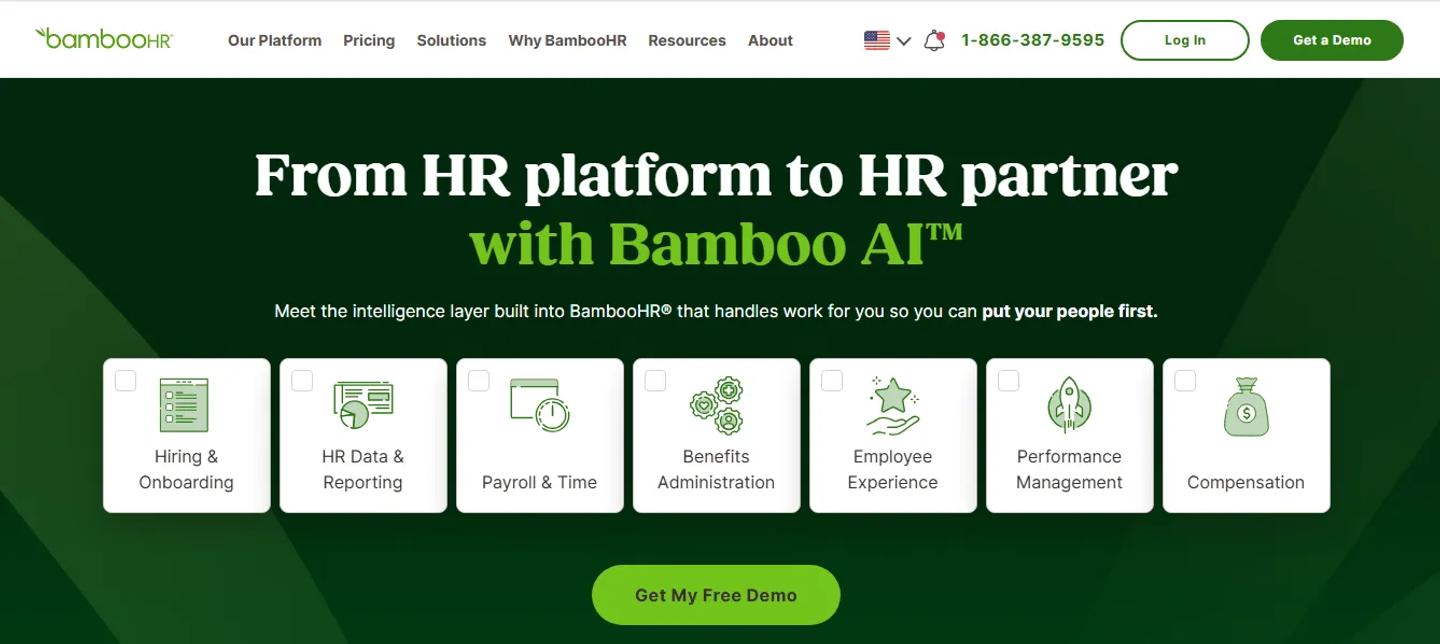
BambooHR x Lever Integration
BambooHR is also worth considering here, particularly for smaller and mid-sized organizations. It is currently listed by Lever as a preferred HRIS partner.
If BambooHR is already your HR system, that matters more than whether another HRIS has a more impressive feature list.
Integration strategy should usually follow the systems your organization has already standardized around.
8. Best Lever integrations for recruiting analytics and operations
There is a point where the recruiting team's problem changes.
Early on, the questions are:
- How do we get more candidates?
- How do we schedule interviews faster?
- How do we screen applicants?
As the hiring operation matures, the questions become:
- Which source actually produces hires?
- Where do candidates get stuck?
- Which recruiter is overloaded?
- Why is this role moving slowly?
- What does the hiring pipeline look like next quarter?
Lever already provides analytics, so a separate analytics product needs to add something beyond basic reporting.
TalentWall
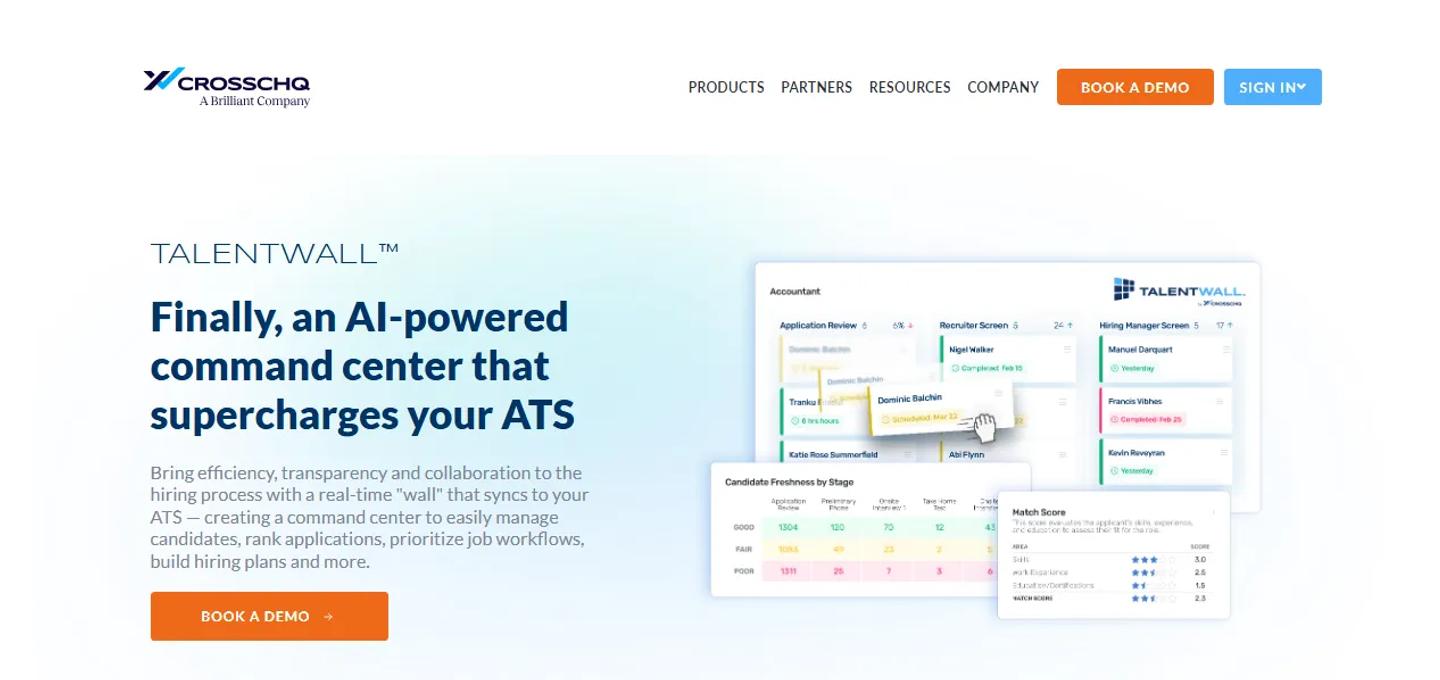
TalentWall x Lever Integration
Best for: Recruiting teams that want a more visual operating layer over ATS data
TalentWall takes Lever data and turns it into a visual hiring-management environment designed around pipeline visibility, collaboration, and recruiting analytics.
That makes it more relevant to recruiting operations teams than to a small company simply trying to see how many candidates are in each stage.
Choose TalentWall when:
- Leaders want greater pipeline visibility
- Recruiting operations is becoming a dedicated function
- Your team regularly exports ATS data for reporting
- Hiring managers need a clearer operating view of recruiting activity
Gem
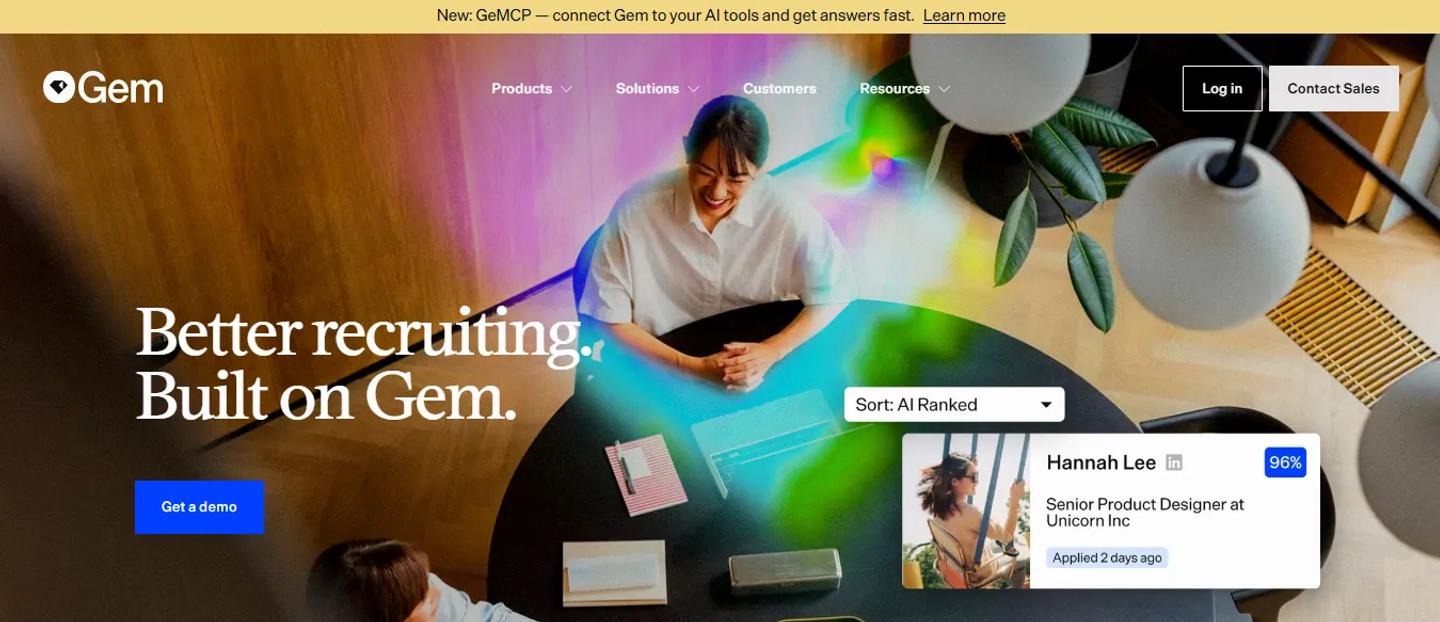
Gem x Lever Integration
Gem is slightly harder to put into one category because it covers sourcing, candidate engagement, and full-funnel recruiting insights.
Its Lever integration can support sourcing activity while Gem's reporting layer provides pipeline, outreach, forecasting, and recruiting performance data.
That makes it useful when sourcing and analytics are closely connected in the way your TA team operates.
But here is the thing: Lever already combines ATS and CRM capabilities. So before adding another CRM-style recruiting tool, be clear about the gap you are trying to fill.
Which integrations should you keep inside Lever?
This is where the Lever article needs a different mindset from a normal integrations list.
Lever already includes:
- ATS functionality
- Recruiting CRM
- Candidate communication
- Automation
- Interview scheduling
- Analytics
- Job distribution
- Offer workflows
- Candidate relationship management
So not every adjacent problem requires another product.
A useful way to think about it is this:
Keep it in Lever when the built-in workflow already solves the problem
- If your interview scheduling is straightforward, use Lever.
- If your reporting needs are straightforward, use Lever.
- If your job distribution needs are straightforward, use Lever.
- Do not create another software relationship for a problem you do not really have.
Integrate when you need specialist depth
This is where tools such as TestTrick make sense. Lever manages the candidate and hiring workflow. TestTrick adds assessment depth. The two systems are doing different jobs.
The same applies to background screening. Lever tracks the candidate. Checkr or Verified First performs the actual screening.
GoodTime adds advanced interview coordination. Deel handles international employment and onboarding.
The integration makes sense because the second platform brings a specialist capability rather than simply duplicating Lever.
Integrate when scale changes the problem
A process can work perfectly at low volume and collapse at high volume. Scheduling 20 interviews manually might be fine. Scheduling 2,000 is not. Sending five assessments manually might be fine. Sending 500 is not.
Exporting a spreadsheet once a quarter might be fine. Doing it every Monday morning is a sign that your reporting workflow probably needs attention. Scale is often what turns a nice-to-have integration into a useful one.
Build your Lever stack around the bottleneck
Instead of asking:
- Which Lever integrations should we install?
ask:
- What is slowing our hiring process down?
The answer tells you where to look.
If screening is taking too long
A practical workflow could be:
Lever → TestTrick → Interview
Candidates can be assessed before expensive interviewer time is spent on them.
If recruiters cannot find enough qualified candidates
Look at:
Lever + LinkedIn Recruiter
or
Lever + SeekOut
before adding more job boards.
The problem may be candidate discovery, not job advertising.
If interview coordination is eating recruiter time
Start with Lever's own scheduling capabilities.
If they are no longer enough:
Lever + GoodTime
or
Lever + ModernLoop
If background checks keep slowing offers
Look at stage-triggered or deeply embedded screening workflows such as:
Lever + Checkr
or
Lever + Verified First
If HR keeps recreating every new hire
The problem is the candidate-to-employee handoff.
Depending on your HR stack:
Lever → HiBob
Lever → BambooHR
or for global teams:
Lever → Deel
If the team cannot explain what is happening in the funnel
You may need a more specialized analytics layer such as TalentWall. But check Lever's own reporting first. The goal is not to buy more analytics software. The goal is to answer the questions your current reporting cannot answer.
A simple Lever integration audit
You do not need to start by browsing the entire marketplace.
Write out your actual hiring process.
Candidate discovered
↓
Added to Lever
↓
Candidate applies
↓
Recruiter screens
↓
Assessment
↓
Interview
↓
Background check
↓
Offer
↓
Hire
↓
Onboarding
Then look at every arrow.
Ask:
Who moves the information?
If the answer is: The recruiter copies it manually
look closer.
Then ask:
How often?
Someone copying information twice a month probably does not justify another platform. Someone doing it 150 times every week might.
Then ask one final question:
Can Lever already handle this?
That is the question that keeps your integration stack from becoming another problem to manage.
How many Lever integrations are too many?
There is no useful number. Five could be too many for one company. Twenty could make sense for another. The problem begins when each new integration creates more work than it removes.
Every additional tool potentially means:
- Another contract
- Another login
- Another permission model
- Another vendor
- Another source of candidate data
- Another implementation
- Another renewal
- Another system someone needs to understand
So the goal is not:
Integrate as many tools as possible.
It is:
Remove as many manual handoffs as possible with as few systems as necessary.
That is a very different objective.
Frequently asked questions about Lever integrations
What integrations does Lever support?
Lever has a partner marketplace covering categories such as assessments, candidate sourcing, job boards, interview scheduling, background checks, reference checks, video interviewing, communication, e-signatures, HRIS and payroll, onboarding, analytics, automation, and other recruiting and HR workflows.
Does Lever integrate with assessment tools?
Yes.
Lever's marketplace includes a dedicated assessment category. TestTrick, for example, integrates with Lever so recruiters can invite candidates to assessments from the Lever application and review detailed assessment results afterward.
Does Lever integrate with LinkedIn Recruiter?
Yes.
The LinkedIn Recruiter integration supports Recruiter System Connect, allowing candidate information and recruiting activity to be connected across Lever and LinkedIn Recruiter.
Does Lever integrate with background-check providers?
Yes. Its marketplace includes a dedicated Background Checks & I9s category. Providers include Checkr, Verified First, First Advantage, DISA Global Solutions, HireRight alternatives, and other screening companies.
What is the best Lever integration for assessments?
It depends on what you assess. For organizations hiring across technical and non-technical departments, TestTrick is a strong fit because the same platform can support role-specific skills, coding, psychometric assessment, cognitive testing, and video responses while connecting the assessment workflow with Lever.
Does Lever integrate with HR systems?
Yes. Lever supports integrations across HRIS, payroll, HCM, and onboarding systems. Current marketplace partners include BambooHR, HiBob, Deel, UKG, Lattice, ADP, and others.
Do Lever integrations require development work?
Many marketplace integrations are already built and can be configured rather than developed from scratch.
That does not always mean one-click setup. Some integrations require OAuth authorization, API credentials, webhooks, administrator configuration, or assistance from Lever or the partner. For example, Lever notes that its Checkr integration requires setup assistance from the Lever team.
Add integrations where Lever needs help, not where it already works
A good recruiting stack should not make recruiters think about the stack. They should think about candidates.
The candidate moves into screening and the assessment goes out. They reach background checks and the process starts. They are hired and their information moves into HR.
The recruiter should not be carrying information between those steps by hand. That is where integrations earn their place.
With Lever, though, there is another side to the decision. The platform already covers a significant part of the recruiting workflow. Adding another tool to do something Lever already handles can make the stack more complicated rather than less.
So start with the problem. If the problem is candidate assessment, a specialist platform such as TestTrick can sit inside the Lever workflow and give recruiters deeper screening capabilities without turning assessment into a disconnected process.
If the problem is scheduling, solve scheduling. If it is background screening, solve screening. If it is onboarding, fix the handoff into HR.
The best Lever stack is not the one with the most integrations. It is the one where each integration has a clear reason to exist.
Build a Hiring-Ready Assessment
Create role-specific, anti-cheat assessments and shortlist candidates on evidence, not guesswork.
Start for freeBy Sanjana Sankhyan
October 8, 2026
18 min read
Build a Hiring-Ready Assessment
Create role-specific, anti-cheat assessments and shortlist candidates on evidence, not guesswork.
Start for free