
Workable
Streamline your hiring process by connecting Workable with TestTrick's advanced skill assessments. Send pre-employment assessments, coding tests, and psychometric evaluations directly from Workable, automatically track candidate progress and results, and keep your entire hiring workflow centralized in one place.
Overview
The Testtrick x Workable Integration enables recruiters to send pre-employment assessments, coding tests, and psychometric evaluations directly from Workable. Recruiters can select a Testtrick assessment without leaving Workable, while candidates receive their assessment invitation from Testtrick. Once completed, the assessment status, score, grade, and report link are automatically synchronized back to Workable.
With this integration, recruiters can:
- Send Testtrick assessments directly from candidate profiles in Workable
- Select assessments dynamically from their Testtrick account
- Automatically track assessment status updates
- View candidate assessment scores and grades within Workable
- Access detailed Testtrick reports directly from candidate profiles
Prerequisites
Before configuring the integration, ensure that:
- You have an active Testtrick account.
- You have administrator access to your Workable workspace.
- At least one assessment has been created and published in Testtrick.
How do I set up the Testtrick integration?
Before you can start sending assessments, you'll need to connect your Testtrick account to Workable using the API Key provided by Testtrick.
Step 1: Generate Your Testtrick API Key
- Log in to your Testtrick account.
- Navigate to Settings → Integrations.
- Locate the Workable integration.
- Copy your generated API Key.
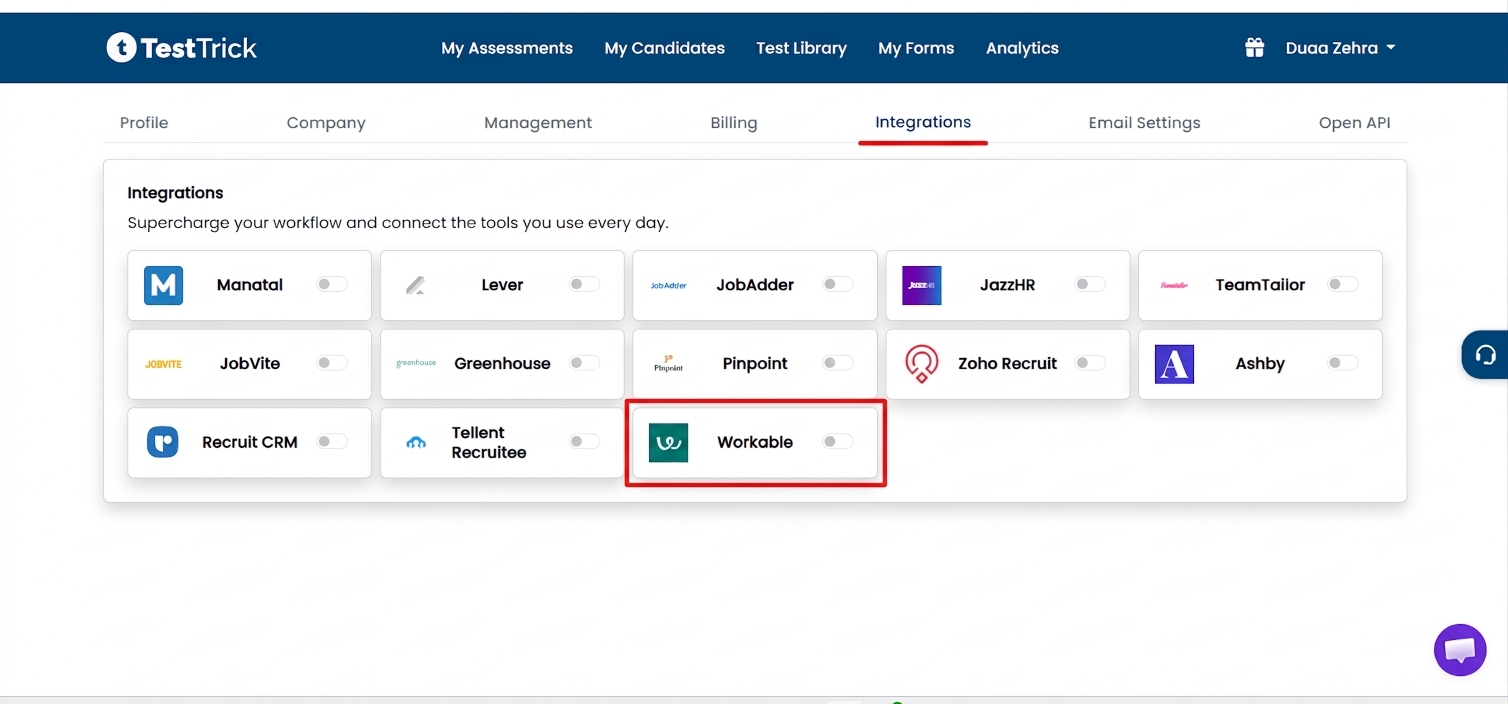
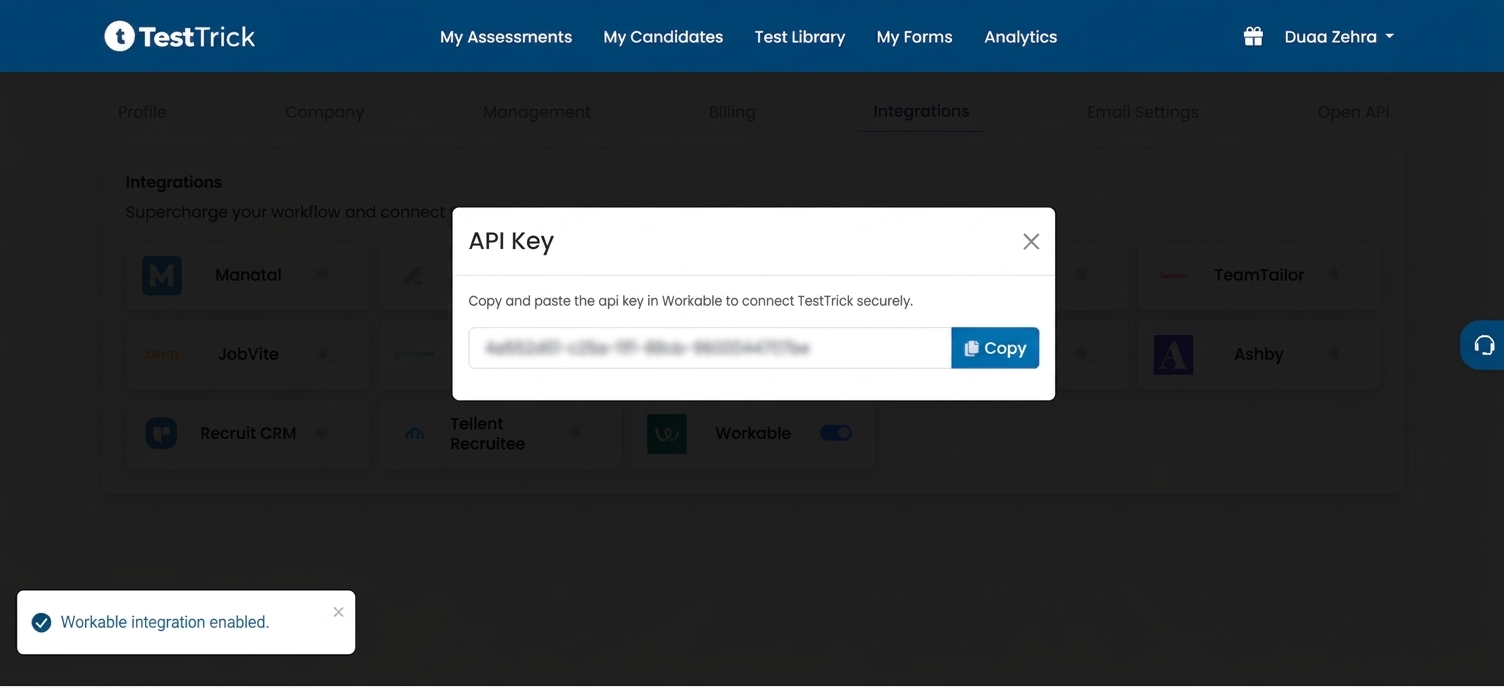
Note: The API Key is unique to your organization. Keep it secure and do not share it publicly.
Step 2: Configure the Integration in Workable
- Log in to your Workable account.
- Navigate to Settings → Apps.
- Search for Testtrick.
- Expand it, paste your Testtrick API Key into the Key field, and click Update settings or Save.
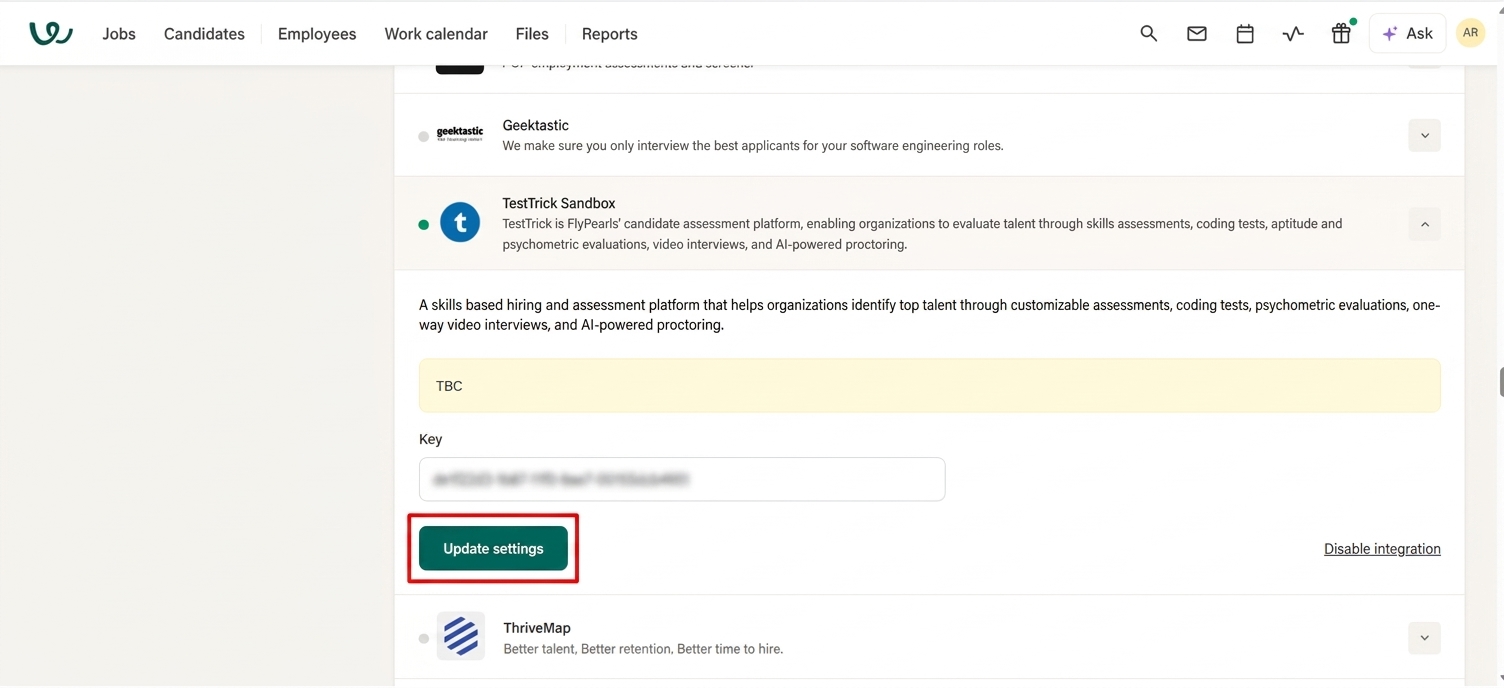
Once the API key is validated successfully, the integration will be activated.
How do I send a candidate a Testtrick assessment?
After the integration has been configured, you can assign and send assessments directly from any job pipeline or candidate profile:
- Open the desired job and navigate to the candidate profile in Workable.
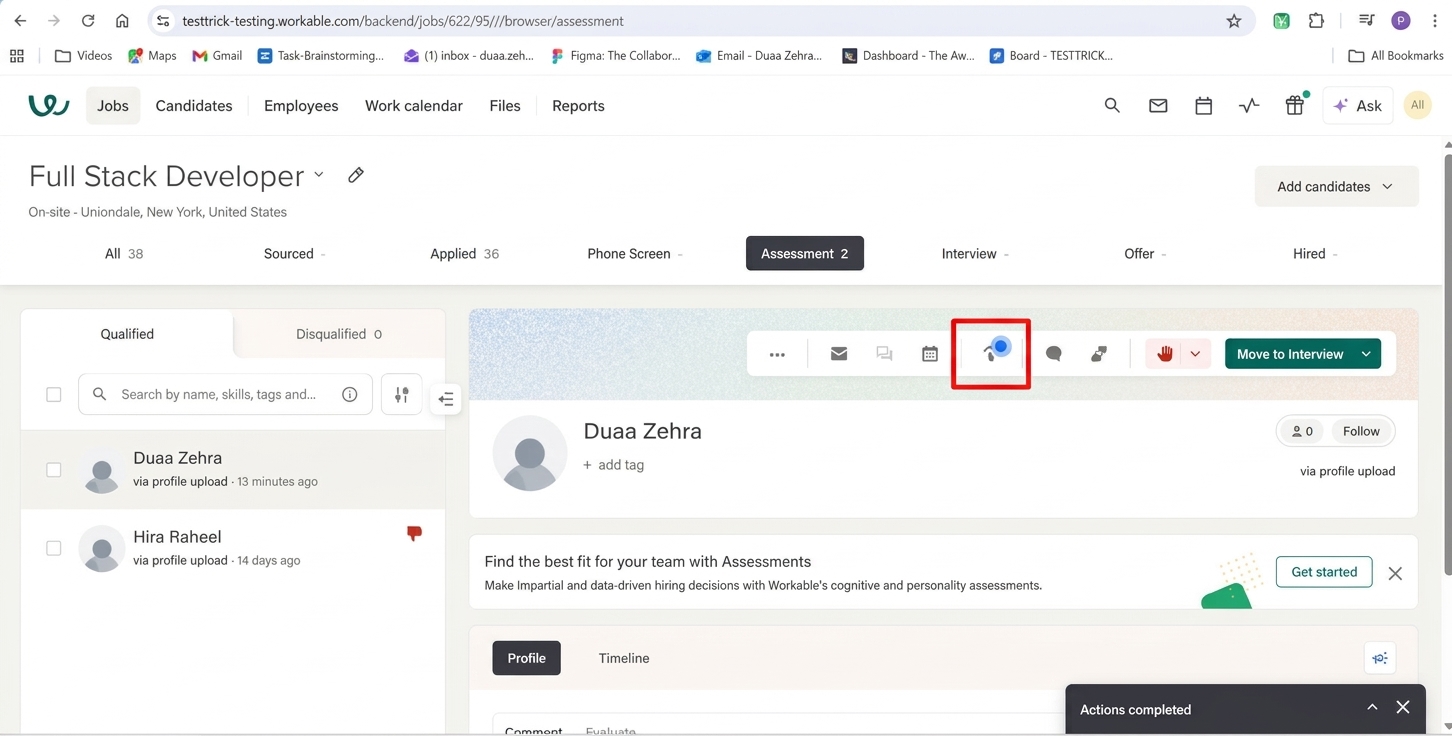
- Under the workflow stage, move your candidate to Assessment.
- Select the Send assessment button.
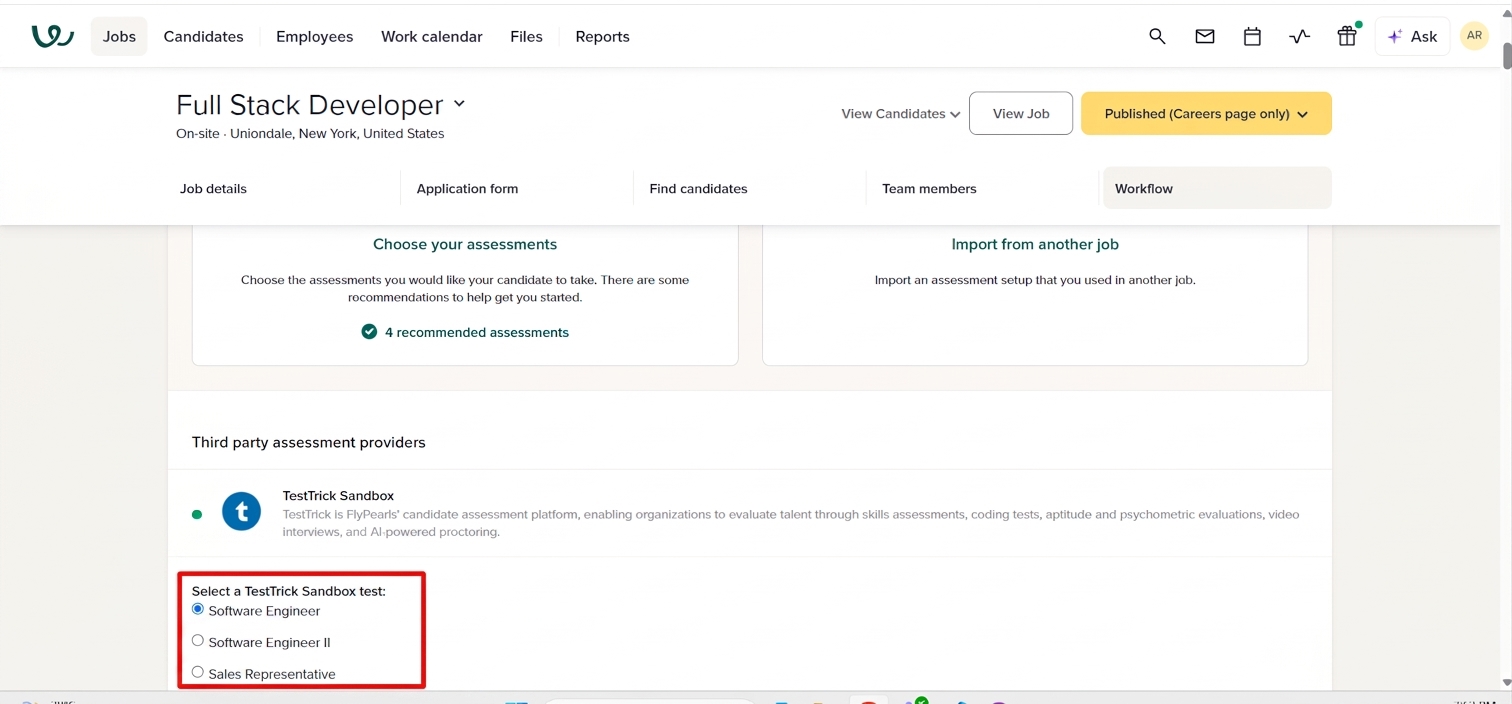
- Select any assessment from TestTrick.
- After configuring the assessment, come back to the Assessment tab and send the assessment.
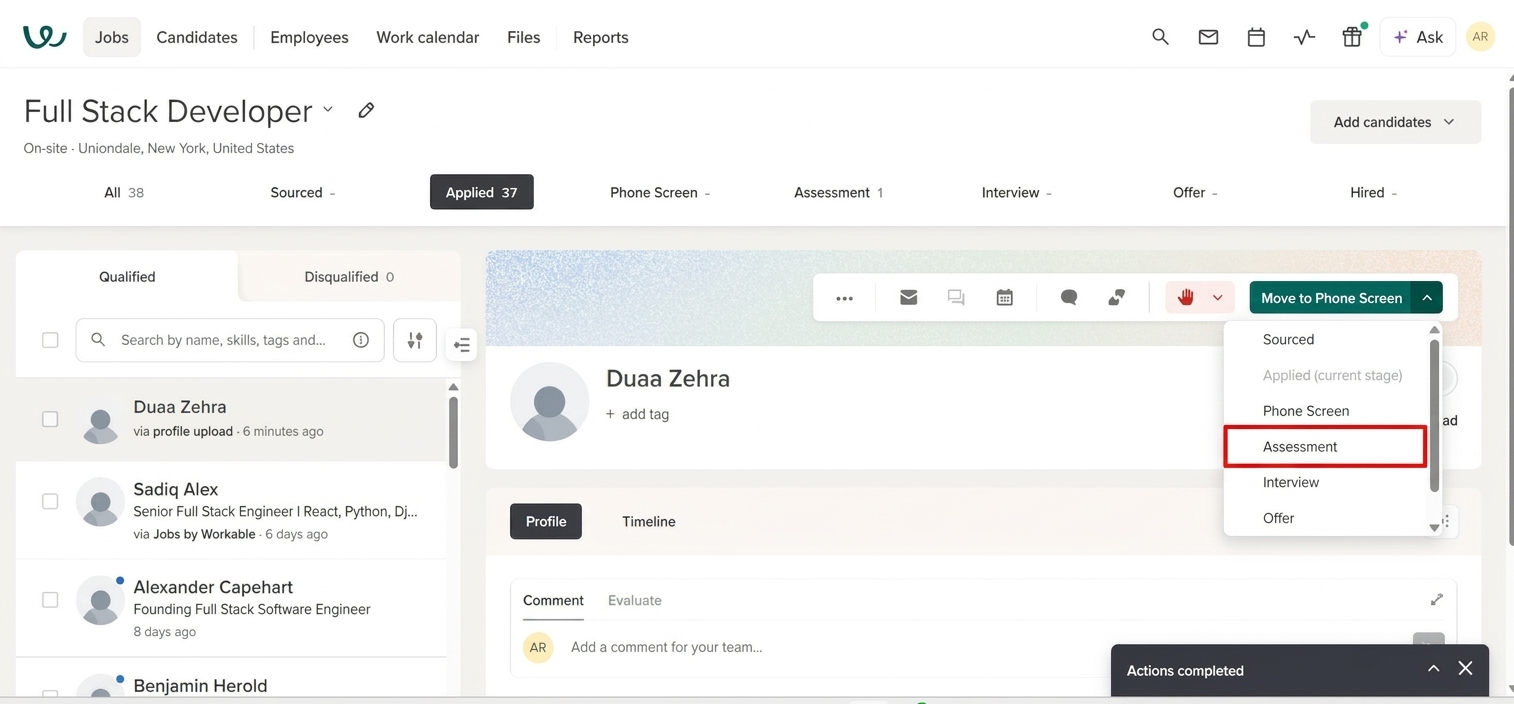
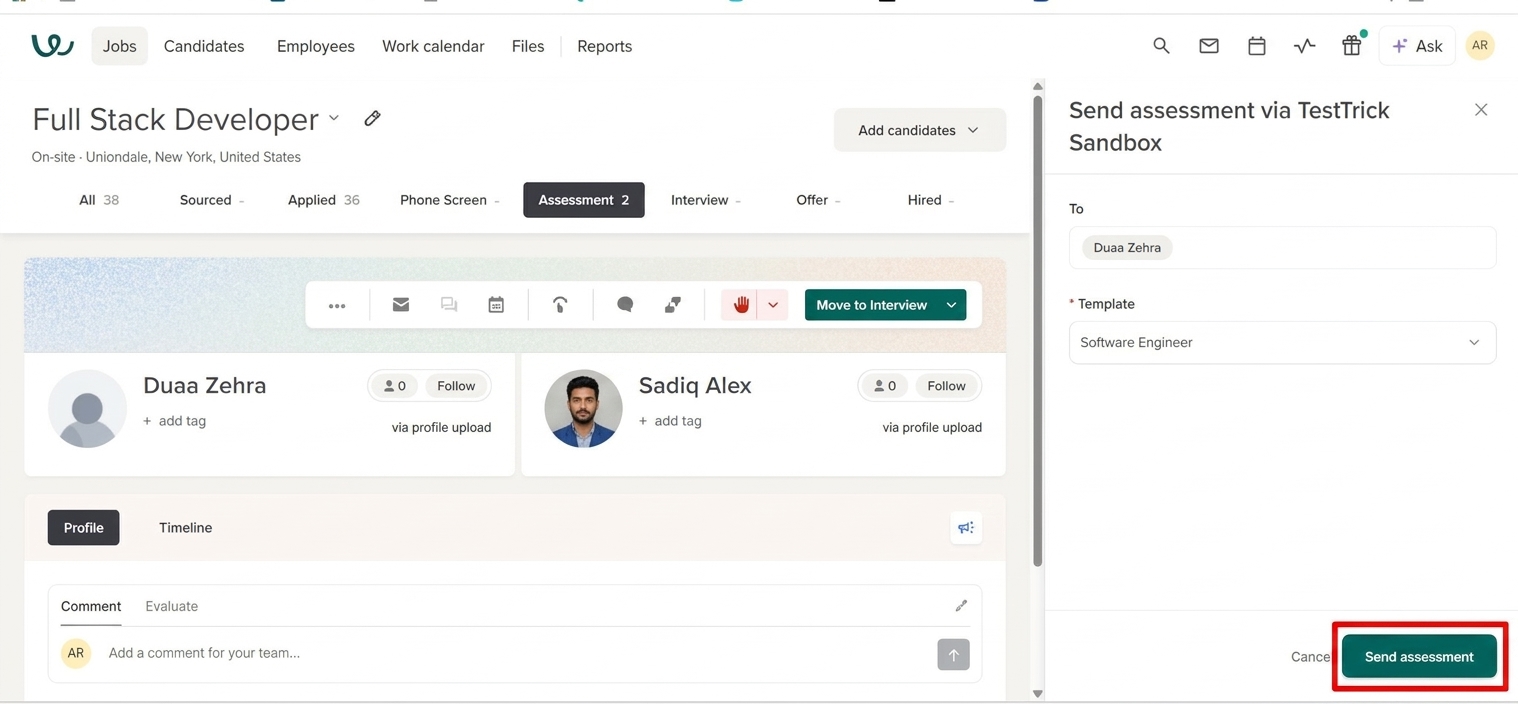
Testtrick will automatically:
- Create the assessment invitation.
- Send the invitation email to the candidate.
- Track the candidate's assessment progress.
What happens when a candidate completes the assessment?
When the candidate finishes their assessment:
- Open the candidate profile in Workable.
- Navigate to the Timeline to view the complete assessment report details.
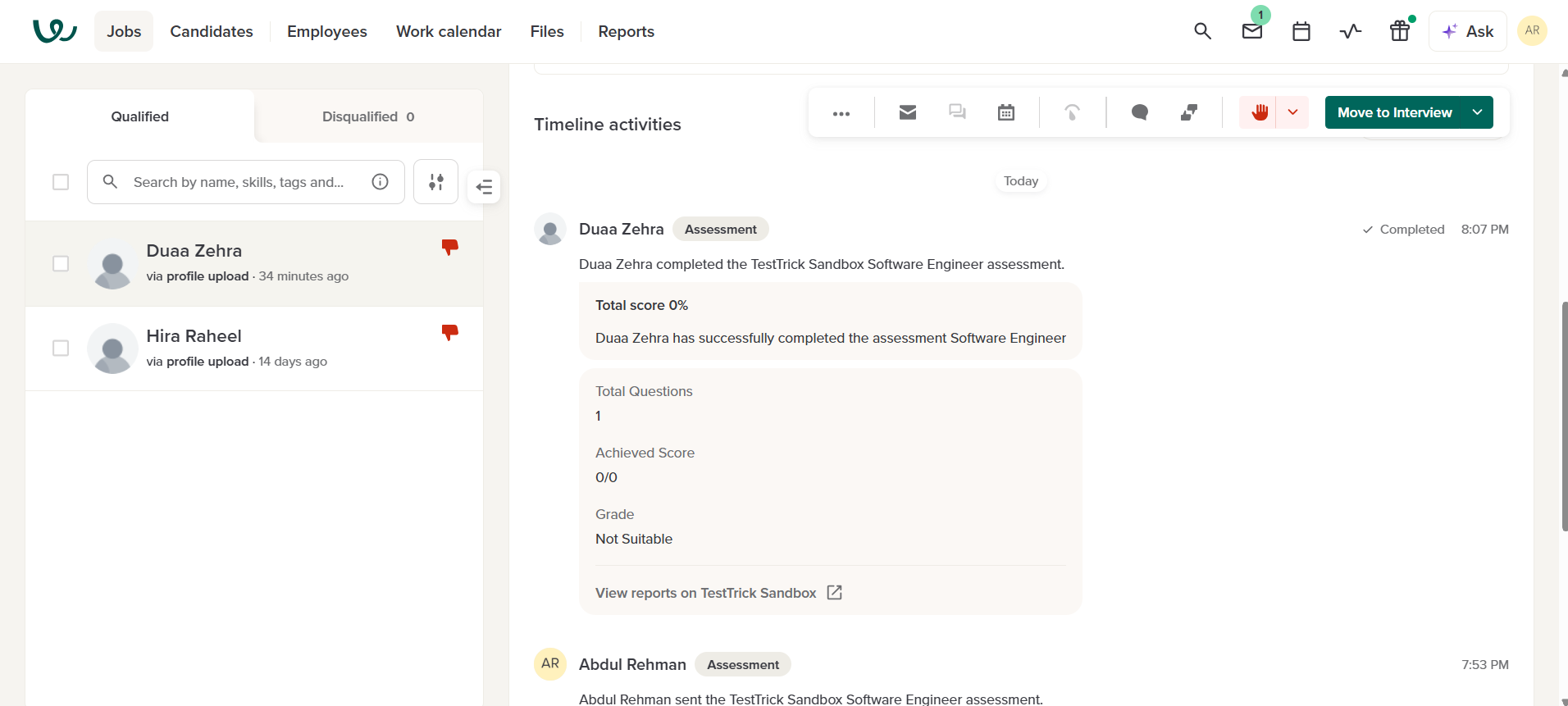
You will be able to:
- View the assessment status.
- View the candidate's score and grade.
- Open the detailed Testtrick assessment report.
Frequently asked questions(FAQs)
Curious about TestTrick? Here are the answers to some frequently asked questions about our company.