8 Best Equip Alternatives for Hiring Teams in 2026
A look at 8 Equip alternatives for skills screening, what each platform does well, who it suits, and how the pricing works.

By Sanjana Sankhyan
September 18, 2026
14 min read
TL;DR – Key Takeaways!
- Equip is cheap to start with, but the per test charge adds up once you hire regularly, and there is not much hiring workflow around the assessment itself.
- TestTrick is the strongest all round replacement. Skills tests, coding, psychometrics, and AI scored video interviews all sit behind one candidate invite, and every plan includes the full feature set.
- Adaface suits teams that want conversational tests and a broad library on an annual credit plan.
- HackerEarth Assessments is built for engineering hiring and publishes monthly plans based on assessment volume.
- iMocha works for larger teams hiring across many role types who want candidates mapped against skills.
- Canditech turns the test into a job simulation, so candidates do a version of the actual work.
- DevSkiller tests developers on real project work instead of coding puzzles.
- Alooba works for data and analytics hiring, with bias controls and a credit plan you can start small on.
- TestDome suits occasional technical hiring because prepaid invites stay in your account until you use them.
Equip is popular because it is cheap and easy to start. You pay a dollar per candidate per test, your credits do not expire, and you can run your first assessment without speaking to a salesperson.
The problems show up once hiring becomes a regular part of your week. Teams hiring regularly may instead need talent assessment software that brings skills testing, candidate screening, reporting, and other assessment formats into one hiring workflow. A role that needs three tests costs three times as much per candidate, and most of the work around the assessment still sits with you.
In this guide, we look at eight Equip alternatives, what each one does well, who it suits, and how pricing works.
Why consider an Equip alternative?
Equip does a lot right for the price. There are four areas where teams tend to outgrow it.
You pay per test, not per candidate. A dollar sounds like very little until you count how many tests a role needs. If you want an aptitude quiz, a coding test, and a personality test, that is three charges for every candidate who takes the assessment. Across a full hiring plan, the total is a lot higher than the headline price suggests.
Screening sits outside your hiring process. Equip only has native support for a small number of ATS platforms. Most teams end up exporting results or copying scores across by hand, which adds another manual step to every role. As hiring volume grows, this is where recruitment automation software becomes more useful, connecting screening and evaluation with the rest of the hiring workflow instead of leaving recruiters to move data between systems.
The library is stronger for technical roles than for everything else. Coding and aptitude testing hold up well. If you are hiring for sales, finance, or customer support, you will be writing more of the content yourself than you would on a platform built around hiring.
Reports give you a score and little else. You get numbers on a dashboard, but there is no skill-level breakdown or benchmarking. Strong candidate assessment reports should make it easier to see where a candidate performed well, how individual skills were scored, and whether any integrity issues need review before a hiring manager makes a decision.
How this list was tested and selected
I looked at this the way a recruiter replacing Equip would. I started with what Equip does well, which is low cost self serve screening with solid anti cheating, and then worked out where it falls short for teams hiring at any real pace.
We reviewed each platform’s product documentation, pricing information, feature pages, and publicly available user feedback, then compared the tools across cost, hiring workflow, library depth, and reporting.
Four things decided the order.
- What a full assessment actually costs. Not the price on the homepage, but what you pay once a role needs several tests and a hundred people take them.
- How well it fits your hiring process. Integrations, invite options, and whether results reach the people making decisions without extra work.
- Library depth outside coding. Whether a recruiter hiring for sales or finance finds ready made content or an empty test builder.
- How readable the reports are. Whether a hiring manager can look at a result and know who to interview.
Equip alternatives at a glance
| Tool | Best for | Library focus | Video screening | Pricing model |
|---|---|---|---|---|
| TestTrick | Recruiting teams screening across roles every week | Role skills, coding, cognitive, language, situational judgement, personality | One way video interviews with AI scoring | Candidate credits, one per completed assessment, from $35 a month billed annually |
| Adaface | Teams that want candidates to finish longer tests | Programming, data, cloud, finance, spreadsheets, aptitude, language | No | Annual credit plans, credits for test unlocks and invites |
| HackerEarth | Engineering teams hiring developers monthly | Coding, software, data, AI related skills | No, live coding interviews instead | Monthly plans by assessment volume, from $99 a month |
| iMocha | Large teams hiring across many role types | Technical, non technical, cognitive, leadership | Automated video interviews | Quoted on users, volume and features |
| Canditech | Teams assessing candidates on real tasks | Job simulations across SQL, Excel, coding, marketing, writing | Video responses and one way interviews | Tiered subscriptions by candidate volume and seats, billed annually |
| DevSkiller | Engineering teams hiring for a specific stack | Project based coding in real frameworks and libraries | No, live code pairing instead | Quoted on assessment volume and modules |
| Alooba | Data and analytics hiring with a fair process | Data, analytics, SQL, plus customisable knowledge tests | Free response questions, graded anonymously | Subscription tiers with included credits that expire each period |
| TestDome | Technical hiring in bursts, no subscription | Coding, data, office software, aptitude | No | Prepaid invite packs that do not expire |
The best Equip alternatives to try
1. TestTrick
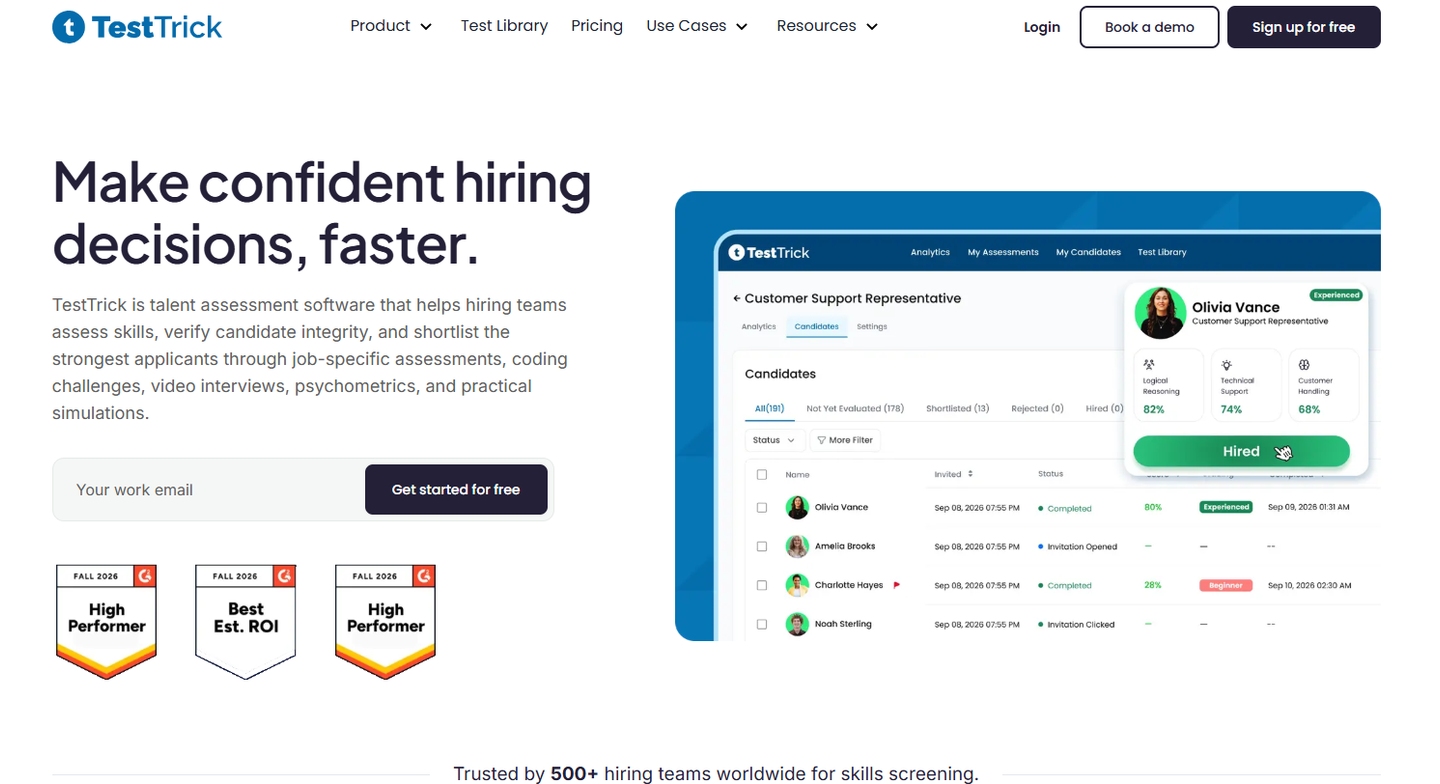
TestTrick covers the whole screening stage rather than just the test. One assessment can hold several tests, so a single invite can carry a role specific skills test, a coding challenge, and a personality test, and the candidate does all of it in one sitting.
You can pull ready made tests from the library or build your own. The library covers role specific skills, cognitive ability, language, situational judgement, and personality assessments including DISC, Big Five, and MBTI. Custom tests use seven question types, including coding, spreadsheets, essay, and video, and the assessment team will build one for you if you would rather not.
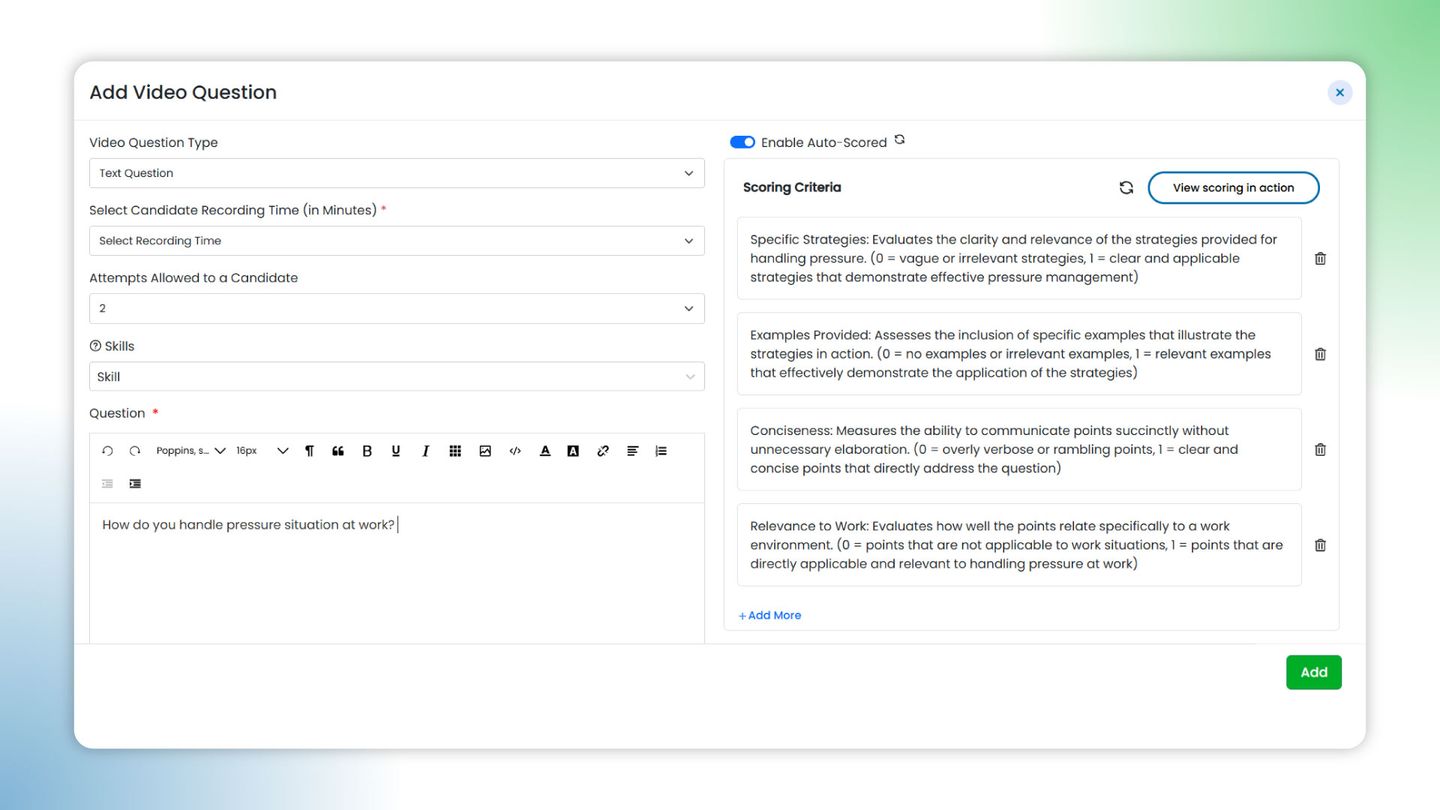
The video interview replaces the phone screen. Candidates record answers to your questions, and the AI scores them against criteria you write yourself.
Key features
- A library of role specific skills, cognitive, language, situational judgement, and personality tests, including DISC, Big Five, and MBTI.
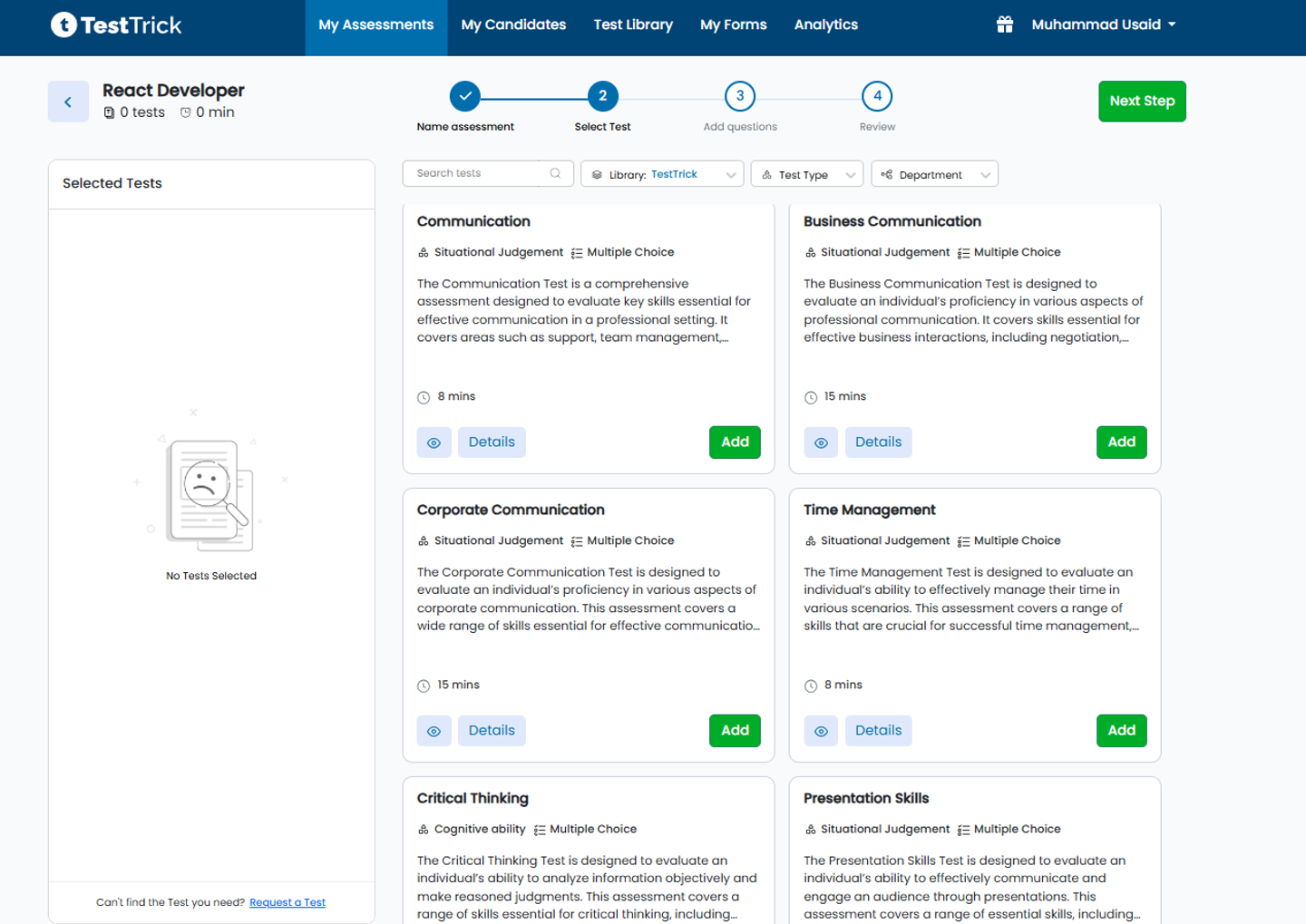
- Coding assessments across 15 plus programming languages, with code playback on submissions.
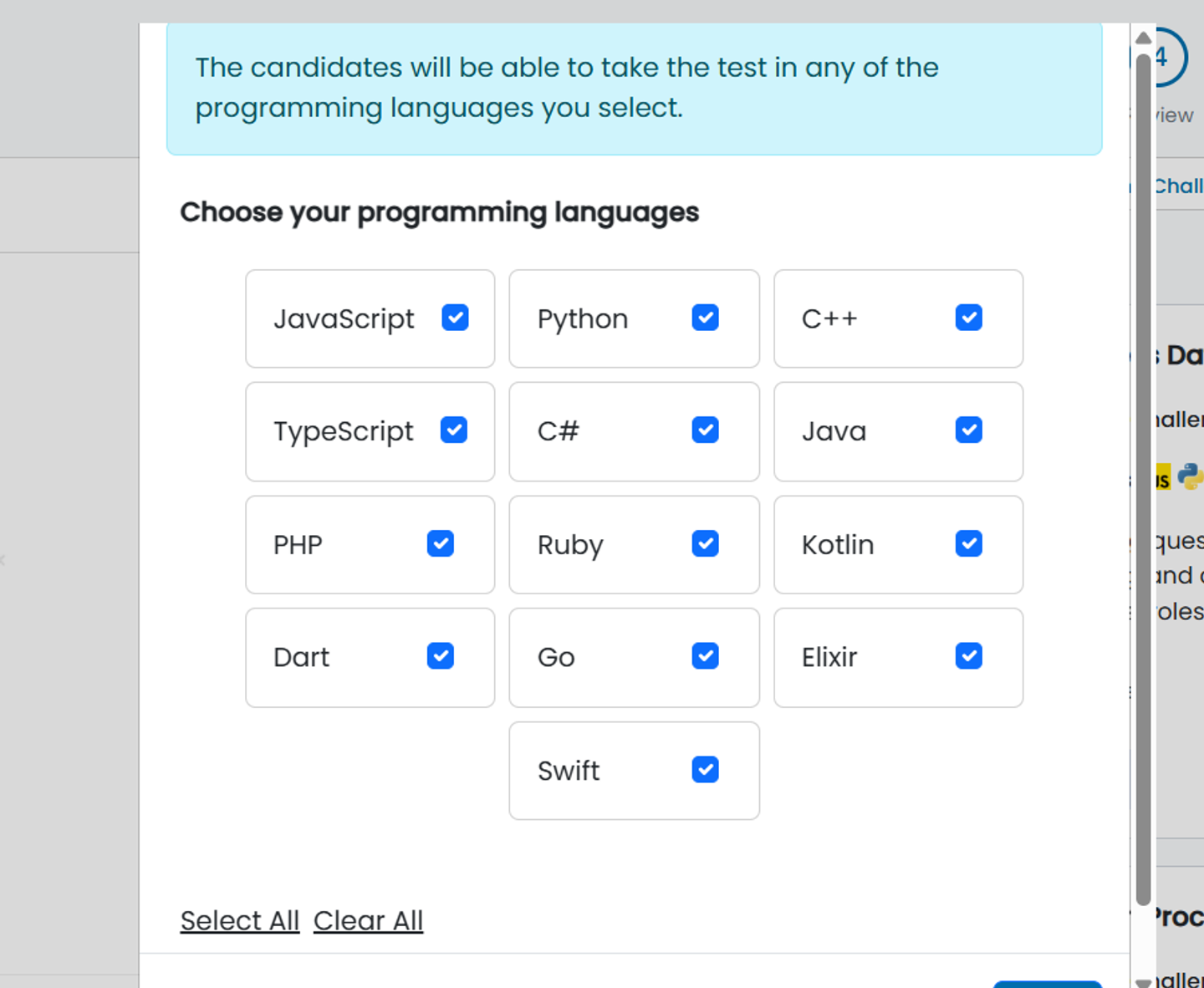
- Custom test creation with seven question types, plus tests built by their assessment team on request.
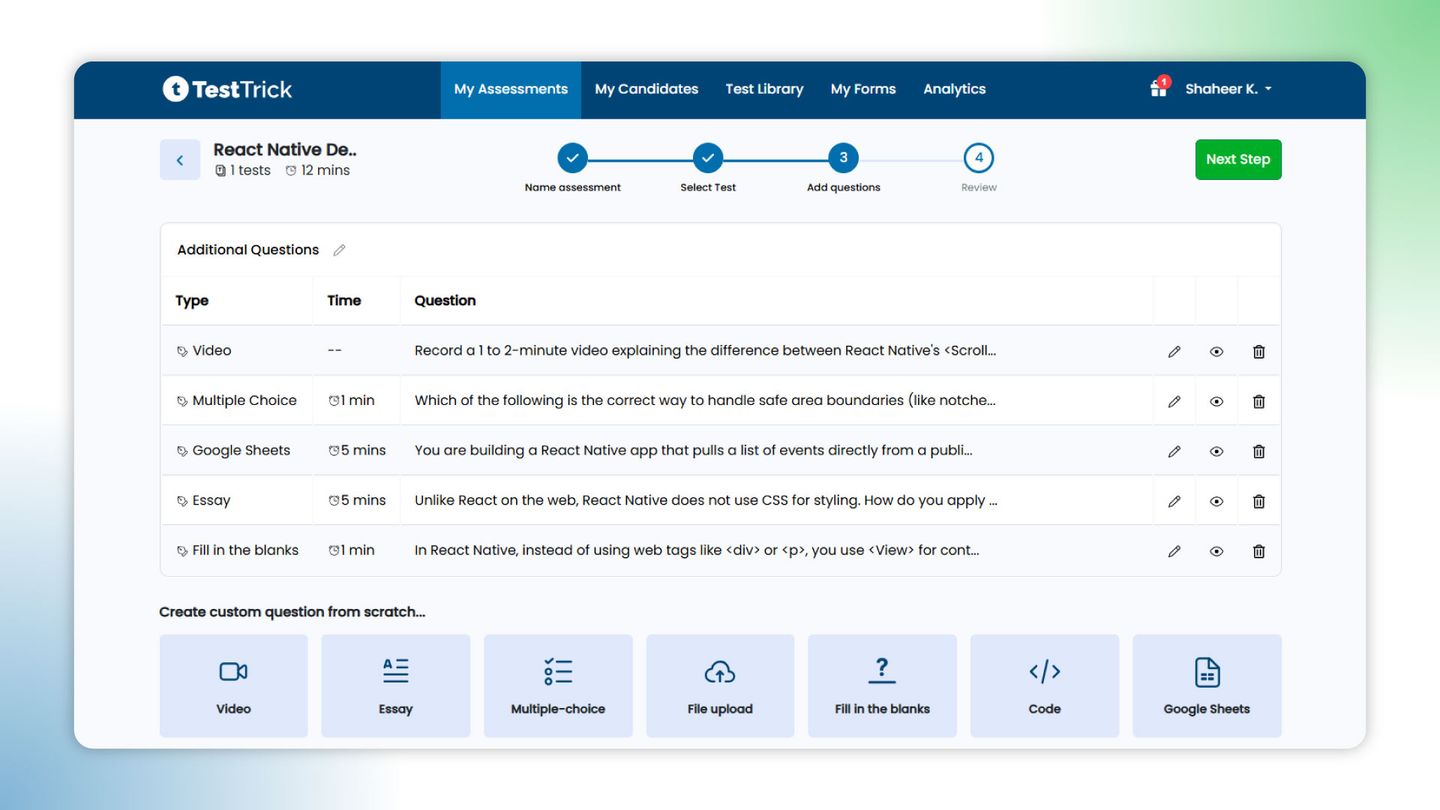
- One way video interviews with AI scoring against criteria you define.
- Proctoring across the full session, covering camera and screen monitoring, tab tracking, copy paste blocking, and dual monitor detection.
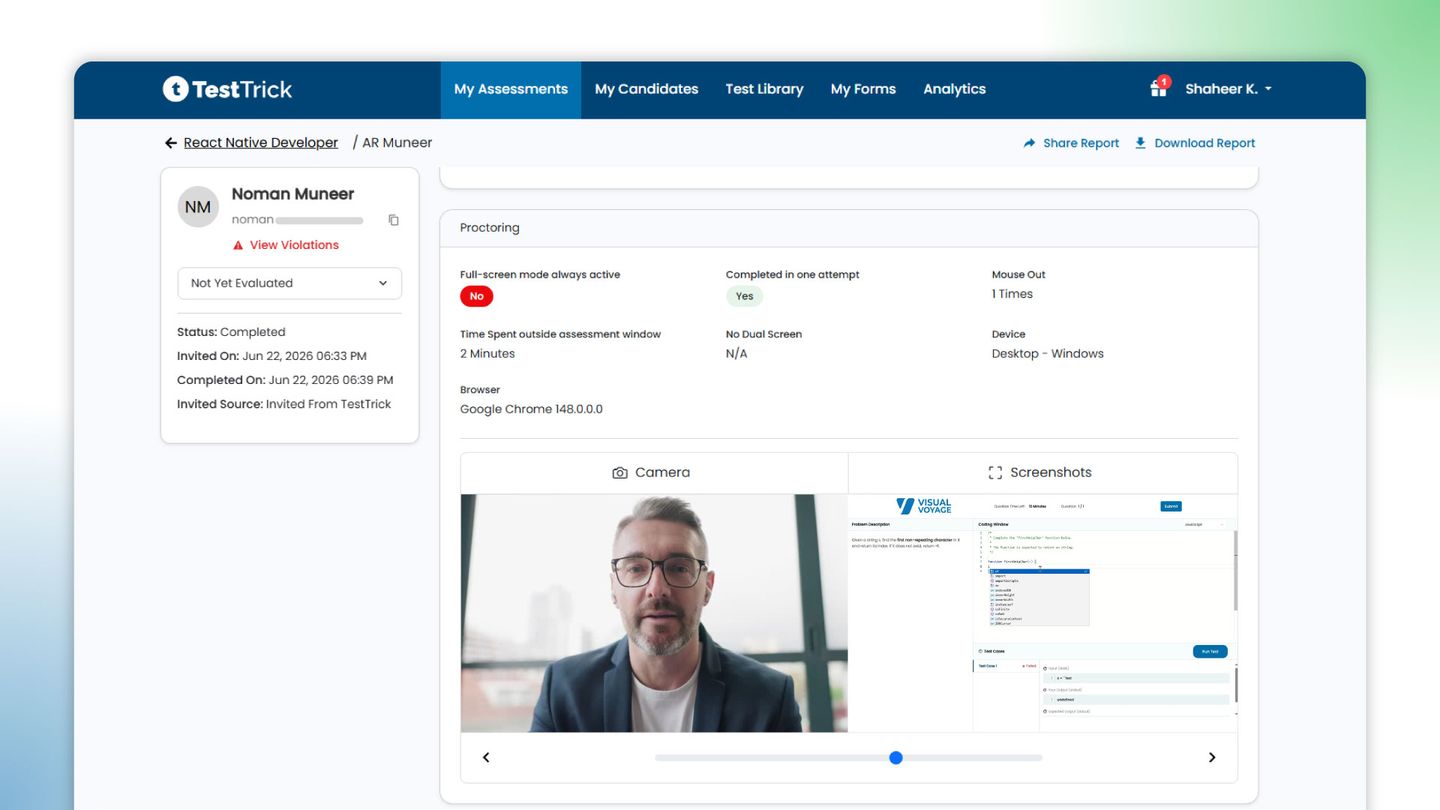
- Candidate reports with skill level scoring, video transcripts, and a proctoring summary that separates ordinary signals from real violations.
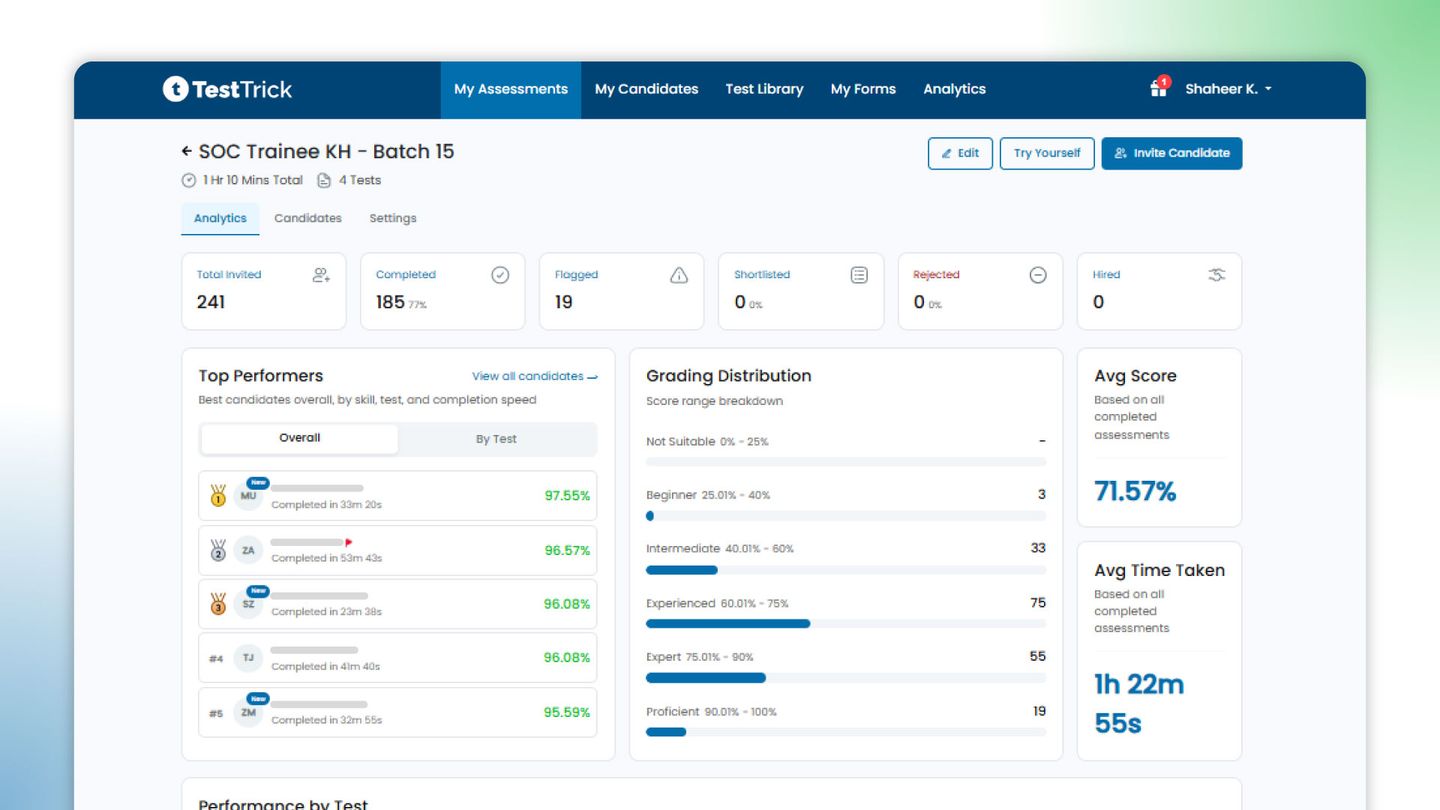
Best for: Recruiting teams that want skills tests, video screening, and psychometrics running as one candidate experience.
Pricing of TestTrick
TestTrick offers simple, affordable pricing plans with a free 7-day trial:
- Starter: $35/month, billed at $420/year
- Basic: $65/month, billed at $780/year
- Business: $75/month, billed at $900/year
- Enterprise: Custom pricing
All plans include the full feature set; the main differences are candidate credits and user seats.
Equip vs TestTrick: which one fits your hiring?
Equip makes sense when you screen occasionally and budget is the main concern. You pay for what you use, your credits stay in the account, and you can be running a test within minutes of signing up. For a small team filling a role every few months, that is hard to beat.
TestTrick is a better fit when screening happens every week. One invite carries the whole assessment, the cost per candidate stays the same whether it holds one test or four, and the report explains what the score means for the role.
| Area | Equip | TestTrick |
|---|---|---|
| Best for | Small teams running occasional, low cost screening | Recruiting teams screening candidates across roles every week |
| Pricing model | Pay per candidate per test, so a three test assessment costs three times the unit price | Candidate credits, one credit per completed assessment, all features on every plan |
| Test library | Question bank across quizzes, coding, SQL, Excel, typing and psychometrics | Ready made tests across role skills, cognitive, language, situational judgement and personality, plus custom test creation |
| Video screening | Video response questions within a test | One way video interviews with AI scoring against criteria you define |
| Proctoring | Face and noise detection, tab switching, multiple monitor checks, screen replay | Camera and screen monitoring, tab tracking, copy paste blocking, dual monitor detection |
| Reporting | Scores and candidate stages on a dashboard | Skill level scoring, video transcripts and a proctoring summary that separates signals from violations |
| ATS integrations | Limited, with native support for a single ATS | Native integrations across common ATS platforms, with new ones built on request |
2. Adaface
Adaface runs its tests as a conversation. A chatbot takes candidates through the questions instead of showing them a static form, which helps keep completion rates up on longer assessments. The library goes well beyond engineering and covers finance, data, spreadsheets, project management, design, aptitude, and language. You can customize any test, and their team will put together a role specific one if you ask. The thing to watch is how credits work. Unlocking a test costs credits before anyone takes it, invites cost credits again, and the balance runs on an annual cycle.
our TestTrick vs Adaface comparison goes deeper into how assessment coverage, proctoring, video interviewing, integrations, and pricing differ.”
Key features
- Conversational assessments delivered through a chatbot.
- A library covering programming, data, cloud, finance, spreadsheets, aptitude, psychometrics, and language skills.
- Custom tests built with their team for roles the library does not cover.
- Proctoring with webcam monitoring and plagiarism checks.
- ATS integrations and API access.
Pricing of Adaface
Adaface uses annual credit-based pricing, with credits used for test access and candidate invites:
- Individual: $180/year for 12 credits
- Starter: $500/year for 50 credits
- Pro: $900/year for 100 credits
- Scale: $3,000/year for 500 credits
- Growth: $5,500/year for 1,000 credits
- Enterprise: $20,000/year for 5,000 credits
- Unlimited: $50,000/year
A ready-made test costs 5 credits to unlock, a custom test costs 10 credits, and each candidate invite uses 1 credit.
Best for: Teams hiring across technical and business roles who care about candidates finishing the test.
3. HackerEarth
HackerEarth is built for engineering hiring and does not pretend otherwise. Candidates work in a real development environment, and the question library is deep across languages, frameworks, and AI related skills. Plagiarism detection gets a lot of attention here, which matters when coding answers are easy to find online. Reports are written so a recruiter without a technical background can still build a shortlist. If you hire for engineering and everything else, you will need a second tool for the non technical roles.
Key features
- Coding assessments in a real development environment across many languages and frameworks.
- A large question library covering software, data, and AI related skills.
- AI based plagiarism detection on submitted code.
- Reports written for recruiters rather than engineers.
- Live coding interviews alongside asynchronous tests.
Pricing of HackerEarth
HackerEarth offers monthly plans for its assessment platform:
- Growth: $99/month for 10 test invites
- Scale: $399/month for 25 test invites
- Enterprise: Custom pricing
The Growth plan includes assessments and FaceCode, while Scale adds features such as unlimited admins, ATS integrations, white-labeling, and a larger question library.
Best for: Engineering teams hiring developers at a steady monthly volume.
4. iMocha
iMocha treats screening as skills measurement rather than a pass or fail test. Reports show candidates against the skills a role needs, which helps when you are comparing people with very different backgrounds. The library is wide and leans technical, covering coding, cloud, engineering, and domain knowledge alongside cognitive and soft skills, and their team will build a test for a role that is not covered. It is aimed at larger organizations, so a small team may find the setup and the commitment heavier than they need.
Key features
- A test library covering technical, non technical, cognitive, and leadership skills.
- Custom assessments built by their team when a role is not covered.
- Video proctoring, a secure assessment browser, and candidate ID verification.
- Skills based reports that map candidates against the competencies a role requires.
- Integrations with SAP SuccessFactors, Workday, and other HR systems, plus an API.
Pricing of iMocha
iMocha does not publish fixed subscription prices. Its pricing is customized based on assessment volume, users, selected features, integrations, and support requirements:
- Talent Acquisition plans: Custom pricing
- Enterprise packages: Custom pricing
- Free trial: 7 days
The trial includes 3 assessment attempts, 3 Tara conversational AI interviews, and 10 AI-SkillsMatch resumes. Integration setup and premium support may involve additional costs.
Best for: Mid market and enterprise teams hiring across many role types at once.
5.Canditech
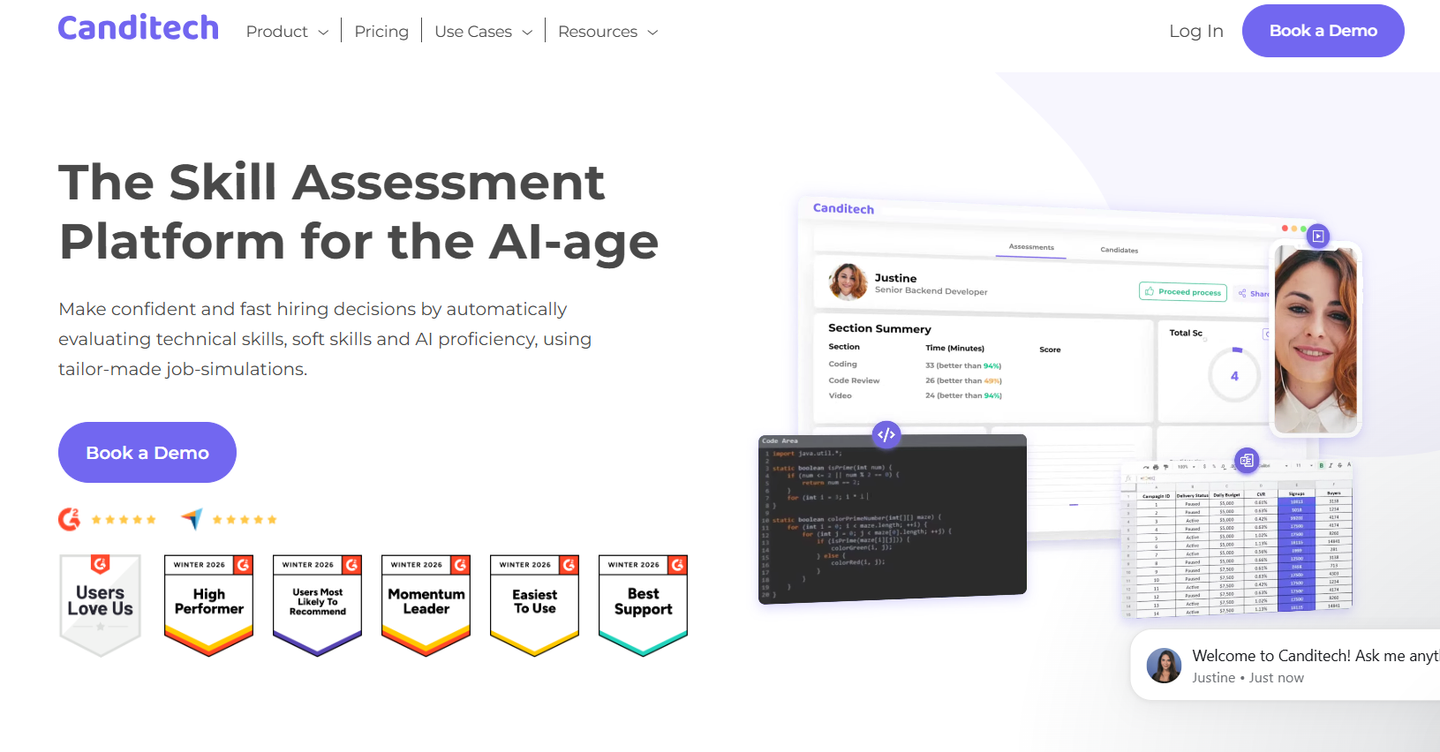
Canditech builds assessments around job simulations rather than questions about the job. Candidates work in SQL, Excel, a coding environment, or a written brief, and the platform scores the output automatically. There is a library of ready made assessments covering technical and soft skills, and an AI builder that drafts a role specific simulation from a job description.
One thing worth knowing is that they let you put generative AI tools inside the test environment, so you can assess how someone works with AI rather than just blocking it. Coverage is broad, so this suits teams hiring across departments rather than into one function.
Key features
- Job simulations covering SQL, Excel, coding, marketing, and written communication tasks.
- A library of 500 plus ready made assessments with automatic scoring.
- An AI builder that creates a role specific simulation from your job description.
- Video response questions and one way interviews in the same assessment.
- The option to allow generative AI tools inside the test, so you can see how candidates use them.
Pricing of Canditech
Canditech uses annual pricing based on candidate volume, with three main paid tiers:
- Team: From $150/month, billed annually
- Pro: From $200/month, billed annually
- Enterprise: Custom pricing
Team supports 2 active assessments and 8 users, while Pro includes unlimited assessments and users plus ATS integrations, coding, SQL, and spreadsheet questions. A free trial is available without a credit card.
Best for: Teams hiring across departments who want candidates assessed on real tasks rather than questions.
6. DevSkiller
DevSkiller gives candidates work that looks like the job. Instead of algorithm puzzles, they open a real project and complete a task inside it, using the frameworks and libraries your team already works with. That makes the results easier to trust for senior hiring, where you want to know whether someone can work in an existing codebase. It is a technical tool priced for ongoing programmes, so occasional or general hiring is not a good match.
Key features
- Project based coding tasks run in a real development environment.
- Coverage of frameworks, libraries, and databases rather than languages alone.
- Live technical interviews with real time code pairing.
- Plagiarism detection and candidate activity tracking.
- ATS integrations including Greenhouse, Workable, and JazzHR, plus API access.
Pricing of DevSkiller / SkillPanel
DevSkiller’s current pricing page now redirects to SkillPanel, which uses a simpler workforce-based pricing model:
- SkillPanel: Starts at $1 per employee/month
- Additional modules: Pricing varies depending on the modules selected
- Technical assessments: Can be added as a module or purchased separately
- Enterprise: Contact sales for tailored pricing
Best for: Engineering teams hiring mid and senior developers for a specific stack.
7. Alooba
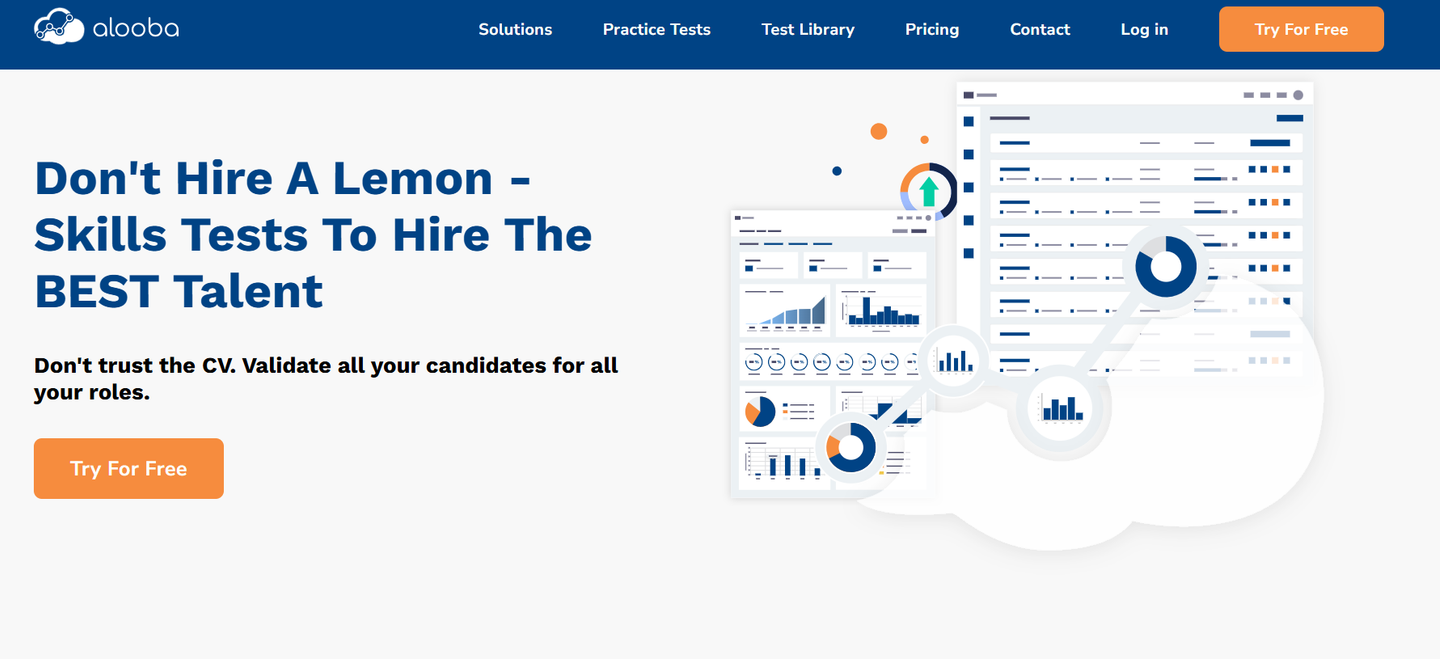
Alooba comes from the data and analytics world, and the library reflects that. Tests cover SQL, analytics, data science, and the reasoning skills that go with those roles, alongside broader concepts and knowledge content that you can tailor to the job. Questions are written and peer reviewed by working practitioners rather than generated in bulk. The part that stands out for recruiters is the fairness tooling, including candidate cloaking, anonymous grading of written answers, extra time for candidates who need it, and diversity reporting on your applicant pool. Coverage outside data and technical roles is thinner than on a general hiring platform.
Key features
- Tests covering SQL, analytics, data science, and related technical skills, plus a customizable concepts and knowledge test.
- Questions written and peer reviewed by working practitioners.
- Candidate cloaking and anonymous grading of free response answers to reduce bias.
- Accessibility options including extra time for candidates who need it.
- ATS integrations, including Greenhouse, with API access.
Pricing of Alooba
Alooba offers three main pricing plans:
- Lite: From $250/month
- Professional: From $575/month
- Enterprise: From $20,000/year
Annual billing includes two months free. Lite includes 35,000 monthly credits, while Professional includes 100,000 credits and adds advanced proctoring, ATS integrations, coding tests, SQL tests, and asynchronous interviews. Enterprise pricing is designed for larger organizations and requires at least a one-year contract.
Best for: Teams hiring data, analytics, and technical roles who care about a fair, structured process.
8. TestDome
TestDome charges for invites and nothing else. You buy a pack, spend an invite when you send a test, and keep whatever is left for as long as you need it. If a candidate does not take the test within six days, the invite goes back into your balance. Questions are work samples, so candidates fix code or solve a realistic problem rather than picking an answer. The library covers technical and office software skills. Proctoring is lighter than on the recruiting first tools here, covering webcam checks and duplicate detection.
Key features
- Work sample questions where candidates complete realistic tasks.
- Coding tests across common programming languages, plus data, office software, and aptitude content.
- Your own questions added to any pre built test.
- Automatic scoring with side by side candidate comparison.
- Integrations with Greenhouse, SmartRecruiters, Recruitee, and Zapier, with API access on all plans.
Pricing of TestDome
TestDome uses prepaid candidate packs instead of subscriptions:
- Starter: $100 for 5 candidates — $20 each
- Small: $400 for 25 candidates — $16 each
- Medium: $1,000 for 100 candidates — $10 each
- Large: $2,400 for 300 candidates — $8 each
- Extra Large: $4,200 for 600 candidates — $7 each
- Larger plans: Custom pricing
All features are included across the standard packs, and unused invites do not expire.
Best for: Teams hiring technical roles in bursts who do not want a subscription.
Questions to ask when choosing an Equip alternative
A few questions usually tell you more than a feature list does.
What does one full assessment cost per candidate? Ask the vendor to price a real role with every test you would include. Per test pricing and per assessment pricing look similar on a pricing page and work out very differently in practice.
How does the result reach the hiring manager? Some tools hand you a score and leave you to explain it. Others send a report that says what the score means for the role.
What is still manual after the test? If results have to be exported or typed into your ATS, the tool has moved the work rather than removed it.
What does the library hold for your non technical roles? Coding coverage is good almost everywhere now. Sales, finance, support, and operations content is where these tools differ.
What happens to credits you do not use? Credits that expire at the end of a cycle work very differently from credits that stay in your account, especially if your hiring comes in waves.
FAQS
What is the best alternative to Equip?
It depends on the roles you hire for. TestTrick suits teams that want skills tests, video interviews, and psychometrics in one candidate experience.
Which option is cheapest for high volume hiring?
Per assessment pricing usually works out cheaper than per test pricing at volume. TestTrick uses one credit per completed assessment, however many tests it contains.
Do these platforms detect cheating?
Most offer proctoring in some form. TestTrick covers camera and screen monitoring, tab tracking, copy paste blocking, and dual monitor detection.
Can I connect one of these to my ATS?
Several do. TestTrick has native ATS integrations and builds new ones where the platform offers an open API.
Is there a free trial?
Yes. TestTrick offers a seven day free trial with access to the test library, assessment builder, and proctoring settings.
Choosing the right Equip alternative for your team
Start with how often you hire. If screening is occasional, pay as you go pricing makes sense. If you screen every week, you want a platform that takes on the work around the test, because that is where the hours go.
After that, check the library against the roles on your careers page, work out the cost per candidate for a full assessment, and see whether a hiring manager can read the report without help.
TestTrick is built for teams in the second group. You can start a free trial and run a real assessment before you commit to anything.
Build a Hiring-Ready Assessment
Create role-specific, anti-cheat assessments and shortlist candidates on evidence, not guesswork.
Start for freeBy Sanjana Sankhyan
September 18, 2026
14 min read
Build a Hiring-Ready Assessment
Create role-specific, anti-cheat assessments and shortlist candidates on evidence, not guesswork.
Start for free