
Zoho
Streamline your hiring process by connecting Zoho applicant tracking system with TestTrick's advanced skill assessments. Send assessments directly from Zoho, automatically track candidate progress and results, and keep your entire hiring workflow centralized in one place.
Overview
Testtrick allows you to send candidates skills and cognitive assessments as part of the interview process. The Testtrick integration with Zoho Recruit enables recruiters to seamlessly send candidates to TestTrick assessments directly from Zoho Recruit and automatically receive assessment results back inside Zoho Recruit.
With this integration, recruiters can:
- Recruiters can select an assessment without leaving Zoho Recruit
- Invite candidates to TestTrick assessments.
- Automatic synchronization of completed assessment results
- Dedicated TestTrick Assessment module inside Zoho Recruit
- Access the full candidate report in Testtrick via a direct link
Prerequisites
Before enabling the integration, make sure:
- An active TestTrick account.
- An active Zoho Recruit account
- TestTrick integration enabled for your organization
- Zoho Recruit Extension installed
How do I set up the Testtrick integration?
Setting up the integration involves two steps: connecting Testtrick to Zoho Recruit, and then configuring it within your Zoho Recruit extension.
Step 1: Connect the Integration
- Log in to TestTrick.
- Navigate to Settings.
- Click Integrations.
- Select Zoho from the available integrations.
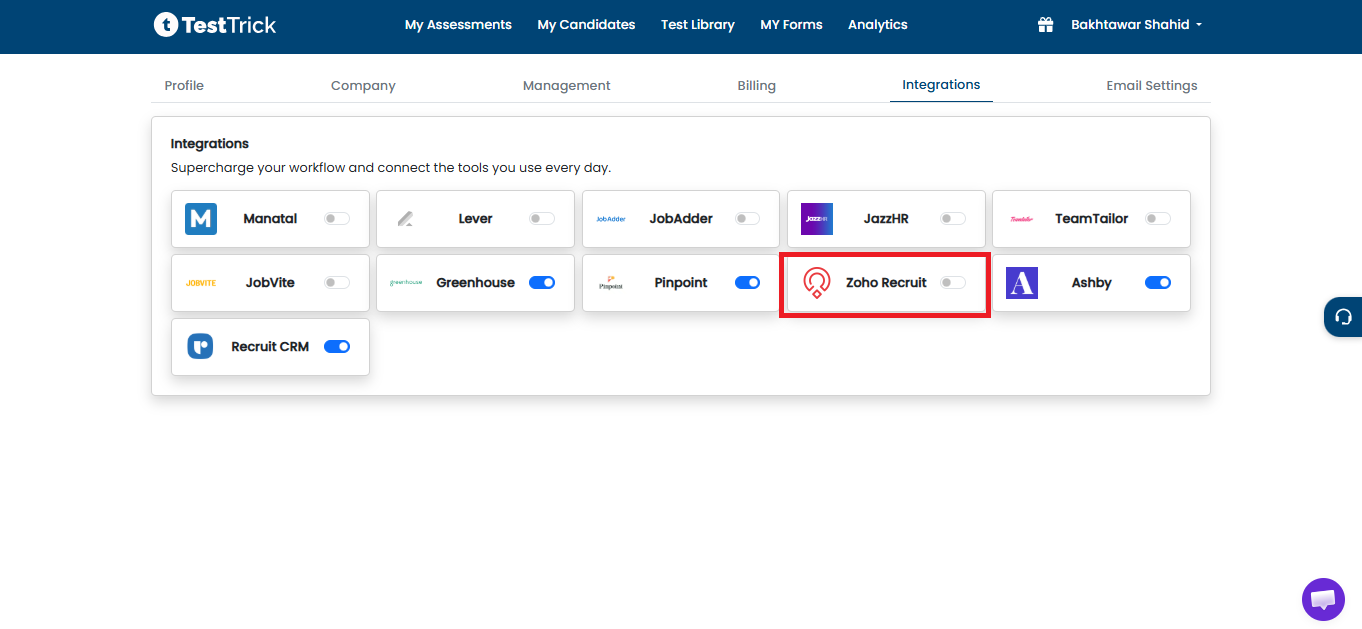
Once enabled, TestTrick automatically generates:
- Integration API Key
- Client Code
NOTE: These credentials are required when configuring the Zoho Recruit extension.
Step 2: Copy Integration Credentials
After enabling the integration, copy the following values:
- API Key
- Client Code
Both values are displayed in the integration modal and can be copied individually.
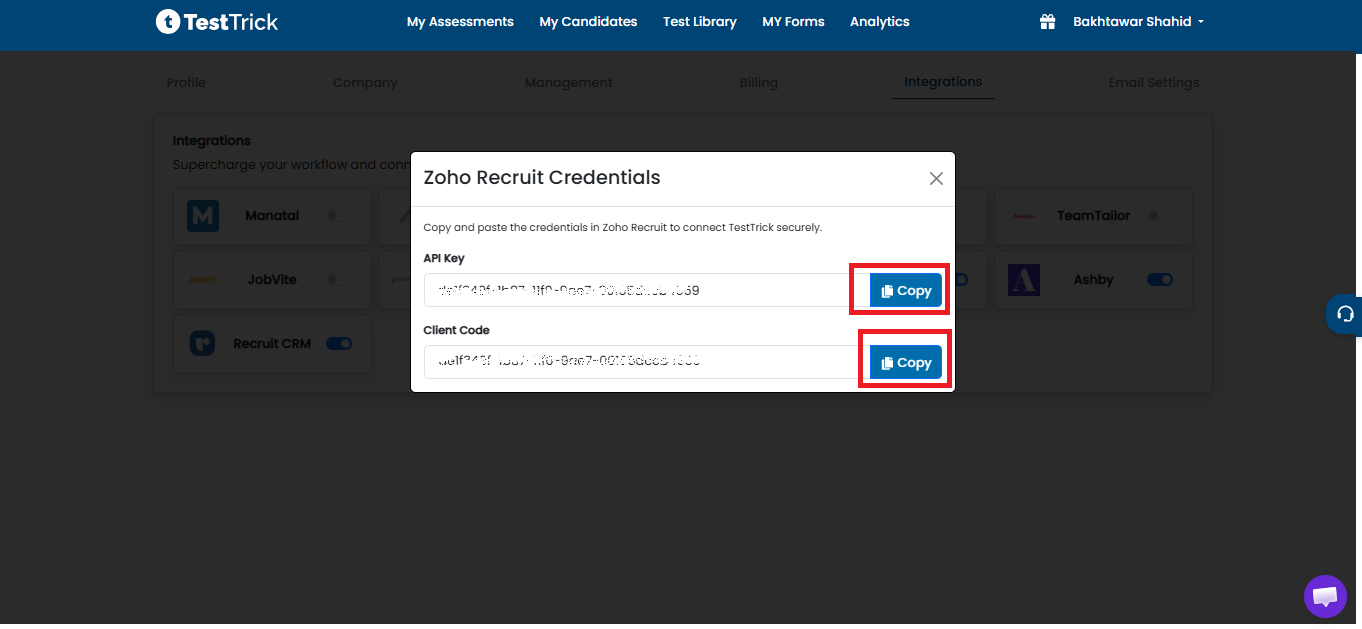
Note:The API key is tied to your Testtrick account. Keep it secure and do not share it publicly.
Step 3: Install the Zoho Recruit Extension
Install the TestTrick extension from Zoho Recruit.
During installation:
- Required custom modules are created.
- Custom fields are added.
- Automation functions are installed.
- OAuth connection is configured.
- Required services are registered.
Step 4: Authorize the Integration
After installation, the extension requests:
- TestTrick API Key
- Client Code
Paste both values copied from TestTrick.
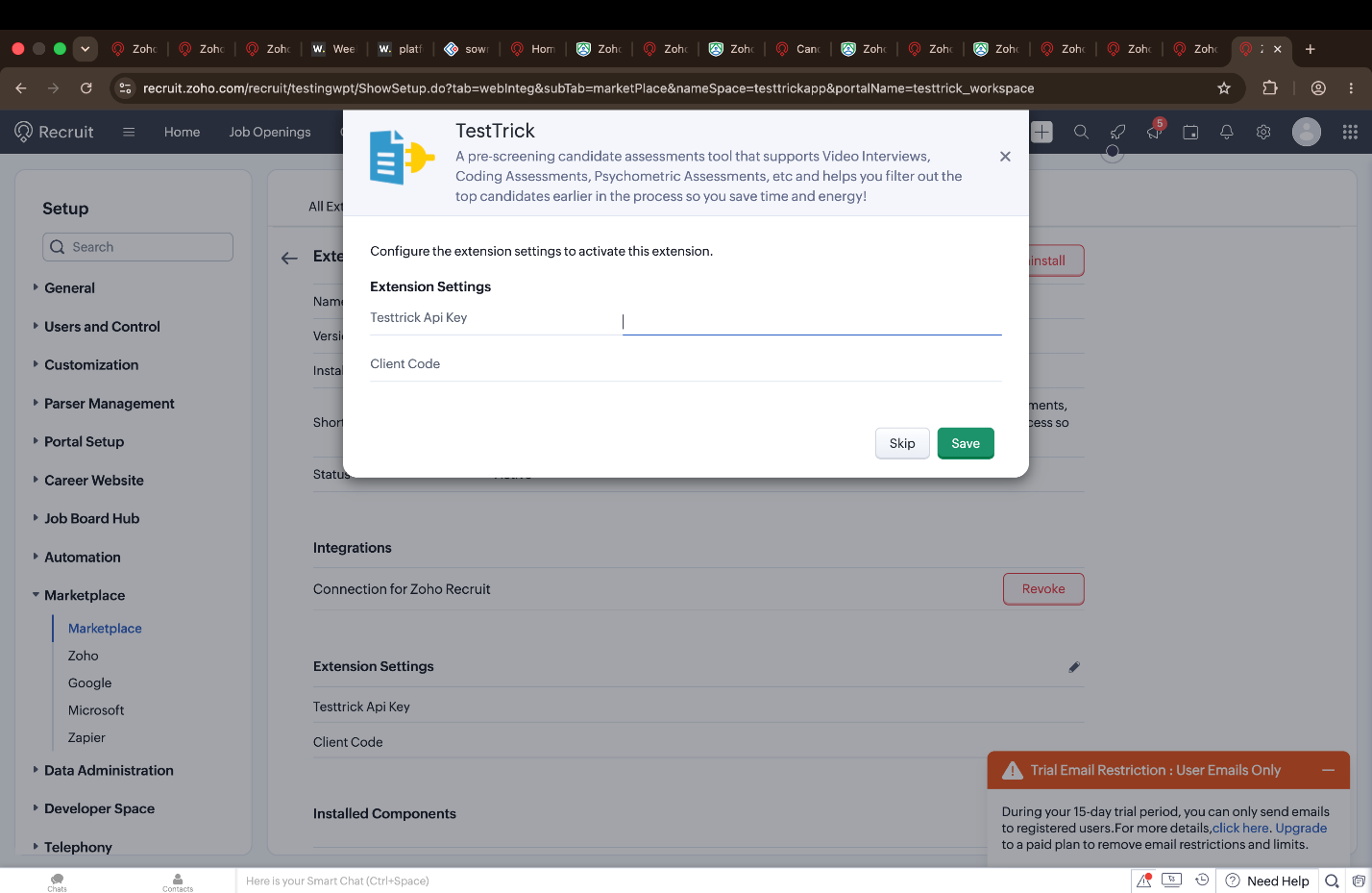
Once verified:
- OAuth authorization is completed.
- A secure Zoho access token is generated.
- The integration becomes active.
How do I send a candidate a Testtrick assessment?
To invite candidate to TestTrick, open any Candidate record in Zoho Recruit.
A new action named Send to TestTrick appears on the Candidate Details page.
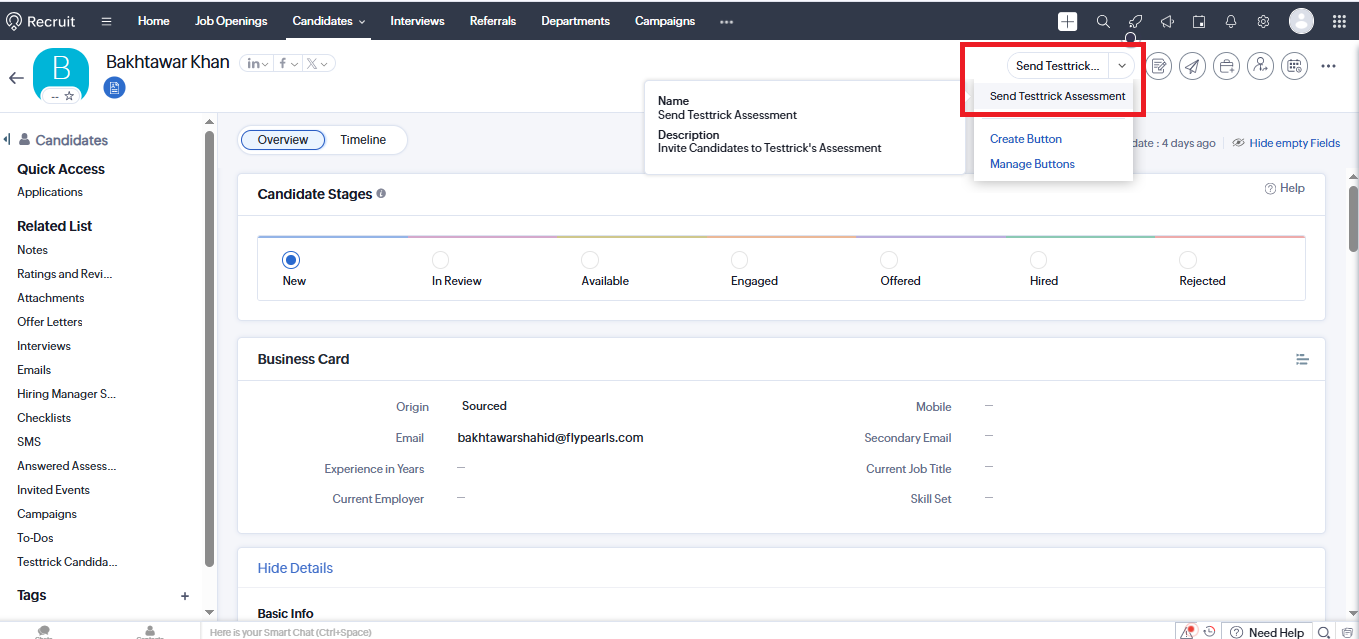
Clicking this button opens the TestTrick assessment selection window.
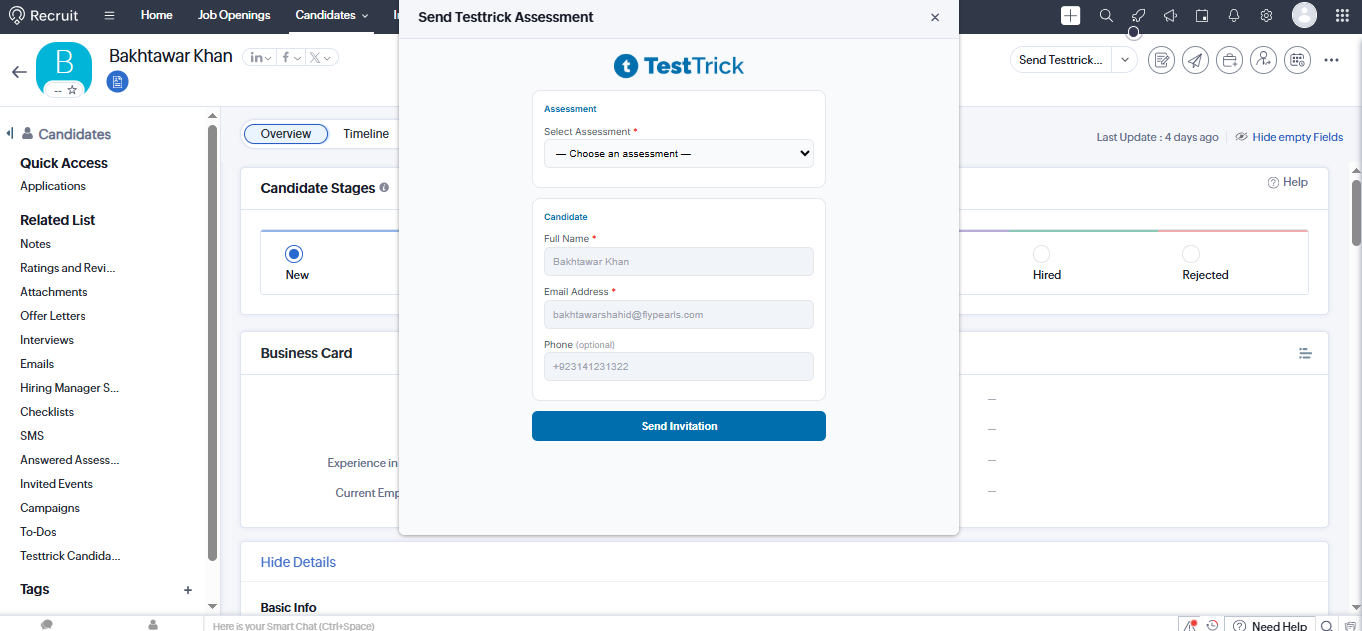
Invite Candidate to the assessment
- Select the assessment you want to assign.
- Click Submit, the extension sends the invitation request to TestTrick.
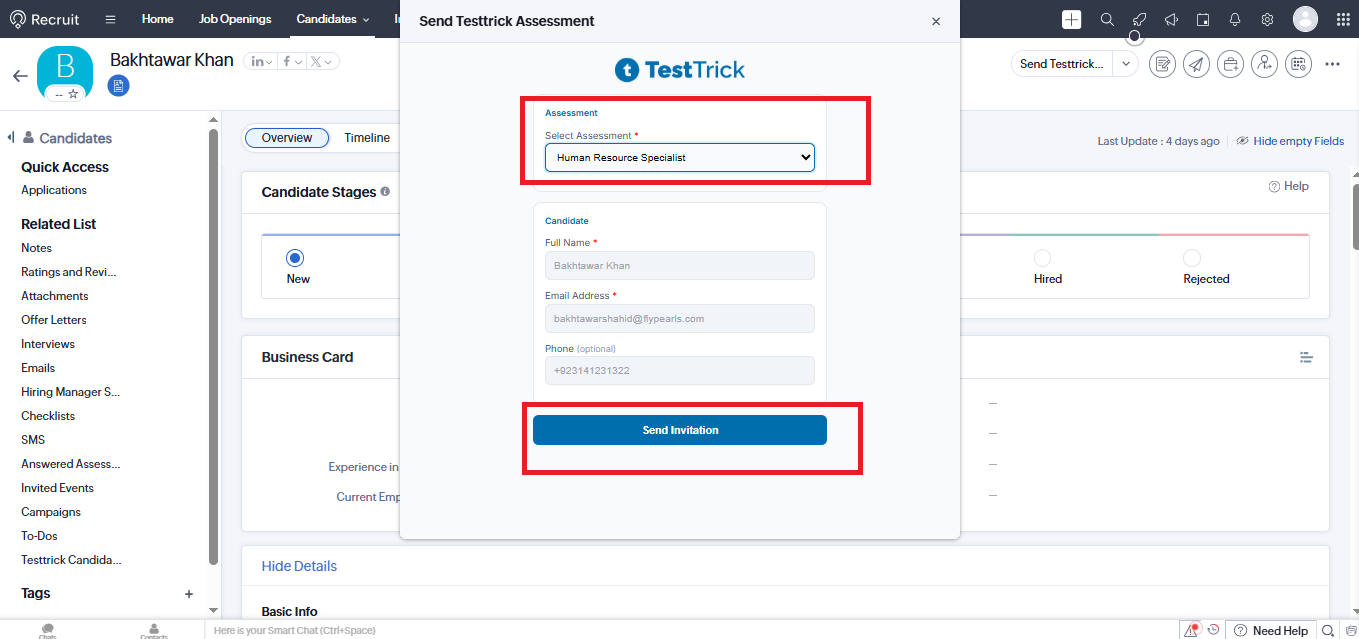
How do I track a candidate's assessment progress?
When the candidate complete the assessment through TestTrick.
- Candidate’s assessment information is inserted into the TestTrick Assessment module.
TestTrick Assessment Module
The integration creates a dedicated module inside Zoho Recruit for completed assessments.
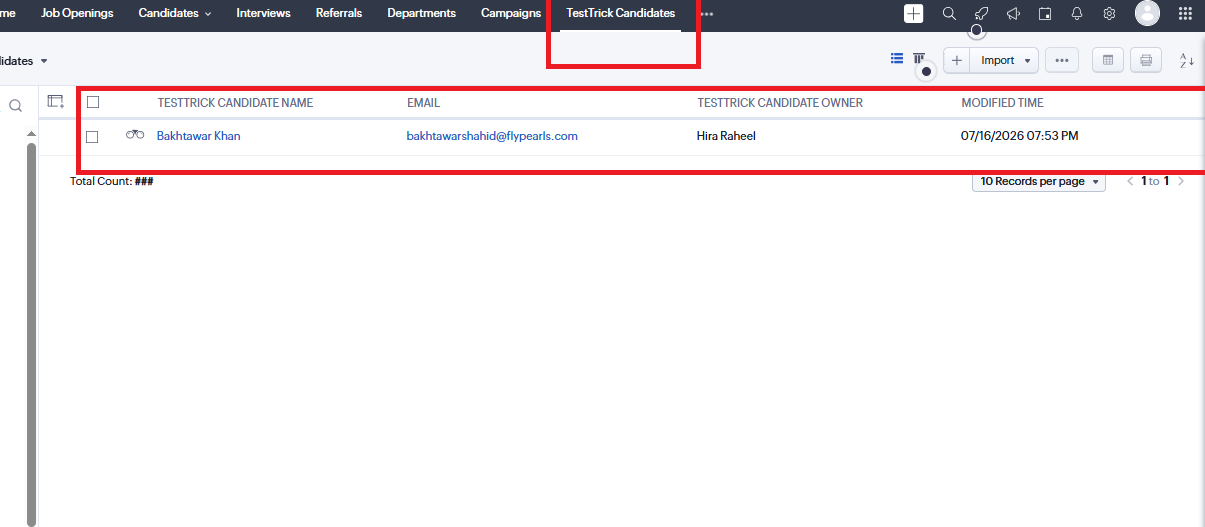
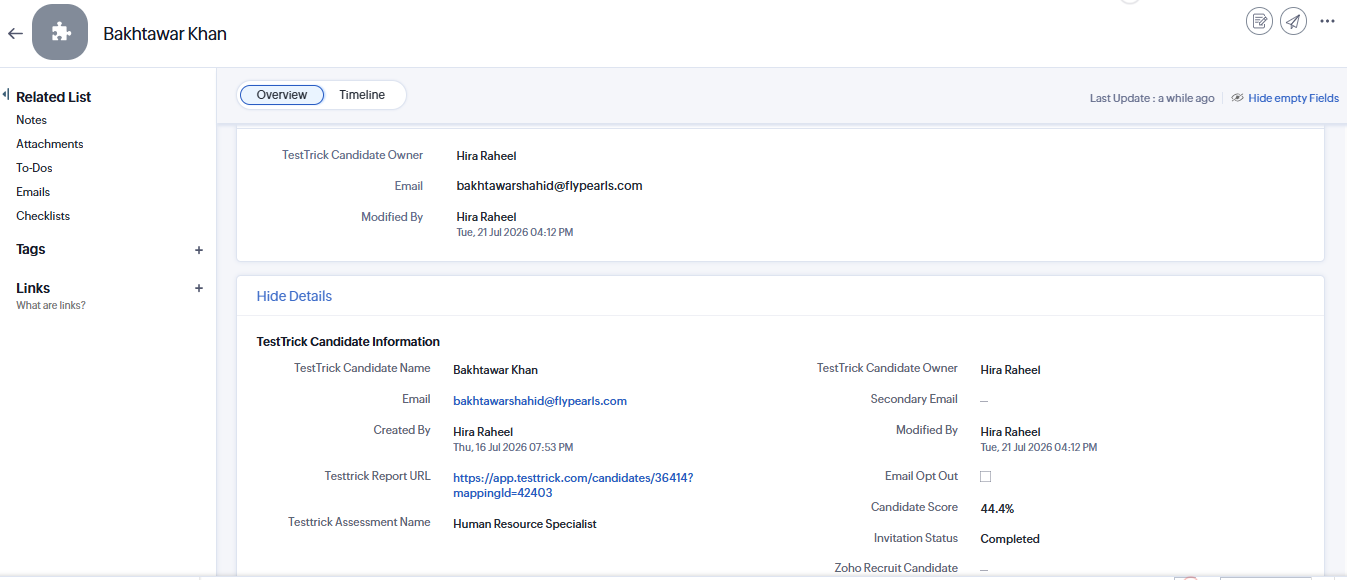
Each completed assessment record contains information such as:
- Candidate
- Assessment Name
- Invitation Status
- Completion Status
- Score
- Report
- Completion Date
Recruiters can monitor assessment progress directly within Zoho Recruit.
How do I disable the Integration?
If you no longer want to use the Testtrick integration with Zoho Recruit, you can disable it at any time from within the Testtrick app.
- In Testtrick, click your name in the top right corner and select Integrations from the drop-down menu
- Click the Disable button on the integration.
- Click Disable on the confirmation pop-up to complete the process.
- From Zoho Recruit uninstall the extension.
Frequently asked questions(FAQs)
Curious about TestTrick? Here are the answers to some frequently asked questions about our company.