
Recruit CRM
Streamline your hiring process by connecting Recruit CRM's applicant tracking system with TestTrick's advanced skill assessments. Send assessments directly from Recruit CRM, automatically track candidate progress and results, and keep your entire hiring workflow centralized in one place.
Overview
The Testtrick and Recruit CRM integration allows recruiters to automatically invite candidates to assessments from Recruit CRM and automatically update candidate stages once assessments are completed.
With this integration, recruiters can:
- Sync Recruit CRM jobs with Testtrick assessments
- Automatically send assessment invitations when candidates reach a specific hiring stage
- Automatically move candidates to a completion stage after finishing the assessment
- View candidate assessment results directly from Recruit CRM
Prerequisites
Before enabling the integration, make sure:
- You have an active TestTrick account.
- You have Administrator access in TestTrick.
- You have a Recruit CRM Business plan.
How do I set up the Testtrick integration?
Step 1: Connect Recruit CRM with TestTrick
- Log in to TestTrick.
- Navigate to Settings.
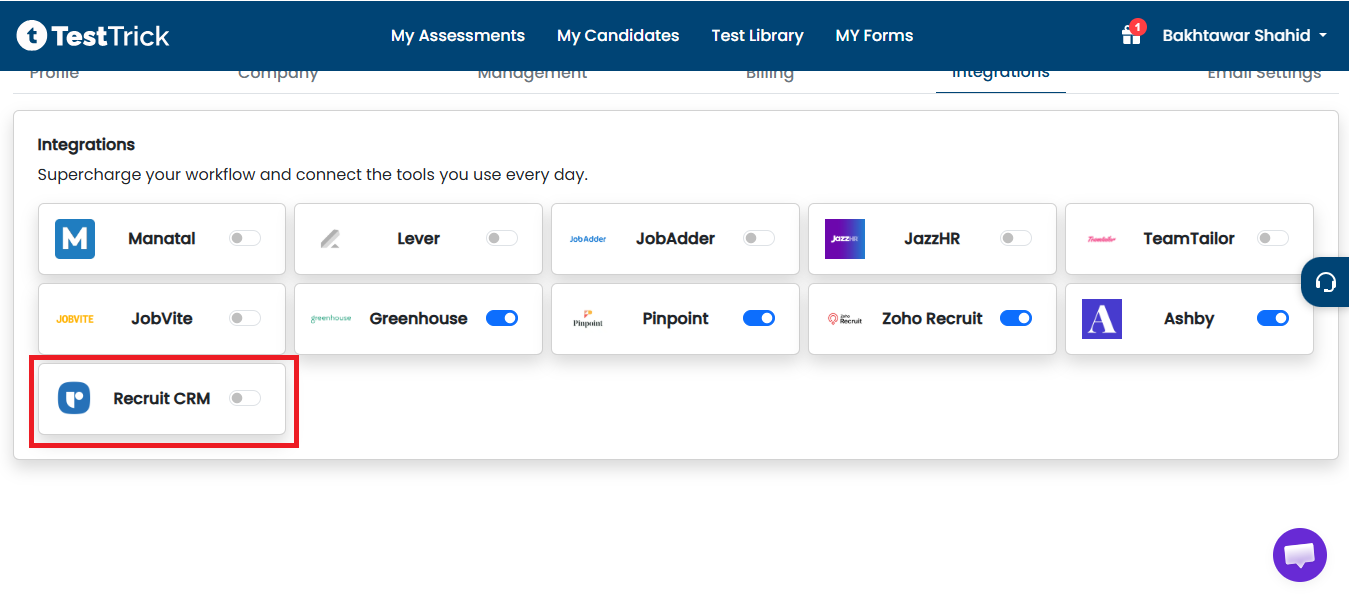
- Click Integrations.
- Select Recruit CRM from the available integrations.
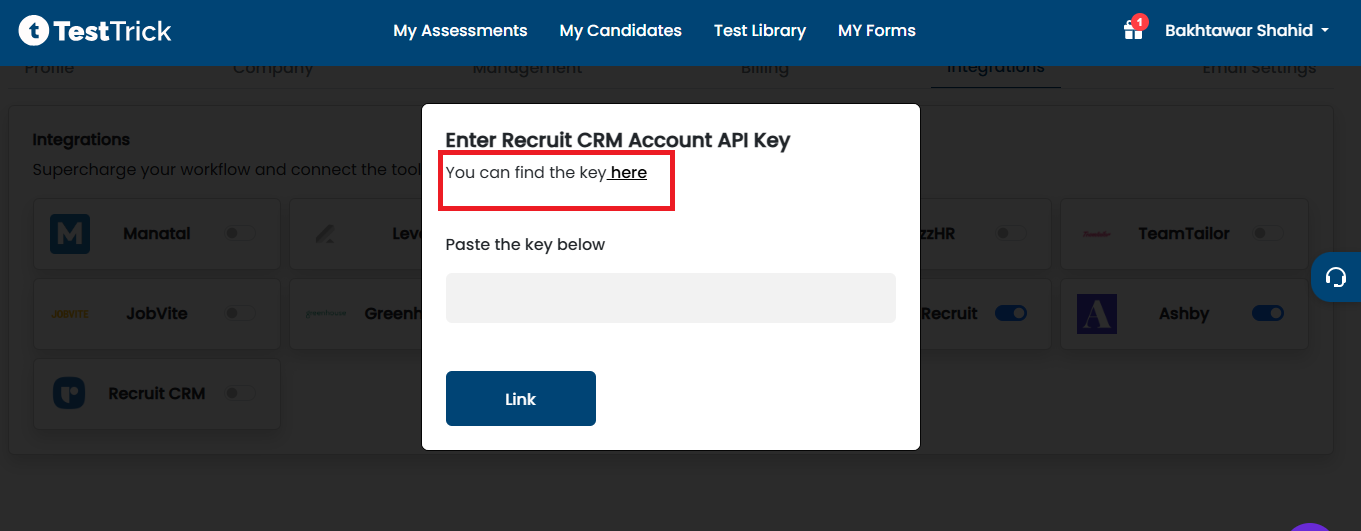
- Click Here to get API Key from Recruit CRM.
Step 2: Get Your Recruit CRM API Key
- Log in to Recruit CRM.
- Navigate to Admin Settings.
- Open the API section.
- Enable API access if it is disabled.
- Copy your Recruit CRM API Token.
- Paste the API key into TestTrick and Click Link.

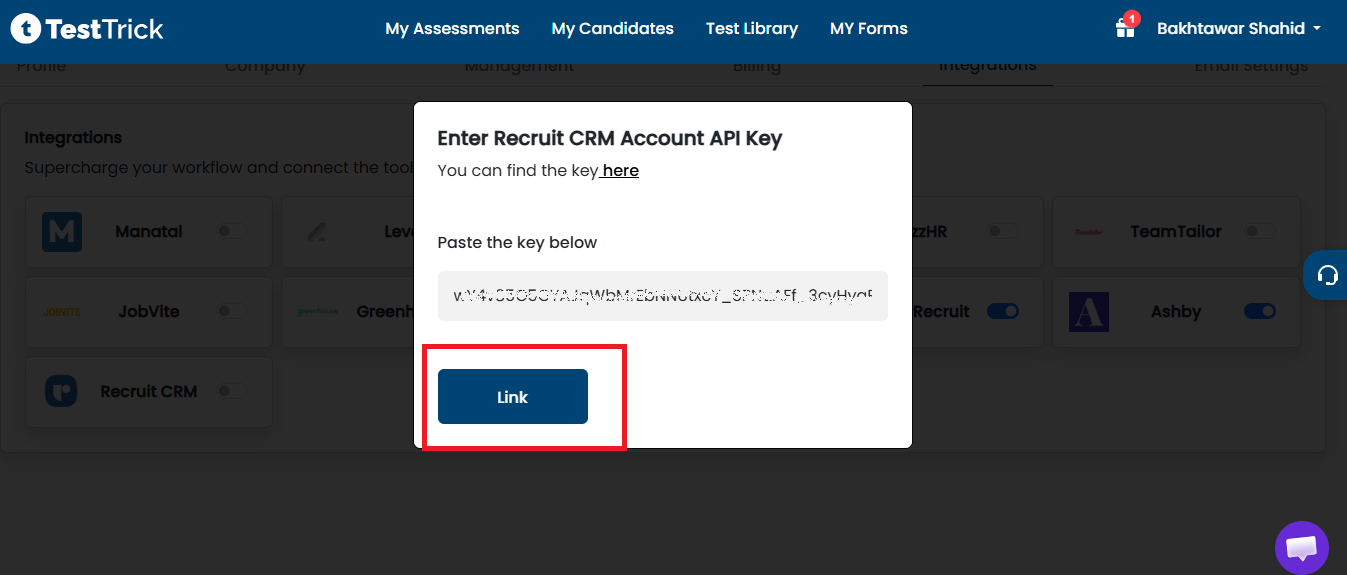
Note: After a successful connection, Recruit CRM appears as an active integration in your TestTrick Integrations page.
Link an Assessment to a Recruit CRM Job
Create or Edit an Assessment
- Navigate to Assessments in TestTrick.
- Create a new assessment or edit an existing one.
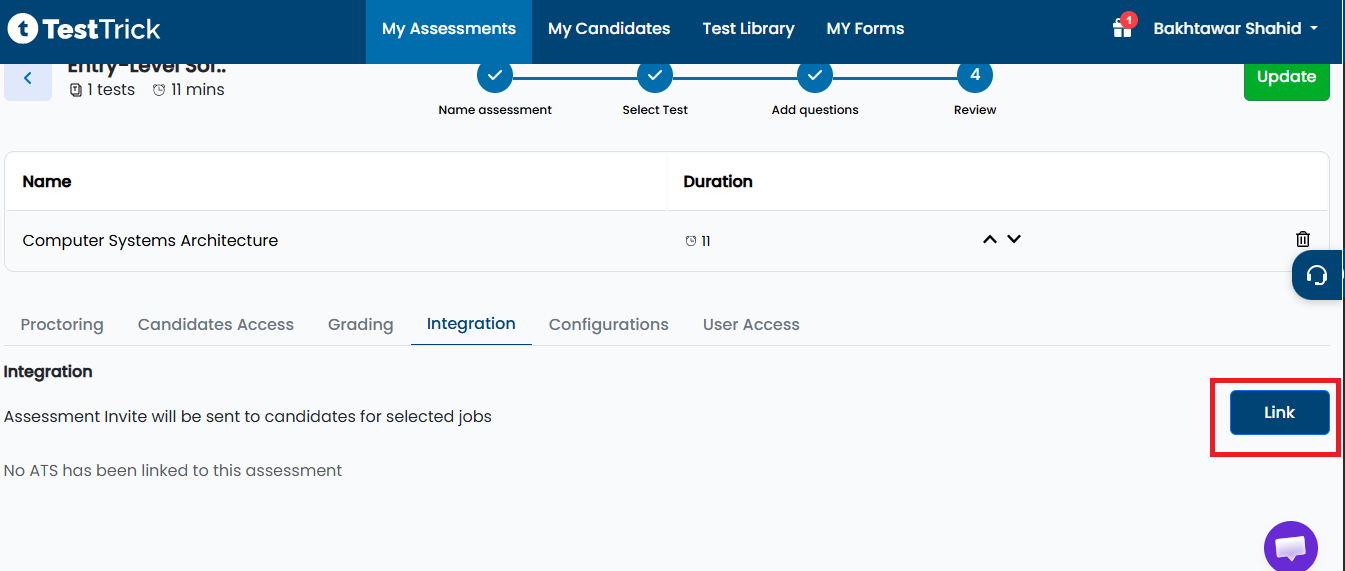
- Go to last Review step and select the Integrations tab.
- Click Link to link the assessment with the ATS..
Configure Integration Settings
Select the following:
- ATS: Recruit CRM
- Job Post: Select the Recruit CRM job you want to connect with this assessment.
- Invitation Stage: Select the Recruit CRM hiring stage where candidates should automatically receive assessment invitations.
- Completion Stage: Select the Recruit CRM hiring stage where candidates should automatically move after completing the assessment.
- Click Link.
- Click Save or Update Assessment.
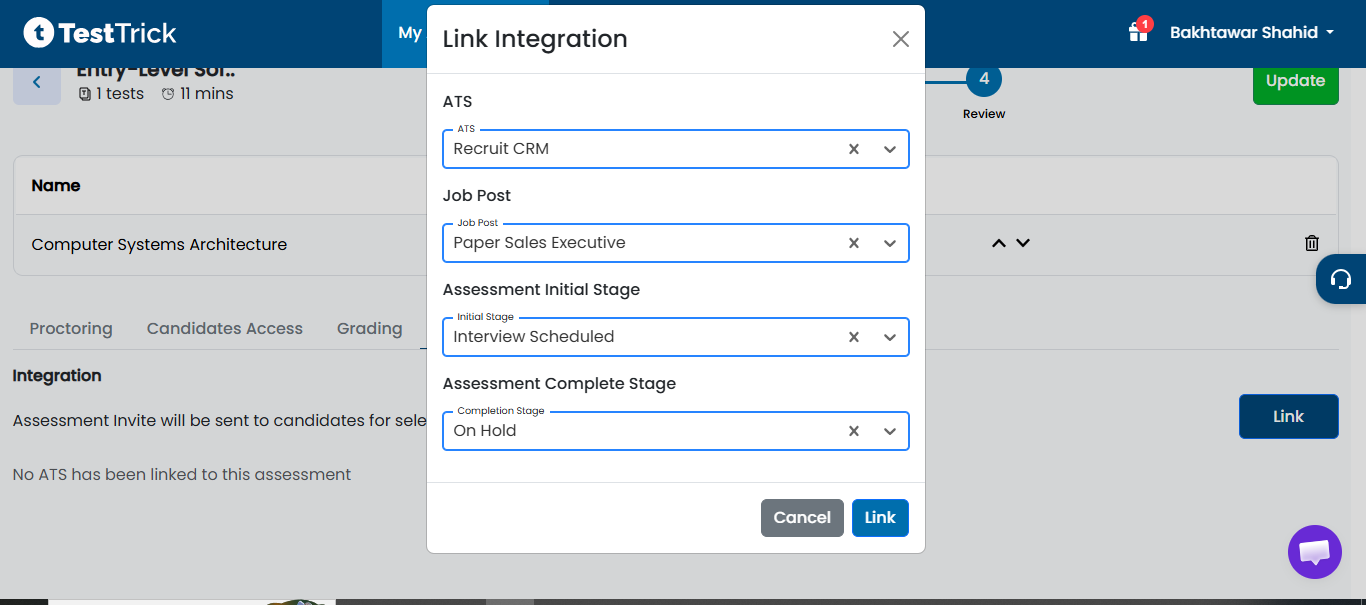
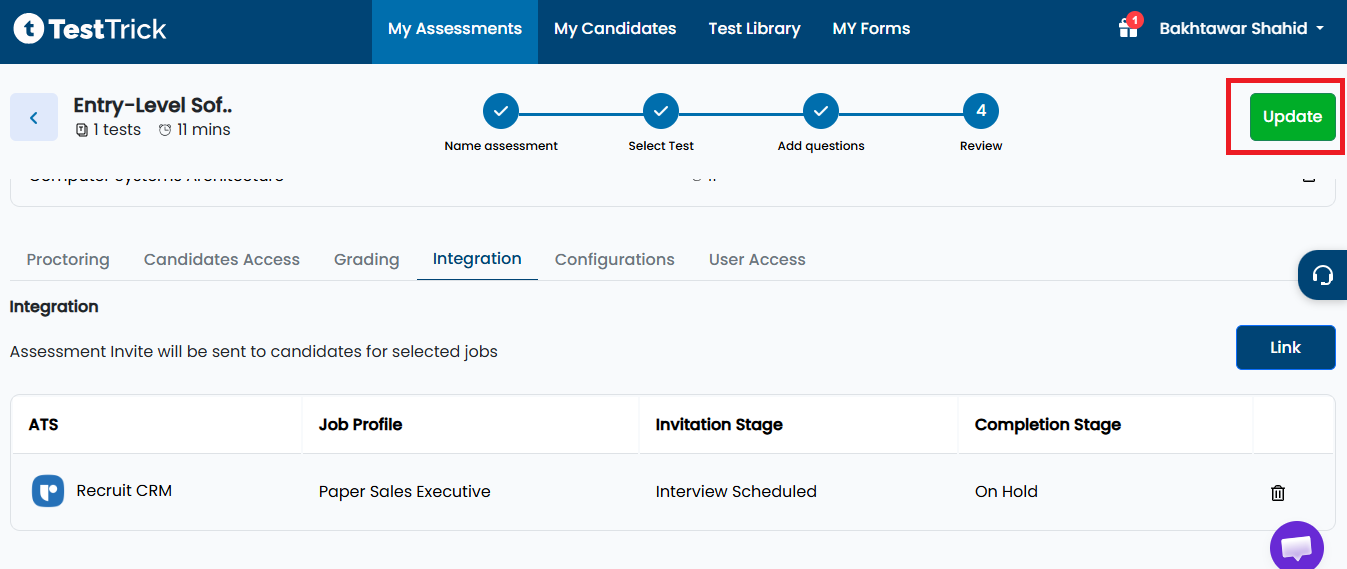
Your assessment is now connected to the selected Recruit CRM job.
How do I send candidate a Testtrick assessment?
- Navigate to Jobs.
- Open the linked job.
- Open the Candidates Pipeline.
- Assign the candidate to the job if necessary.
- Move the candidate to the hiring stage selected as the Invitation Stage during integration setup.
- Save the stage update.
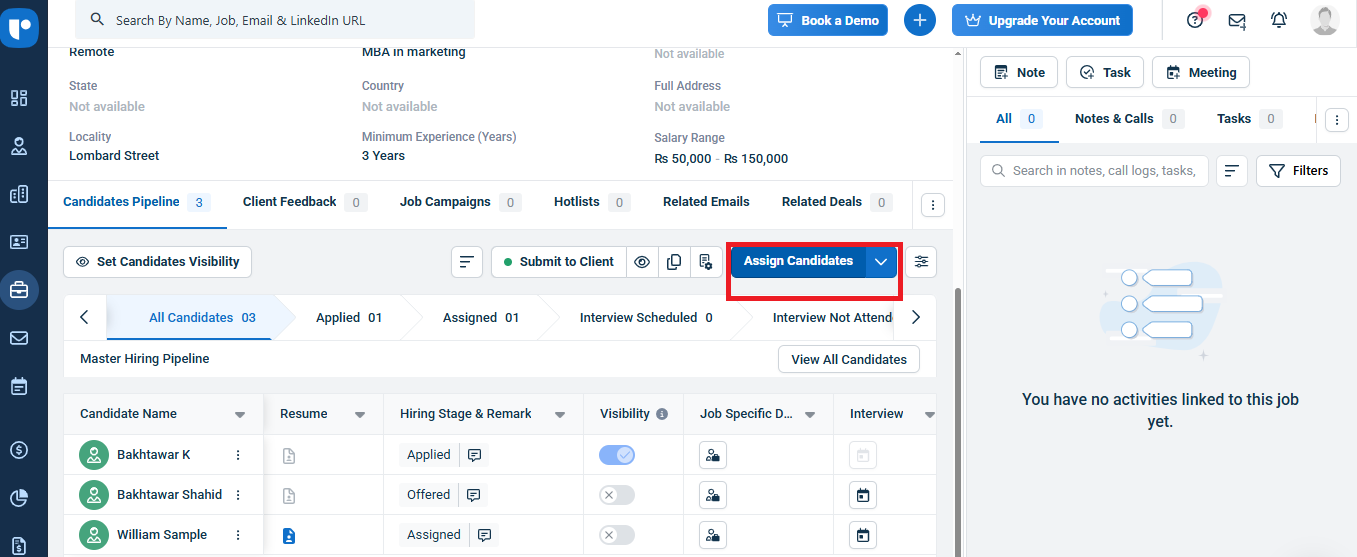
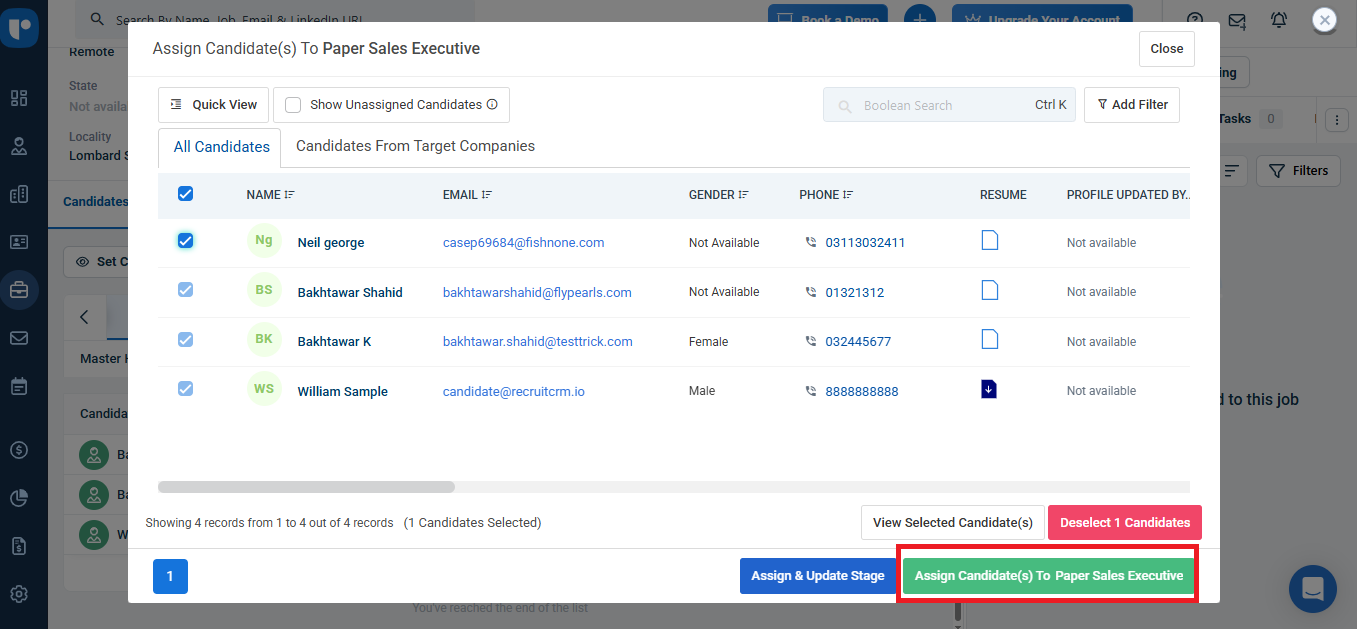
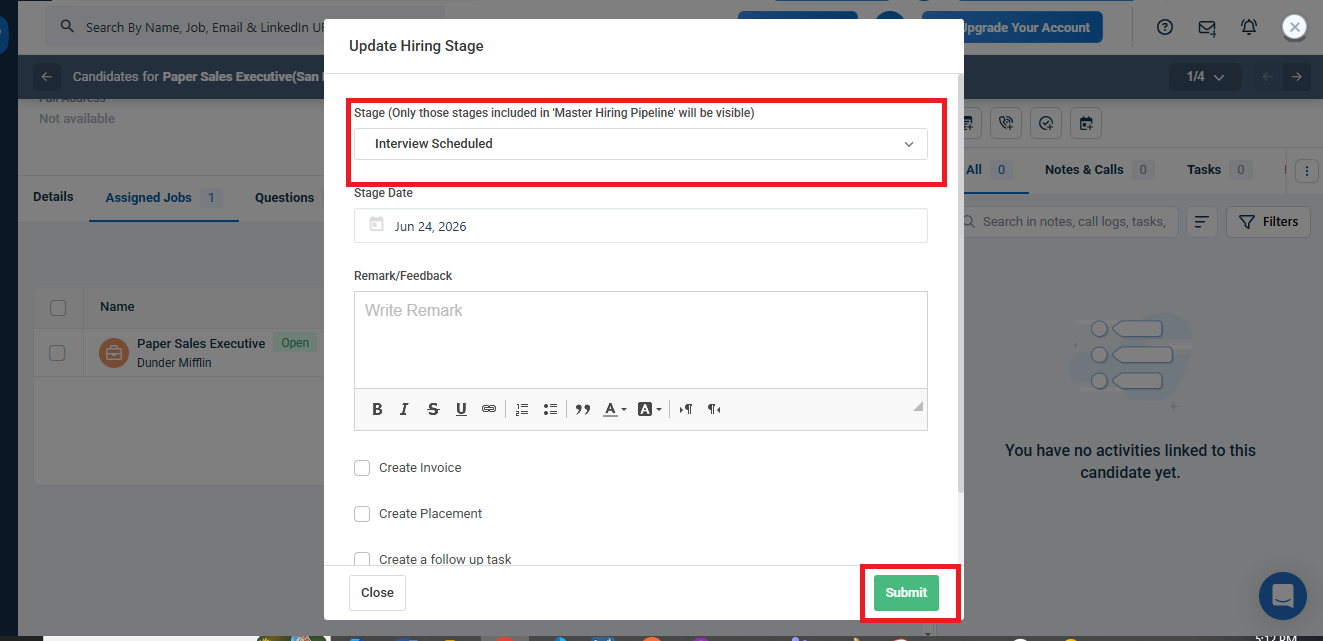
Note: When a candidate reaches the configured Invitation Stage, TestTrick automatically creates an assessment invitation, sends the invitation email, and adds the candidate to the assessment's Invited Candidates list.
What Happens When a Candidate Completes the Assessment?
After the assessment is completed:
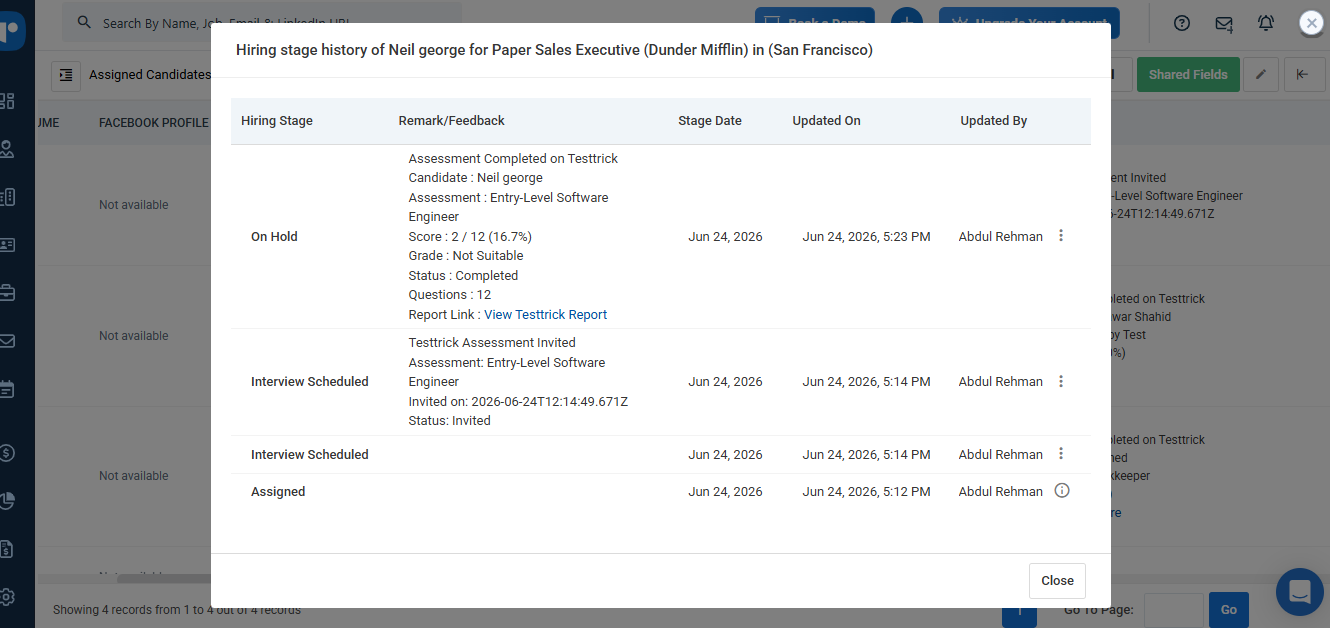
- TestTrick automatically updates the candidate's hiring stage in Recruit CRM.
- The candidate is moved to the configured Completion Stage.
- Assessment remarks are added to the candidate profile in Recruit CRM.
- Go to All Candidates and there you can find the invited candidate.
- Click the remarks to view the assessment results.
Frequently asked questions(FAQs)
Curious about TestTrick? Here are the answers to some frequently asked questions about our company.