English

Ashby
Streamline your hiring process by connecting Ashby's applicant tracking system with TestTrick's advanced skill assessments. Send assessments directly from Ashby, automatically track candidate progress and results, and keep your entire hiring workflow centralized in one place.
Overview
Testtrick allows recruiters to evaluate candidates using skills, cognitive, personality, and technical assessments. The Testtrick integration with Ashby enables recruiters to assign assessments directly from Ashby and automatically track candidate progress and results throughout the hiring process.
With this integration, recruiters can:
- • Send Testtrick assessments directly from Ashby
- • Select assessments from their Testtrick account
- • Automatically track assessment status updates
- • View candidate assessment scores within Ashby
- • Access detailed Testtrick reports from candidate profiles
- • Keep hiring workflows centralized inside Ashby
Prerequisites
Before enabling the integration, make sure:
- • You have an active Testtrick account.
- • You have administrator access in Testtrick.
- • You have administrator access in Ashby.
How do I set up the Testtrick integration?
Before you can start sending assessments, you’ll need to connect your Testtrick account to Ashby using the API keys provided by Testtrick and Ashby.
Step 1: Enable the Ashby Integration in Testtrick
- Log in to your Testtrick account.
- Navigate to Settings → Integrations.
- Locate the Ashby integration.
- Click the toggle to enable the integration.
- Testtrick will generate a unique API key
- Copy the generated API key — you will need it during the Ashby setup process.
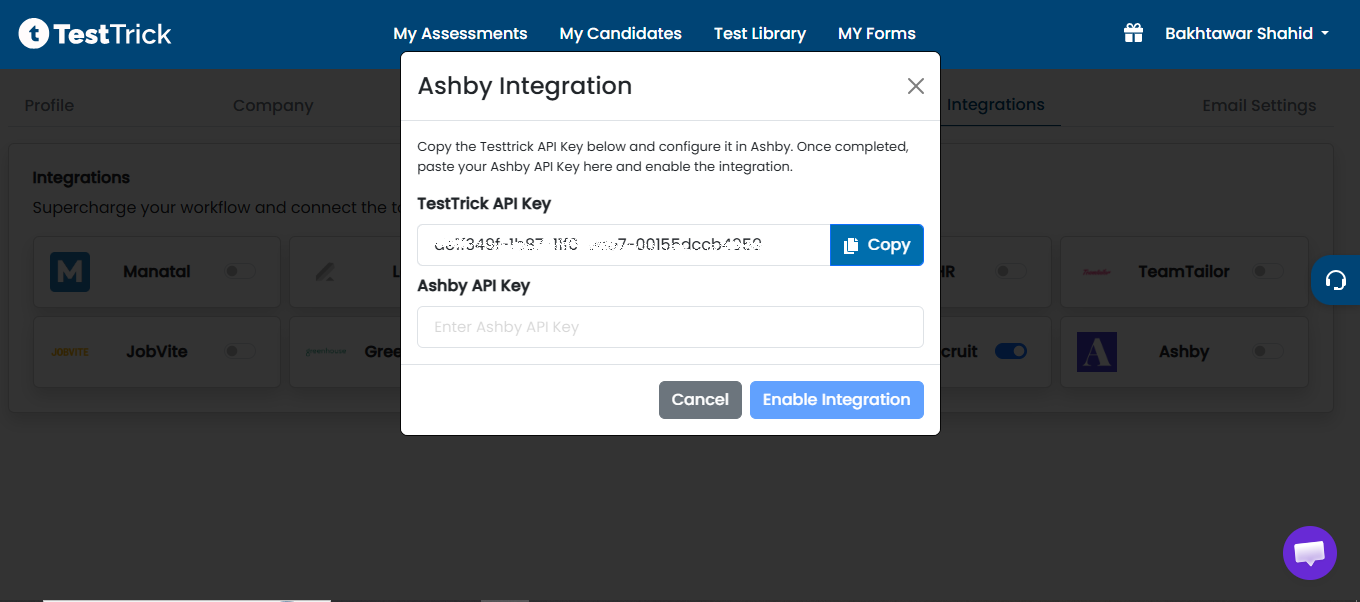
Note: The API key is unique to your organization. Keep it secure and do not share it publicly.
Step 2: Configure Testtrick in Ashby
- Log in to Ashby as an administrator.
- Navigate to Admin → Integrations.
- Locate the Testtrick integration.
- Enter your Testtrick API key (copied from Testtrick).
- Create a new API key in Ashby (give it any name).
- Copy the Ashby-generated API key, paste it back into Testtrick, and click Enable Integration.
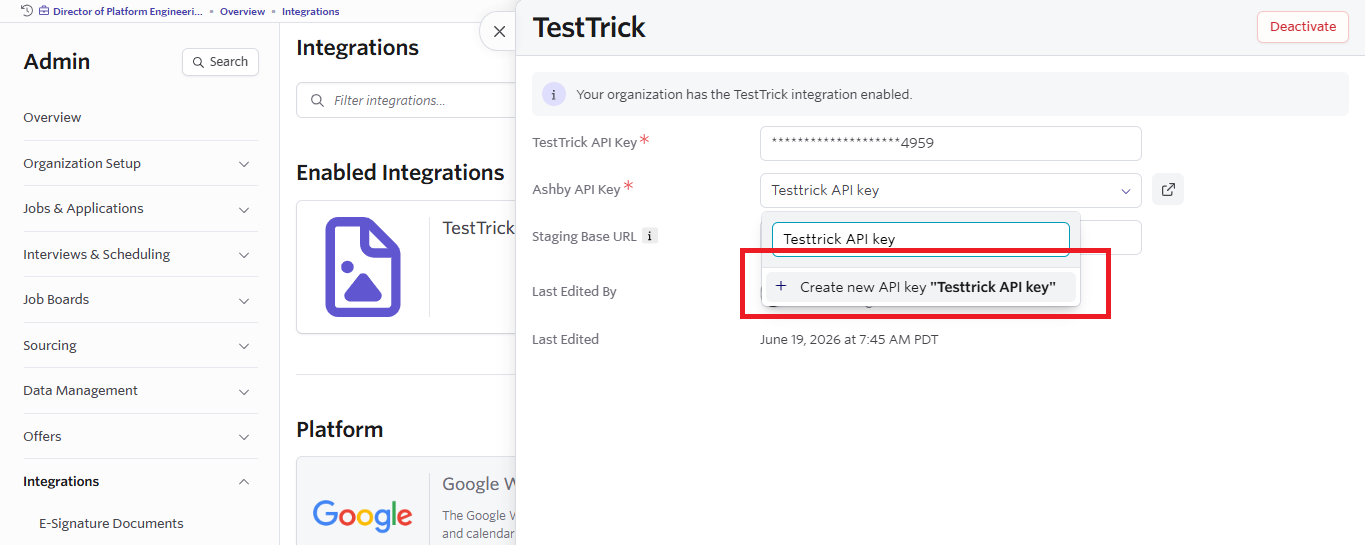
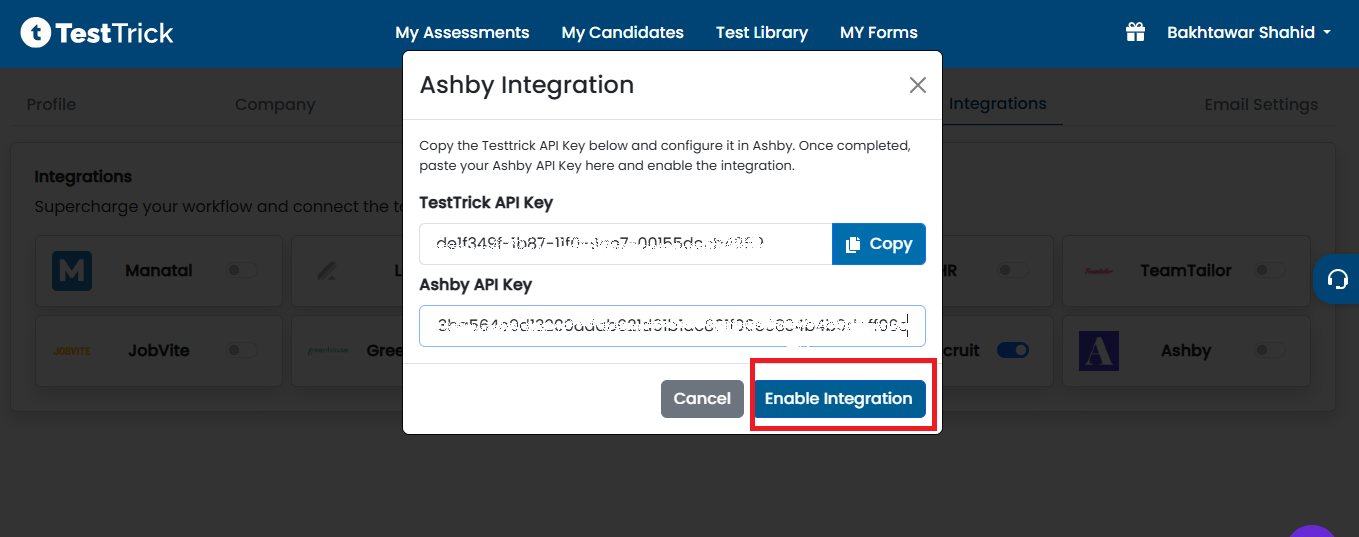
Once saved, Ashby will be able to communicate with your Testtrick account and the integration will be active.
How do I send a candidate a Testtrick assessment?
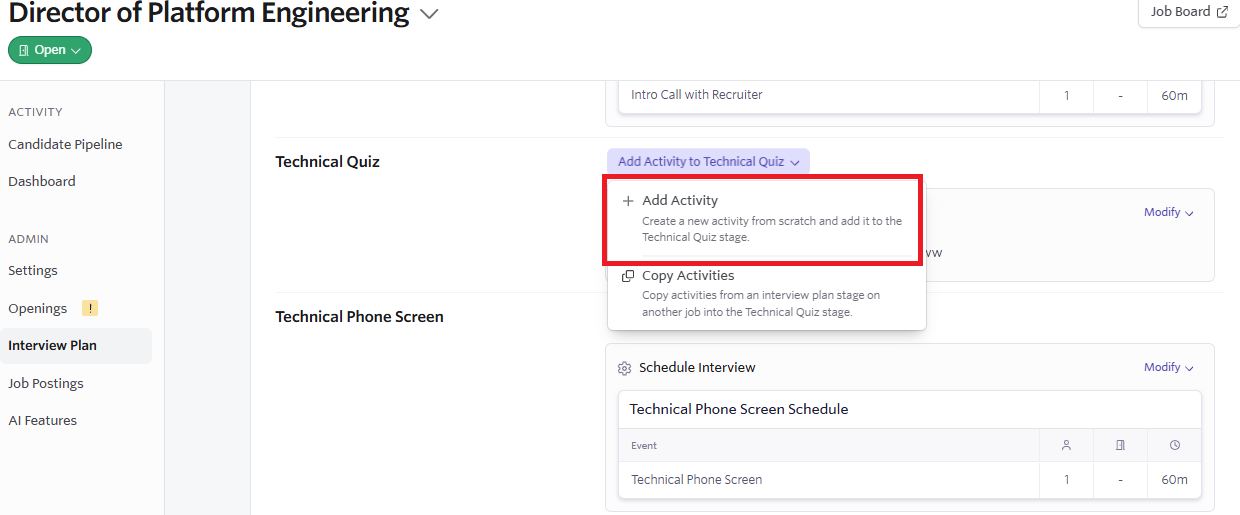
Once the integration is active, Testtrick assessments can be initiated as part of a job's interview plan in Ashby.
Add Testtrick to an Interview Plan
- Open the job in Ashby.
- Navigate to Interview Plan.
- Select the stage where you want the assessment to occur.
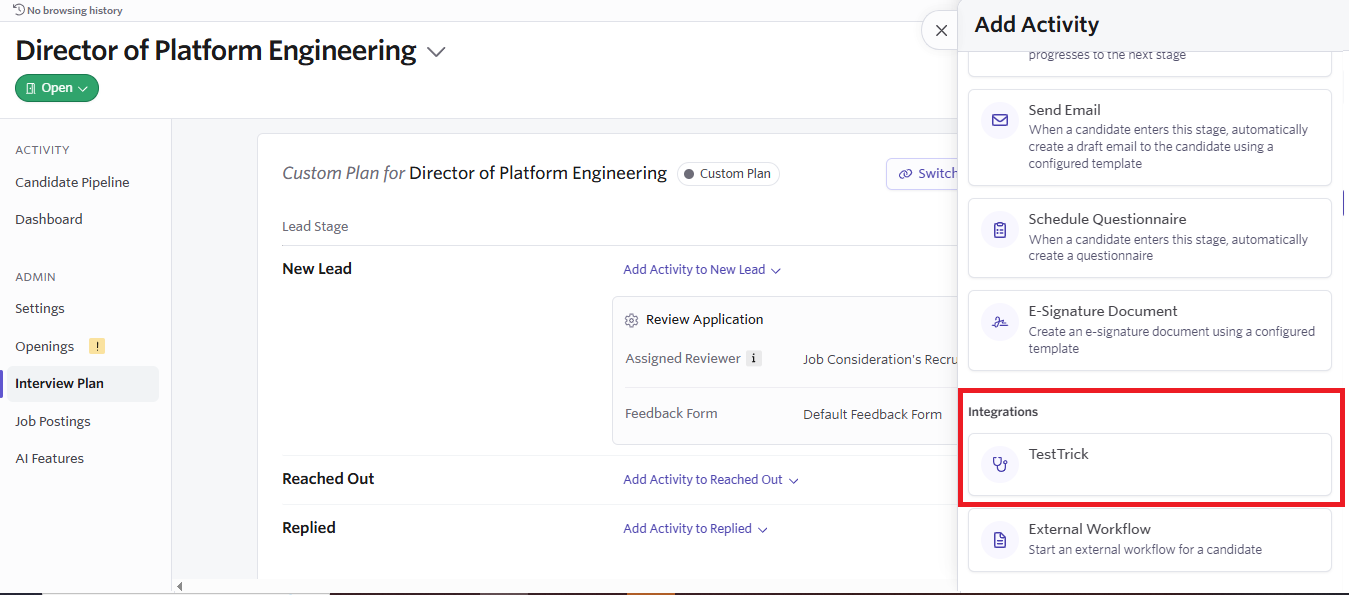
- Click Add Activity.
- Under Integrations, select Testtrick.
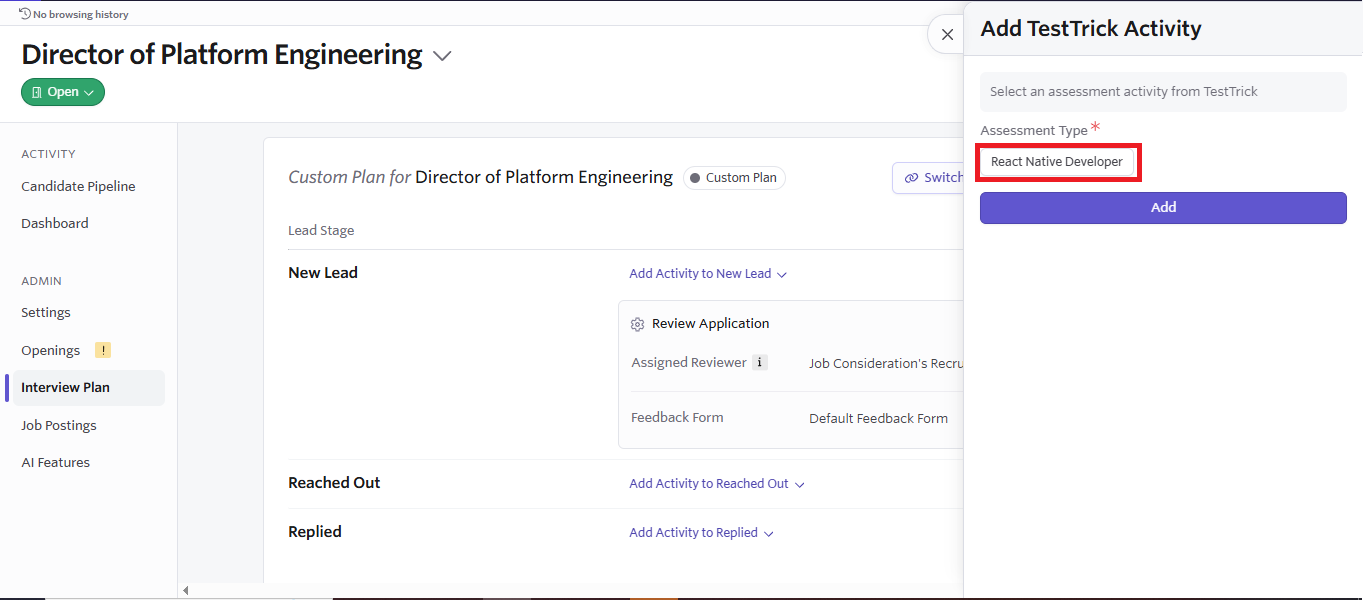
- Choose the Testtrick assessment for that stage and click Add.
- Save the interview plan.
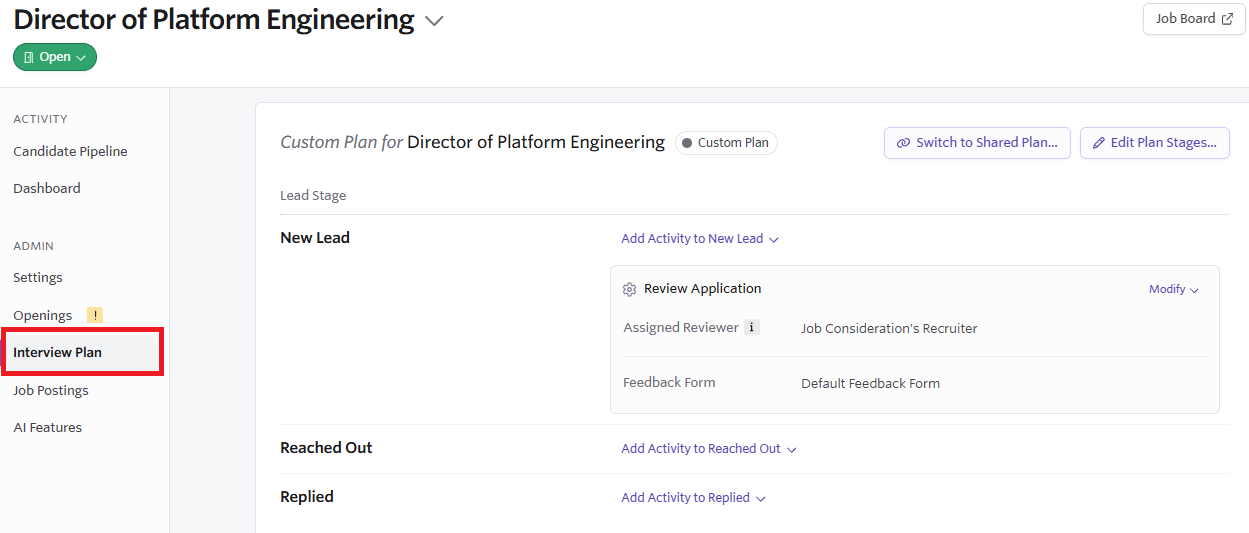
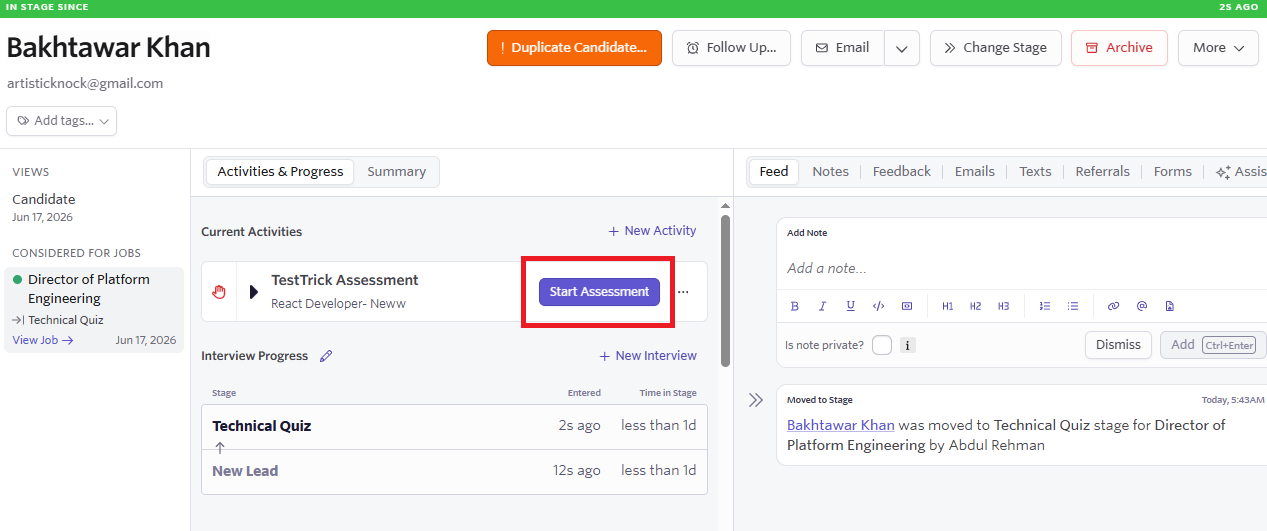
When a candidate reaches that stage, a Start Assessment button will appear on their profile. Recruiters can launch the configured Testtrick assessment with a single click.
What happens when a candidate completes the assessment?
When the candidate finishes their assessment, the following information becomes available inside Ashby:
- The assessment status updates to Completed.
- Candidate scores become available within Ashby.
- Recruiters can view the overall assessment performance.
- A link to the full Testtrick Candidate Report becomes available.
- Hiring teams can continue their evaluation using both Ashby and Testtrick results.
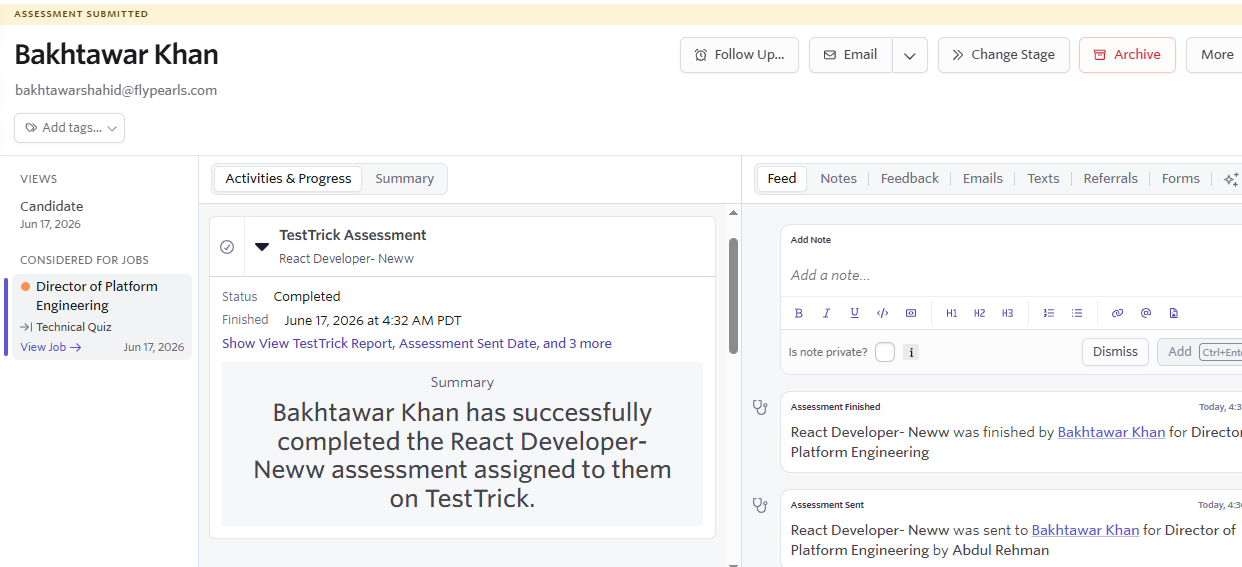
Note: To view the full results, click View TestTrick Report to open the candidate results page inside Testtrick.
Frequently asked questions(FAQs)
Curious about TestTrick? Here are the answers to some frequently asked questions about our company.
Contact Us
FlyPearls LLC. 8 The Green # 4367 Dover, DE 19901 United States
+1 302 261 5361